

Blog

How to
Develop an App Like TaskDroid
In today’s productivity-focused digital world, task management apps have
become essential tools for both individuals and teams.
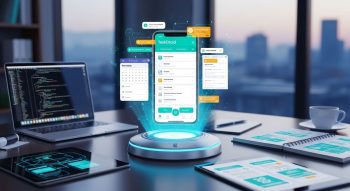
In today’s productivity-focused digital world, task management apps have become essential tools for both individuals and teams. TaskDroid, known for its simplicity, automation, and smart organization features, stands out as a top choice for users who want to boost productivity, stay organized, and manage projects efficiently.
If you’re planning to develop an app like TaskDroid, you’ll need to understand key aspects such as task management systems, to-do list app development, productivity tools, project collaboration, and user experience design. This detailed guide will walk you through every stage of development—from ideation and design to coding, deployment, and monetization—so you can build a high-performing, scalable, and user-friendly productivity app.
1. Understanding TaskDroid and Its Market Appeal
Before developing an app like TaskDroid, it’s crucial to understand why it’s successful. TaskDroid combines simplicity, automation, and customization to deliver a smooth productivity experience. It allows users to manage personal tasks, team projects, and daily routines in one platform.
Key Highlights of TaskDroid:
-
Task Scheduling: Set priorities, due dates, and reminders effortlessly.
-
Smart Notifications: Receive timely alerts for upcoming deadlines.
-
Collaboration Tools: Share task lists and project boards with teammates.
-
Offline Mode: Work without internet connectivity and auto-sync later.
-
Cloud Backup: Safely store tasks and sync them across multiple devices.
The popularity of TaskDroid lies in its user-focused interface, powerful sync capabilities, and ability to simplify complex workflows.
2. Market Research and Defining the Product Vision
Before starting development, conduct in-depth market and user research to identify opportunities. The task management app market is highly competitive, featuring big players like Todoist, Asana, Trello, and Microsoft To Do.
Steps to Define Your Product Strategy:
-
Identify the Target Audience: Individuals, students, small businesses, or enterprise teams.
-
Analyze Competitors: Study UI design, user reviews, and pricing strategies of top apps.
-
Highlight Pain Points: Common issues include cluttered UI, lack of integration, or poor reminders.
-
Create a Unique Selling Proposition (USP): Focus on something distinctive—AI-based suggestions, better collaboration, or offline capabilities.
A clear product vision helps guide your app’s core features, user interface, and long-term scalability.
3. Essential Features for a TaskDroid-Like App
Developing an app like TaskDroid means building a well-rounded ecosystem that enhances organization, collaboration, and automation.
a. Task Creation & Management
Allow users to add, edit, and delete tasks easily. Include fields for titles, descriptions, priority levels, tags, and deadlines.
b. Smart Notifications
Integrate push notifications to alert users about upcoming deadlines, overdue tasks, and project updates.
c. Task Categorization & Labels
Enable custom tags and categories (e.g., Work, Personal, Urgent) to keep tasks organized.
d. Recurring Tasks & Automation
Let users set recurring schedules—daily, weekly, or monthly—and automate repetitive workflows.
e. Collaboration Tools
Support real-time collaboration, task assignment, and shared project boards for teams.
f. Progress Tracking
Provide visual indicators such as progress bars, checklists, or Kanban boards.
g. Cloud Sync & Backup
Sync tasks across devices using secure cloud storage options like Firebase, AWS, or Google Cloud.
h. Analytics Dashboard
Include insights on productivity patterns, task completion rates, and performance metrics.
i. Offline Functionality
Let users manage their tasks offline and automatically sync when reconnected.
j. Cross-Platform Support
Build for both Android and iOS, ensuring consistent performance on all devices.
A mix of these features ensures your app is functional, flexible, and future-ready.
4. Choosing the Right Tech Stack
A powerful tech stack ensures stability, speed, and scalability. Here’s a breakdown of the recommended technologies for a TaskDroid-like app:
Frontend Development
-
Frameworks: Flutter, React Native, or Kotlin for Android / Swift for iOS
-
UI Libraries: Material Design, Tailwind CSS
-
Tools: Figma or Adobe XD for prototyping
Backend Development
-
Languages: Node.js, Python (Django/Flask), or Java (Spring Boot)
-
Database: Firebase, MongoDB, or PostgreSQL
-
Cloud Hosting: AWS, Google Cloud, or Azure
-
APIs: RESTful APIs or GraphQL for communication between frontend and backend
Additional Integrations
-
Push Notifications: Firebase Cloud Messaging (FCM) or OneSignal
-
Authentication: OAuth 2.0, Google Sign-In, or Apple ID Login
-
Analytics: Google Analytics or Mixpanel
-
Payments (if monetized): Stripe or PayPal SDK
Choosing the right stack ensures smooth operation, enhanced user experience, and high data security.
5. Designing the User Interface (UI) and User Experience (UX)
Design is critical in productivity apps. Users prefer minimal, distraction-free layouts that make task management simple.
UI/UX Design Guidelines:
-
Use clean typography and soft color palettes.
-
Add quick-access menus for frequently used features.
-
Include dark mode for visual comfort.
-
Design intuitive navigation flows—users should find everything within two or three taps.
-
Apply micro-interactions for better engagement (e.g., animations when completing tasks).
A polished, user-friendly design is one of the biggest differentiators between successful apps and forgettable ones.
6. Architecture and Workflow Design
The app’s internal architecture should handle user requests efficiently while ensuring data consistency across devices.
Suggested Architecture:
-
Client Layer (Frontend): Handles UI and user interactions.
-
Server Layer (Backend): Processes business logic, task updates, and notifications.
-
Database Layer: Stores user data, task lists, and history.
-
Integration Layer: Connects third-party APIs like Google Calendar or Slack.
-
Security Layer: Manages authentication, encryption, and access control.
Adopting microservices architecture allows for modular updates and easier scalability.
7. Step-by-Step Development Process
Here’s how to systematically build a TaskDroid-like productivity app:
Step 1: Define App Requirements
Document features, workflows, and UI prototypes. Use tools like Jira or Trello to manage the development roadmap.
Step 2: Set Up the Development Environment
Install frameworks, databases, and API gateways. Configure CI/CD pipelines for faster deployment.
Step 3: Develop Core Modules
Start with user authentication, followed by task creation, scheduling, and notifications.
Step 4: Integrate Collaboration and Cloud Sync
Allow team-based project creation, task sharing, and auto-sync through Firebase or custom APIs.
Step 5: Implement Automation & Reminders
Use background services to send alerts and recurring notifications based on predefined schedules.
Step 6: Add Analytics Dashboard
Develop a visual report system that displays user productivity stats and completion trends.
Step 7: Test Extensively
Conduct unit testing, UI testing, and beta testing to fix bugs and improve usability.
Step 8: Deploy and Launch
Deploy your app to Google Play Store and Apple App Store. Monitor feedback and usage metrics post-launch.
8. Security and Data Protection
Since productivity apps often handle sensitive user information, security should be a top priority.
Essential Security Practices:
-
Use HTTPS and SSL certificates for all communications.
-
Encrypt stored data using AES-256 encryption.
-
Implement role-based access control (RBAC) for team environments.
-
Ensure regular backups and data recovery systems.
-
Comply with GDPR and CCPA privacy regulations.
These measures build user trust and protect your app from data breaches or unauthorized access.
9. Estimating Development Cost
The cost to develop an app like TaskDroid depends on features, design complexity, and region of development.
| Component | Estimated Cost (USD) |
|---|---|
| UI/UX Design | $4,000 – $8,000 |
| Backend & APIs | $10,000 – $25,000 |
| Frontend Development | $10,000 – $20,000 |
| Cloud Integration | $3,000 – $8,000 |
| Security & Authentication | $3,000 – $6,000 |
| Testing & QA | $4,000 – $7,000 |
| Deployment & Maintenance | $2,000 – $5,000 |
| Total Estimated Cost | $40,000 – $80,000+ |
Start with a Minimum Viable Product (MVP) to validate your concept and gradually add advanced features.
10. Monetization Strategies
To make your TaskDroid-like app profitable, choose a monetization model that fits your audience.
a. Freemium Model
Offer basic features for free and charge for premium upgrades (e.g., unlimited projects, themes, or analytics).
b. Subscription Model
Provide monthly or yearly subscription plans for professional or enterprise users.
c. One-Time Purchase
Offer a one-time paid version for users who prefer offline or ad-free experiences.
d. Ads Integration
Display non-intrusive ads for free users to generate steady revenue.
e. Team Licenses
Sell licenses for organizations requiring advanced collaboration tools.
11. Post-Launch Optimization and Marketing
After launching, focus on continuous improvement and marketing strategies to grow your user base.
Optimization Tips:
-
Monitor app analytics for usage patterns and feature engagement.
-
Gather user feedback through surveys and reviews.
-
Optimize app performance to reduce loading time.
-
Release regular updates with new features and bug fixes.
Marketing Strategies:
-
Launch a website or landing page highlighting your app’s benefits.
-
Run social media campaigns targeting productivity enthusiasts.
-
Offer referral programs or discounts for early adopters.
-
Use App Store Optimization (ASO) to improve visibility on app stores.
Effective marketing ensures your app reaches the right users and sustains long-term growth.
12. Future Trends in Task Management Apps
Stay ahead of the competition by integrating future-ready features and trends.
Emerging Trends:
-
AI-Powered Task Suggestions: Use AI to prioritize and recommend tasks based on patterns.
-
Voice Commands: Integrate virtual assistants like Google Assistant or Alexa.
-
Cross-App Integration: Sync with calendars, email clients, and communication tools.
-
Gamification: Add reward systems to motivate consistent productivity.
-
Wearable Integration: Allow task notifications on smartwatches and wearable devices.
By embracing innovation, your app can stay relevant in a rapidly evolving productivity market.
Conclusion
Developing an app like TaskDroid requires balancing simplicity, performance, and smart automation. From market research and feature design to backend architecture, security, and marketing, every step plays a role in ensuring success.
By choosing the right tech stack, incorporating AI-driven productivity tools, and delivering a seamless user experience, you can build a next-generation task management app that enhances focus, efficiency, and collaboration for millions of users worldwide.
Now is the perfect time to transform your idea into a feature-rich, high-performing productivity app like TaskDroid.

He is a SaaS-focused writer and the author of Xsone Consultants, sharing insights on digital transformation, cloud solutions, and the evolving SaaS landscape.