

Blog

How to
Develop an App Like SafePocket: Complete Guide for 2025
In an era where data privacy, financial security, and
digital identity protection are top priorities, SafePocket apps
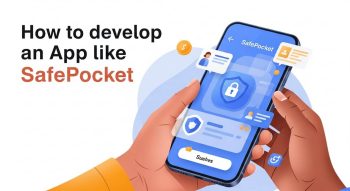
In an era where data privacy, financial security, and digital identity protection are top priorities, SafePocket apps have emerged as a revolutionary way to manage and safeguard personal information. These smart, secure apps combine encryption technology, digital vault systems, and multi-factor authentication to protect users’ sensitive files, passwords, and payment information.
If you’re an entrepreneur, developer, or tech enthusiast wondering how to develop an app like SafePocket, this in-depth guide will take you through every essential step—from concept to launch—covering features, design, technology stack, cost, and monetization strategies.
1. Understanding the Concept of SafePocket
SafePocket is a secure wallet and digital locker app designed to help users store, organize, and protect confidential information — from passwords and identity documents to credit card details and private notes. It acts as a virtual safe for both individuals and businesses seeking to ensure data safety and privacy.
Key objectives of SafePocket-type apps:
-
Store sensitive data in encrypted form
-
Offer biometric and 2FA-based access
-
Provide seamless synchronization across multiple devices
-
Enable offline accessibility with local encryption
These apps are particularly valuable for users who want one centralized platform for all their personal, financial, and confidential data.
2. Why Develop an App Like SafePocket?
The global digital security market is booming. With increasing data breaches and cyber thefts, users are turning to apps like SafePocket for safety and convenience. According to research, the mobile data protection market is expected to exceed $9 billion by 2028.
Reasons to Invest in SafePocket App Development
-
Growing Awareness of Data Privacy – Users are prioritizing encrypted solutions.
-
Recurring Revenue Potential – Subscription models ensure long-term profitability.
-
Multi-Sector Demand – From personal users to corporate clients, everyone needs secure storage.
-
Cross-Platform Market – Availability on Android, iOS, and web multiplies reach.
-
Brand Trust & Loyalty – Security apps naturally build high user retention.
3. Competitor Analysis and Market Research
Before development, analyze leading apps in the niche, such as SafePocket, Keeper, LastPass, Dashlane, and 1Password. This step helps you identify unique value propositions (UVPs) and avoid repeating common usability issues.
Market Research Goals
-
Identify top-performing features and security protocols.
-
Analyze user reviews to detect pain points.
-
Benchmark UI/UX design trends in secure apps.
-
Evaluate competitors’ pricing and monetization models.
Tools for analysis: App Annie, Google Play Console, Sensor Tower, SimilarWeb.
4. Core Features of a SafePocket-Like App
Developing a SafePocket-style app means creating a platform that blends security, simplicity, and reliability. Below are must-have features categorized into essential and advanced functionalities.
A. Essential Features
-
User Authentication
-
Email/phone login and signup
-
Biometric access (fingerprint or Face ID)
-
Two-factor authentication (2FA)
-
-
Encrypted Storage
-
AES-256 encryption for local and cloud-stored data
-
End-to-end encryption during file transfer
-
-
Password & Document Management
-
Securely save passwords, notes, and files
-
Tag and categorize items for quick access
-
-
Cloud Backup and Sync
-
Integration with Google Drive, Dropbox, and iCloud
-
Seamless synchronization across devices
-
-
Offline Access
-
View and edit files offline with on-device encryption
-
-
User-Friendly Dashboard
-
Simple interface showing storage status, shortcuts, and file categories
-
B. Advanced Features
-
Auto-Lock Timer
-
Automatically locks app after inactivity
-
-
Secure File Sharing
-
Temporary access links with expiration dates
-
-
AI-Powered Categorization
-
Automatically detect document type (passport, ID, etc.)
-
-
Dark Mode & Custom Themes
-
Personalized user experience
-
-
Password Generator
-
Create strong, unique passwords within the app
-
-
Emergency Access
-
Trusted contacts can access data during emergencies
-
-
Notifications & Alerts
-
Login alerts, suspicious activity warnings, and sync updates
-
5. UI/UX Design for SafePocket App
User trust heavily depends on how intuitive and clean your app feels. A clutter-free interface improves adoption and retention rates.
Best Design Practices
-
Minimalistic Dashboard – Focus on clarity and function.
-
Consistent Color Scheme – Use calming tones like blue, white, or gray that convey trust.
-
Simple Navigation – 3–5 main tabs max.
-
Interactive Onboarding – Explain security features to new users with animations or tooltips.
-
Accessibility Options – Text resizing, voice support, and contrast settings.
Design Tools: Figma, Adobe XD, Sketch.
6. Choosing the Right Tech Stack
Selecting a modern and scalable technology stack ensures performance, security, and future compatibility.
Frontend
-
Frameworks: Flutter, React Native (cross-platform)
-
Languages: Swift (iOS), Kotlin (Android)
-
UI Libraries: Material Design, Cupertino Widgets
Backend
-
Languages: Node.js, Python, Java
-
Frameworks: Express.js, Django, or Spring Boot
-
Databases: MongoDB, PostgreSQL, Firebase Firestore
-
Authentication: OAuth 2.0, JWT Tokens
Security
-
Encryption: AES-256, RSA
-
Hashing: Bcrypt, SHA-256
-
APIs: OpenSSL, Keychain Access
-
Cloud Providers: AWS, Azure, Google Cloud
7. Step-by-Step Development Process
Developing a SafePocket-like app involves a structured process combining security protocols, user interface design, and backend development.
Step 1: Requirement Gathering
Define app goals, audience, and essential features. Prepare technical documentation, app flow, and UI wireframes.
Step 2: Design Phase
Build visual prototypes and interactive mockups for approval before coding begins.
Step 3: Backend Development
Set up database structures, encryption methods, authentication APIs, and cloud integration.
Step 4: Frontend Development
Create app screens, implement design elements, and connect them to backend APIs.
Step 5: Security Implementation
Add data encryption, biometric access, and 2FA integration.
Step 6: Testing
Perform:
-
Functional Testing
-
Penetration Testing
-
Usability Testing
-
Beta Testing
Step 7: Deployment
Publish your app on Google Play Store, Apple App Store, and optionally a web version.
Step 8: Post-Launch Maintenance
Regularly release updates for new features, bug fixes, and enhanced security layers.
8. Monetization Strategies for SafePocket Apps
Security apps have various monetization options based on user segments and feature tiers.
-
Freemium Model
-
Basic version free; charge for premium security layers.
-
-
Subscription Plans
-
Monthly or annual plans for unlimited storage or device access.
-
-
In-App Purchases
-
Sell add-ons like additional cloud space or dark mode themes.
-
-
Enterprise Plans
-
Offer team-based access for business clients.
-
-
White-Label Licensing
-
License the platform to other companies as a custom security solution.
-
9. Security & Compliance Guidelines
Security is the foundation of a SafePocket app. Ensure compliance with global data protection regulations and maintain a transparent privacy policy.
Key Practices
-
End-to-end encryption for data storage and transfer
-
Zero-knowledge architecture (developer cannot view user data)
-
Periodic security audits and code reviews
-
GDPR and CCPA compliance
-
Secure password hashing and key management
-
DDoS and brute-force attack prevention
10. Development Cost and Time Estimation
The cost of developing a SafePocket-like app depends on scope, platform, and location of your development team.
| Stage | Estimated Cost (USD) |
|---|---|
| UI/UX Design | $3,000 – $6,000 |
| Frontend & Backend Development | $15,000 – $35,000 |
| Security Implementation | $4,000 – $8,000 |
| Cloud Integration | $3,000 – $7,000 |
| Testing & QA | $2,000 – $5,000 |
| Deployment & Maintenance | $2,000 – $4,000 |
Total Estimated Cost: $30,000 – $65,000
Development Time: 4 to 6 months
11. Tips to Make Your SafePocket App Stand Out
-
Prioritize Security Over Everything – Make encryption and privacy non-negotiable.
-
Offer Cross-Platform Access – Users should sync easily between phone, tablet, and desktop.
-
Use AI for Convenience – Introduce file recognition and smart suggestions.
-
Optimize for Speed – Lightweight design ensures smooth performance.
-
Add Gamified Elements – Reward users for secure behaviors like password updates.
-
Gather Early Feedback – Launch an MVP and refine features before scaling.
12. Future Trends in Digital Security Apps
The world of secure storage apps like SafePocket is evolving rapidly. Future versions may integrate even more sophisticated technologies.
Emerging Trends
-
Blockchain Security – Decentralized file protection and traceability.
-
Quantum-Resistant Encryption – Next-gen defense against cyber attacks.
-
AI Threat Detection – Real-time behavior-based anomaly detection.
-
Voice & Gesture Authentication – Beyond fingerprint and facial recognition.
-
Integration with Smart Devices – Seamless access across IoT ecosystems.
Conclusion
Developing an app like SafePocket requires a balance between cutting-edge security, user-friendly design, and scalable architecture. From encryption protocols and cloud synchronization to AI-driven categorisation, every detail plays a role in building trust and functionality.
By following this comprehensive development roadmap — from market research to post-launch growth — you can build a SafePocket alternative that not only protects user data but also sets new standards for digital privacy and secure information management.
A well-executed SafePocket-style app has the potential to become a top-rated security solution, giving users the confidence to store their digital life safely in one pocket—their SafePocket.

He is a SaaS-focused writer and the author of Xsone Consultants, sharing insights on digital transformation, cloud solutions, and the evolving SaaS landscape.