

Blog

How to
Build an App like iNoteSafe
In a time where data privacy and productivity are
top priorities, users are searching for tools that
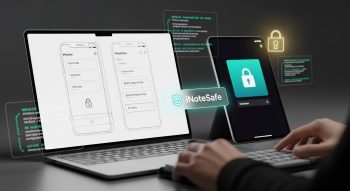
In a time where data privacy and productivity are top priorities, users are searching for tools that allow them to store notes safely without compromising convenience. Apps like iNoteSafe deliver exactly that — providing a secure digital notebook where users can save personal or professional data with full encryption and privacy.
If you’re a developer, entrepreneur, or tech startup aiming to create the next secure productivity tool, this comprehensive guide will walk you through how to build an app like iNoteSafe, covering concept, features, tech stack, development process, and cost breakdown.
1. What Is iNoteSafe?
iNoteSafe is a privacy-focused note-taking app designed to store text, images, passwords, and confidential files in an encrypted format. Unlike standard note apps such as Evernote or Google Keep, iNoteSafe emphasizes security, user control, and encryption over cloud dependency.
The app allows users to:
-
Write and organize notes
-
Secure them with PIN codes, biometrics, or passphrases
-
Automatically encrypt data using AES-level encryption
-
Access notes offline or in sync with cloud backups
It’s essentially a digital safe for your thoughts and sensitive data, making it ideal for professionals, students, or anyone who values privacy.
2. Why Build a Secure Note App Like iNoteSafe?
The growing number of data leaks and privacy concerns has shifted user demand toward encrypted note-taking apps.
Market Insights
-
The secure productivity app market is estimated to reach $12 billion by 2030.
-
Over 65% of users prefer apps that use local encryption and two-factor authentication.
-
The rise in remote work and digital privacy awareness creates a prime opportunity for secure apps.
Why Users Prefer Secure Note Apps
-
Prevents unauthorized access to private notes.
-
Protects personal information even if the device is lost or hacked.
-
Ensures compliance with privacy laws such as GDPR and CCPA.
A well-designed iNoteSafe-like app can target professionals, business users, journalists, and students — anyone who values data confidentiality.
3. Core Features of an App Like iNoteSafe
To replicate and improve on iNoteSafe’s success, include the following must-have features in your app:
a. Encrypted Note Storage
Use AES-256 encryption for all notes, ensuring only the user can decrypt their data using a personal key or password.
b. Biometric and Passcode Lock
Provide security options like Face ID, Touch ID, or PIN code locks for quick access.
c. Cloud Backup with End-to-End Encryption
Enable optional encrypted backups on Google Drive, Dropbox, or iCloud, ensuring the cloud provider can’t read user data.
d. Offline Mode
Let users create, edit, and access notes without internet connectivity. Sync automatically when reconnected.
e. Folder and Tag Organization
Allow sorting of notes into folders or categories. Enable tag-based filtering and color labeling for easy organization.
f. Media Attachments
Support adding images, audio files, and documents inside encrypted notes.
g. Search and Quick Access
Implement an instant search feature to find notes based on keywords, titles, or tags.
h. Auto Lock and Timeout
Automatically lock the app after a period of inactivity for extra security.
i. Data Export and Import
Allow users to export encrypted backups or import notes from other platforms.
j. Sync Across Devices
Offer multi-device access using secure APIs or end-to-end cloud synchronization.
4. Advanced Features to Stand Out
To make your secure note app unique, consider integrating advanced technologies that enhance functionality and user experience.
AI-Powered Features
-
Smart Note Categorization: Automatically organize notes into folders using AI.
-
AI Text Summarization: Condense lengthy notes into key bullet points.
-
Voice-to-Text Conversion: Convert audio into encrypted text notes.
Security Enhancements
-
Zero-Knowledge Encryption: Only the user holds the decryption key.
-
Two-Factor Authentication (2FA): Add an extra layer of verification.
-
Stealth Mode: Hide app icon or use disguised access mode for privacy.
Cross-Platform Features
-
Web, mobile, and desktop access.
-
Sync between Android, iOS, and web apps via end-to-end encrypted APIs.
Customization
-
Dark/light mode and custom themes.
-
Editable note templates.
-
Font and color preferences for personalized writing.
5. UI/UX Design for iNoteSafe-Like Apps
A secure app doesn’t have to feel complicated. The UI/UX design should focus on simplicity, trust, and usability.
Design Principles
-
Minimalistic, distraction-free interface.
-
Clearly visible security indicators (lock icons, encryption status).
-
Fast navigation between notes and folders.
-
Accessibility features (voice input, high contrast, large text).
Essential Screens
-
Onboarding & Login – Introduce features and set up security credentials.
-
Home/Dashboard – Displays recent notes and categories.
-
Note Editor – Rich text formatting, image insertion, and media attachments.
-
Settings & Security – Manage encryption, sync, and backup options.
-
Search Page – Quick search and filtering tools.
Tools for Design
-
Figma or Adobe XD for prototyping.
-
LottieFiles for smooth micro-animations.
-
Material Design 3 or Cupertino for consistent platform experience.
6. Choosing the Right Technology Stack
Selecting the right tools determines your app’s security, scalability, and performance.
Frontend (Mobile App)
-
Flutter – Best for cross-platform Android/iOS apps.
-
React Native – Quick development and flexibility.
-
Swift (iOS) or Kotlin (Android) – For native performance.
Backend
-
Node.js + Express – Lightweight and scalable for APIs.
-
Django (Python) – Great for robust security features.
-
Firebase – Real-time sync and user authentication.
Database
-
MongoDB or PostgreSQL for note storage.
-
SQLite for local encrypted storage.
-
Firestore for real-time syncing.
Cloud & Encryption
-
AWS S3 or Google Cloud Storage for encrypted backups.
-
AES-256 or RSA encryption for secure note handling.
-
JWT (JSON Web Tokens) for authentication.
Security Libraries
-
bcrypt for password hashing.
-
OpenSSL for encryption.
-
Keychain (iOS) / Keystore (Android) for local secure storage.
7. Step-by-Step Development Process
Here’s a structured process to guide you from idea to launch:
Step 1: Research & Planning
-
Define your target users (e.g., professionals, students, or businesses).
-
Research competitors like Evernote, Standard Notes, or iNoteSafe.
-
Identify your unique value proposition — such as enhanced encryption or AI summaries.
Step 2: UI/UX Design
-
Create prototypes and mockups in Figma.
-
Conduct usability testing to refine flow and simplicity.
Step 3: Backend Setup
-
Build secure APIs for user authentication, note creation, and encryption.
-
Configure database and cloud backups.
-
Implement local and remote encryption mechanisms.
Step 4: App Development
-
Integrate the frontend with backend APIs.
-
Implement biometric security and PIN lock.
-
Add note editor, tags, and search functionality.
-
Ensure smooth offline-to-online sync transition.
Step 5: Security Implementation
-
Encrypt all notes locally.
-
Set up SSL/TLS for data transmission.
-
Add 2FA and zero-knowledge protocols.
Step 6: Testing
-
Functional Testing – Verify all features work correctly.
-
Security Testing – Test encryption, authentication, and data leaks.
-
Performance Testing – Optimize loading speed and battery use.
-
Usability Testing – Collect user feedback for improvement.
Step 7: Deployment
-
Host backend on AWS, Google Cloud, or Firebase.
-
Publish on Google Play Store and Apple App Store.
-
Use App Store Optimization (ASO) for visibility.
8. Security & Compliance Considerations
Security is the heart of a note app like iNoteSafe. Follow these best practices to protect users and stay compliant.
Security Best Practices
-
Encrypt all user data both in-transit and at-rest.
-
Never store unencrypted text or passwords on servers.
-
Offer biometric authentication and auto-lock options.
-
Limit clipboard access and background data usage.
Compliance Standards
-
GDPR (Europe): Right to data privacy and deletion.
-
CCPA (California): Data transparency for users.
-
ISO 27001: Global information security management standards.
Ensure your app’s privacy policy is transparent about what data is collected, encrypted, and stored.
9. Monetization Strategies
Building a secure app doesn’t just offer value — it can also generate strong recurring revenue.
Freemium Model
Offer free access with limited note storage, then charge for premium features like:
-
Unlimited notes
-
Cloud sync
-
Advanced encryption and 2FA
Subscription Model
-
Monthly or yearly premium plans for personal or business use.
-
Offer discounts for students or long-term subscriptions.
One-Time Purchase
Let users buy lifetime access with all premium features unlocked.
Enterprise Licensing
Offer bulk subscriptions for companies that need secure note storage for employees.
10. Development Cost Breakdown
The cost to build an app like iNoteSafe depends on complexity, features, and region.
| Stage | Estimated Cost (USD) |
|---|---|
| Research & Planning | $2,000 – $5,000 |
| UI/UX Design | $3,000 – $7,000 |
| Frontend Development | $10,000 – $25,000 |
| Backend Development | $8,000 – $20,000 |
| Security & Encryption Setup | $5,000 – $10,000 |
| Testing & QA | $3,000 – $6,000 |
| Total Estimated Cost | $30,000 – $70,000 |
If you start with an MVP (Minimum Viable Product) version, expect costs around $20,000 – $25,000.
11. Marketing & Launch Strategy
Once your app is ready, marketing is key to success.
Pre-Launch Strategy
-
Create a landing page with an email waitlist.
-
Share beta versions with influencers in tech and privacy niches.
-
Run teaser campaigns on LinkedIn, Reddit, and X (Twitter).
Post-Launch Marketing
-
Focus on App Store Optimization (ASO) with keywords like secure notes app, private note app, encrypted notes.
-
Run targeted ads on Google and Facebook.
-
Partner with cybersecurity blogs and YouTube channels for reviews.
User Retention Strategies
-
Offer free encrypted cloud storage for early adopters.
-
Send newsletters with privacy and productivity tips.
-
Reward premium users with feature updates and loyalty perks.
12. Future Trends in Secure Note Apps
The secure note-taking space continues to evolve. To stay relevant, keep an eye on these trends:
-
AI-Powered Writing Assistance – Suggests note summaries and smart tags.
-
Blockchain Encryption – Provides unalterable and decentralized security.
-
Voice and Handwriting Recognition – For natural note input.
-
Edge Computing – Local encryption without cloud dependency.
-
Wearable Integration – View and dictate notes via smartwatches.
Conclusion
Building an app like iNoteSafe requires balancing functionality, privacy, and ease of use. By integrating end-to-end encryption, biometric locks, and AI-based organization, you can create a productivity tool that users can truly trust.
Start with a strong MVP focusing on security, then expand with premium features like cloud sync, smart search, and collaboration. With the right tech stack, solid marketing strategy, and commitment to data safety, your app can stand out as the go-to encrypted note-taking app in 2025 and beyond.

He is a SaaS-focused writer and the author of Xsone Consultants, sharing insights on digital transformation, cloud solutions, and the evolving SaaS landscape.