

Blog

How to
Create a Mobile App That Helps with Budgeting
Introduction Contents hide 1 Introduction 2 Step 1: Define
the Purpose and Target Audience 2.1 Ask Key
Introduction
In an increasingly digital world, managing personal finances has never been more important—or more convenient. Millions of people now rely on budget tracking apps like Mint, YNAB (You Need a Budget), and PocketGuard to gain control over their spending habits, track income, and plan savings effectively.
If you’ve ever wanted to create a mobile app that helps with budgeting, now is the perfect time. The global personal finance app market is projected to surpass billions of dollars in revenue, with users seeking smarter, more personalized ways to monitor expenses, set financial goals, and make informed spending decisions.
Developing a budgeting app involves a blend of fintech innovation, UX design, data security, and AI-driven insights. This guide walks you through every step—from conceptualizing your idea to launching a high-performing personal finance app that users trust and love.
Step 1: Define the Purpose and Target Audience
Before you begin building, define the purpose of your budgeting app and identify who it’s for.
Ask Key Questions:
-
Is the app meant for individual users, couples, or small businesses?
-
Will it focus on expense tracking, saving goals, investment tracking, or all three?
-
Should it provide automated insights or rely on manual data input?
For example:
-
Millennials might want an intuitive, AI-powered app that categorizes expenses automatically.
-
Small businesses could need advanced analytics, invoicing, and tax calculations.
Clearly defining your audience ensures your app delivers relevant features that meet user expectations.
Step 2: Analyze Competitors and Market Trends
Study existing budgeting apps to identify gaps in the market. Apps like Mint, Goodbudget, and Fudget have set high standards, but there’s always room for innovation.
Analyze Competitors By:
-
Features: Budget creation, spending alerts, savings tracking, etc.
-
User Interface: Is it intuitive, minimal, or cluttered?
-
User Feedback: What do users praise or complain about?
-
Business Model: Are they subscription-based or free with ads?
Understanding what works (and what doesn’t) helps you design an app that offers something unique—like better visualization, gamified saving challenges, or AI-powered recommendations.
Step 3: Choose the Right Features
Features determine how useful your budgeting app will be. A strong feature set balances simplicity, functionality, and security.
Essential Features of a Budgeting App
-
User Registration and Authentication
-
Secure sign-in using email, biometrics, or two-factor authentication.
-
-
Expense Tracking and Categorization
-
Automatically or manually record transactions.
-
Group spending by category (food, rent, travel, etc.).
-
-
Budget Creation and Management
-
Allow users to set monthly or yearly budgets.
-
Provide alerts when spending exceeds limits.
-
-
Bank Integration
-
Use APIs like Plaid or Yodlee to connect directly to bank accounts for real-time updates.
-
-
Visual Dashboards
-
Display spending patterns via charts and graphs.
-
Offer insights on saving potential.
-
-
Goal Setting and Savings Tracker
-
Let users set savings goals and track progress.
-
-
AI and Smart Recommendations
-
Suggest spending adjustments and saving opportunities using data analysis.
-
-
Notifications and Alerts
-
Remind users about upcoming bills or abnormal spending activity.
-
-
Data Security and Privacy Controls
-
Implement data encryption, GDPR compliance, and secure cloud storage.
-
-
Multi-Currency Support (Optional)
-
For international users managing multiple accounts.
The key is to start with a Minimum Viable Product (MVP)—a simplified version that solves a core financial pain point—then expand based on user feedback.
Step 4: Design a User-Centric Interface
Budgeting apps must be clear, intuitive, and motivating. Users should feel empowered, not overwhelmed, by financial data.
Design Tips for Financial Apps:
-
Use clean layouts and calming colors (like blues and greens).
-
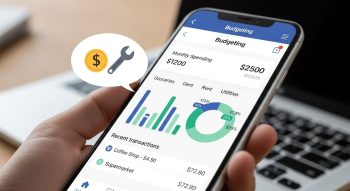
Keep data visualization simple—pie charts, bar graphs, and progress meters work best.
-
Incorporate micro-interactions for motivation (e.g., confetti when a user reaches a savings goal).
-
Make navigation seamless with intuitive icons and minimal menus.
Popular UI/UX tools for design: Figma, Adobe XD, and Sketch.
Remember, the more effortless the experience, the higher the retention rate.
Step 5: Select the Right Technology Stack
Choosing the right technology ensures your app is scalable, secure, and performs efficiently across devices.
Recommended Tech Stack:
-
Frontend: Flutter, React Native, or Swift (for iOS) / Kotlin (for Android)
-
Backend: Node.js, Python (Django), or Ruby on Rails
-
Database: MongoDB, PostgreSQL, or Firebase
-
APIs: Plaid (banking), Stripe (payments), Firebase (push notifications)
-
Security: AES-256 encryption, OAuth 2.0 for authentication
If you plan to launch both Android and iOS versions, cross-platform frameworks like Flutter or React Native are cost-effective choices.
Step 6: Implement AI for Smarter Insights
AI-driven budgeting apps stand out because they learn from user behavior and deliver personalized recommendations.
AI Features You Can Add:
-
Expense prediction: Estimate next month’s spending.
-
Automated categorization: Classify transactions accurately using NLP.
-
Financial coaching: Provide savings or investment advice.
-
Voice assistance: Let users ask, “How much did I spend this week?”
Machine learning libraries like TensorFlow, scikit-learn, or PyTorch can enhance the intelligence of your app over time.
Step 7: Ensure Data Security and Compliance
Since budgeting apps handle sensitive financial data, security and compliance are non-negotiable.
Best Practices for Fintech Security:
-
Use end-to-end encryption for data transmission.
-
Implement multi-factor authentication (MFA).
-
Follow GDPR and PCI DSS regulations.
-
Regularly conduct penetration testing and security audits.
Your app’s reputation depends on how well it protects user data—this should be a top development priority.
Step 8: Test the App Rigorously
Thorough testing ensures your budgeting app performs flawlessly under all conditions.
Types of Testing:
-
Functional Testing: Verify all features (budget setup, expense tracking, etc.).
-
Performance Testing: Check app speed and responsiveness.
-
Security Testing: Ensure no data leaks or unauthorized access.
-
Usability Testing: Gather real user feedback for UX improvements.
Testing tools like Appium, TestComplete, or BrowserStack help you simulate real-world usage scenarios efficiently.
Step 9: Launch and Market the App
Once your app passes all quality checks, it’s time to launch it on the Google Play Store or Apple App Store.
Pre-Launch Checklist:
-
Optimize your App Store Optimization (ASO) elements—title, description, and visuals.
-
Prepare demo videos or explainer animations for marketing.
-
Create social media campaigns highlighting unique features.
-
Encourage early users to leave positive reviews.
Post-launch, monitor user feedback and implement regular updates to improve performance and add new functionalities.
Step 10: Monetization Strategies for Budgeting Apps
A budgeting app can generate revenue through multiple channels:
-
Freemium Model: Basic features are free; advanced analytics or goal-setting tools are paid.
-
Subscription Plans: Offer monthly or yearly plans with premium insights.
-
Affiliate Marketing: Recommend financial products or savings accounts and earn commission.
-
In-App Purchases: Sell additional features like personalised reports.
-
Advertisements: Display non-intrusive ads carefully targeted to user interests.
The best strategy depends on your target audience and long-term business goals.
Future Trends in Budgeting Apps
The future of budgeting apps is shaped by AI, automation, and integration with other financial tools.
Emerging Trends to Watch:
-
Open Banking Integration for unified financial control.
-
AI-powered personal finance coaches.
-
Voice and chatbot assistants for easy interaction.
-
Blockchain-based financial tracking for transparency.
-
Gamified savings challenges to boost motivation.
Developing with scalability in mind ensures your app can evolve with these innovations.
Conclusion
Creating a mobile app that helps with budgeting is about empowering users to make smarter financial choices. By combining fintech intelligence, user-friendly design, and robust security, you can build an app that not only tracks expenses but also improves financial wellness.
Start by defining your purpose, building a strong foundation with must-have features, and designing an interface that inspires confidence. Then, enhance it with AI and ensure compliance with data protection standards.
With the right strategy and continuous updates, your budgeting app can become a trusted financial companion—helping users save more, spend wisely, and take full control of their money.

He is a SaaS-focused writer and the author of Xsone Consultants, sharing insights on digital transformation, cloud solutions, and the evolving SaaS landscape.