

Blog

How to
Create a Mobile App Prototype
In today’s digital era, a great mobile app starts
long before a single line of code is
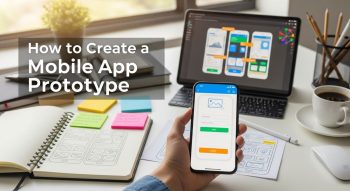
In today’s digital era, a great mobile app starts long before a single line of code is written. Before you invest time and money into full-scale development, you need a prototype—a visual, interactive version of your app that helps you test ideas, design user experiences, and communicate your vision effectively.
Whether you’re a startup founder, UI/UX designer, or mobile app developer, learning how to create a mobile app prototype can help you avoid costly mistakes, impress investors, and ensure your app succeeds in the market.
This comprehensive guide walks you through the meaning, benefits, process, tools, and best practices for creating an app prototype from scratch.
1. What Is a Mobile App Prototype?
A mobile app prototype is an early model or interactive simulation of your mobile app that shows how it will look and function. Unlike a wireframe (which focuses on layout) or a mockup (which shows static visuals), a prototype lets users interact with screens—tapping buttons, navigating menus, and experiencing transitions.
It’s essentially a preview of your app’s user journey before coding begins.
2. Why Create a Mobile App Prototype?
Creating a prototype is not just about design; it’s a crucial step in product validation and development. Here’s why:
A. Visualize Your Idea
Prototypes help you turn abstract ideas into tangible experiences, giving stakeholders and developers a clear picture of what you’re building.
B. Save Time and Money
By identifying design flaws early, you avoid expensive fixes during development.
C. Test User Experience (UX)
You can gather feedback from real users and refine navigation, usability, and features.
D. Attract Investors and Clients
A working prototype makes it easier to pitch your app idea and demonstrate its potential value.
E. Align Teams
It ensures designers, developers, and clients are on the same page—reducing miscommunication.
3. Types of App Prototypes
Before you start, it’s important to know the different levels of fidelity—or how detailed your prototype will be.
A. Low-Fidelity Prototypes
-
Basic sketches or wireframes.
-
Focus on layout, flow, and core functions.
-
Tools: Balsamiq, paper sketches, whimsical.
B. Medium-Fidelity Prototypes
-
Add more visual elements, icons, and navigation.
-
Demonstrates app flow more clearly.
-
Tools: Figma, Adobe XD, Marvel.
C. High-Fidelity Prototypes
-
Closely resemble the final app’s design and interactions.
-
Include colours, branding, animations, and clickable features.
-
Tools: Figma, InVision Studio, and ProtoPie.
4. Steps to Create a Mobile App Prototype
Let’s break down the complete step-by-step process of creating an app prototype—from concept to testing.
Step 1: Define Your App Concept and Goals
Start with clarity.
Ask yourself:
-
What problem does my app solve?
-
Who is my target audience?
-
What’s my app’s unique value?
Create a brief that outlines:
-
Core features
-
Target users
-
Desired outcomes
💡 Tip: Use competitor research (like apps from the same niche) to identify user pain points and opportunities.
Step 2: Conduct User Research
Gather insights on your audience’s needs, habits, and preferences.
Use:
-
Surveys and interviews
-
User personas
-
Competitor analysis
Understanding your audience ensures your prototype is designed for real user behaviours, not assumptions.
Step 3: Sketch Initial Ideas (Wireframes)
Start simple. Sketch the app layout on paper or a digital tool.
Focus on:
-
Screen hierarchy
-
Navigation flow
-
Placement of buttons, menus, and forms
This low-fidelity step helps you visualise the basic app structure before adding design details.
Step 4: Choose the Right Prototyping Tool
Select a tool that fits your goals and skill level.
Here are popular options:
| Tool | Ideal For | Key Features |
|---|---|---|
| Figma | UI/UX Designers | Collaborative prototyping, interactive screens |
| Adobe XD | Professionals | Real-time collaboration, responsive design |
| Sketch | macOS users | Vector editing, plugin support |
| InVision | Agencies | Interactive transitions, feedback system |
| ProtoPie | Advanced Animations | Real device testing, complex interactions |
Step 5: Design the App Interface
Now, transform your wireframes into visually appealing designs:
-
Add colours, icons, and typography.
-
Apply your brand identity (logo, fonts, and palette).
-
Maintain consistent design across screens.
💡 Tip: Follow Material Design (Android) or Human Interface Guidelines (iOS) for platform consistency.
Step 6: Add Interactivity
Link screens together to simulate real user navigation:
-
Define tap actions, swipes, or gestures.
-
Create transitions and micro-animations.
-
Ensure natural, intuitive flow between pages.
For example:
-
Tapping “Login” opens the Dashboard screen.
-
Swiping → navigates between tabs.
This brings your app “to life” for user testing and presentations.
Step 7: Conduct Usability Testing
Now that your prototype is ready, test it with real users:
-
Ask them to perform key actions (e.g., sign up, make a purchase).
-
Observe how easily they navigate.
-
Collect feedback on visuals, flow, and performance.
Use tools like
-
Maze
-
UserTesting
-
Lookback.io
💡 Goal: Identify confusion points, broken flows, or unnecessary steps.
Step 8: Refine and Iterate
Take user feedback seriously. Update your design based on usability test results:
-
Simplify navigation.
-
Adjust button placement.
-
Improve contrast and readability.
The prototype phase is meant for iteration—the more you refine, the better your final app will perform.
5. Best Practices for Successful App Prototyping
To make your prototype efficient and realistic, follow these proven tips:
-
Start with user needs, not design trends.
-
Keep screens simple—focus on core interactions first.
-
Use real content, not lorem ipsum, for better context.
-
Test early and often—even rough prototypes offer valuable feedback.
-
Document feedback and iterations for future developers.
-
Collaborate—involve designers, developers, and stakeholders throughout.
-
Maintain platform consistency (Android vs. iOS).
6. Common Mistakes to Avoid
Avoid these pitfalls when building your prototype:
-
Overcomplicating the design: Focus on usability, not perfection.
-
Ignoring target users: Design for your audience, not yourself.
-
Skipping feedback loops: Early testing prevents big development issues.
-
Neglecting scalability: Plan how your design adapts to updates and new features.
-
Forgetting documentation: Developers need clear reference points for implementation.
7. Benefits of Prototyping Before Development
Building a prototype can save enormous resources and streamline development:
| Benefit | Description |
|---|---|
| Early Validation | Confirms your idea’s potential with users and investors. |
| Reduced Costs | Identifies UX issues before expensive coding begins. |
| Faster Development | Provides developers with a clear visual blueprint. |
| Improved Collaboration | Aligns designers, clients, and programmers. |
| Higher User Satisfaction | Ensures your final product meets user expectations. |
8. Cost and Time to Create a Prototype
The time and cost of prototyping depend on complexity and design depth.
| Fidelity Level | Time (Approx.) | Cost (Approx.) |
|---|---|---|
| Low-Fidelity | 1–3 days | $0–$100 |
| Medium-Fidelity | 3–7 days | $100–$500 |
| High-Fidelity | 1–3 weeks | $500–$3000+ |
💡 Tip: For startups, start with a medium-fidelity prototype to balance cost and clarity.
9. Tools for Collaboration and Feedback
Collaboration is key to efficient prototyping. Use tools like
-
Figma—Real-time team editing.
-
Notion—Organise project notes and revisions.
-
Slack / Microsoft Teams – Communication and feedback.
-
Trello or Asana—task management for prototyping phases.
10. Future of App Prototyping: AI and Automation
AI tools are reshaping how prototypes are built.
Modern design platforms can now:
-
Generate wireframes from text prompts.
-
Suggest UI layouts using AI design assistants.
-
Predict user flow issues automatically.
Tools like Uizard, Figma AI, and Framer AI are enabling faster, smarter prototyping with less manual effort.
11. FAQs: Mobile App Prototyping
1. What is the main purpose of a prototype?
To test design ideas, visualise app flow, and gather user feedback before coding begins.
2. Do I need coding skills to make a prototype?
No. Most prototyping tools like Figma, Adobe XD, and InVision are code-free and user-friendly.
3. How detailed should a prototype be?
Start simple. Add details gradually as you refine the design and test functionality.
4. How is a prototype different from a wireframe?
A wireframe shows structure (static), while a prototype is interactive and simulates user experience.
Yes! High-fidelity prototypes are ideal for presentations and funding pitches.
6. What’s the best tool for beginners?
Figma and Marvel are great starting points due to their ease of use and collaboration features.
7. How long does it take to build a mobile app prototype?
Anywhere from a few days to three weeks, depending on complexity and design quality.
8. Should I test prototypes with real users?
Yes. Real feedback ensures your app meets user expectations and improves usability.
9. Do developers use prototypes directly?
Yes. Developers rely on prototypes for reference, flow, and UI guidelines during coding.
10. Can AI help in prototyping?
Absolutely! Tools like Uizard AI and Figma AI automate layouts, icons, and design adjustments using text prompts.
12. Conclusion
A mobile app prototype is the bridge between an idea and a working product. It allows you to experiment, test, and perfect your app’s design before development begins—saving you both time and money.
In 2025, successful apps aren’t built overnight; they’re tested, refined, and validated through effective prototyping. By using the right tools, gathering user feedback, and focusing on usability, you’ll lay a strong foundation for your final product.
Remember: the best apps start with a great prototype.
So take your idea, sketch it, prototype it, test it—and bring it to life!

He is a SaaS-focused writer and the author of Xsone Consultants, sharing insights on digital transformation, cloud solutions, and the evolving SaaS landscape.