

Blog

How to
Create an App That Promotes Mindfulness and Meditation
In a world that moves faster than ever, stress,
anxiety, and digital overload have become constant companions
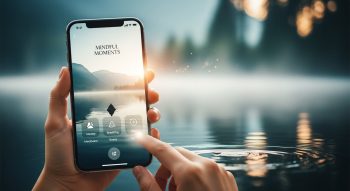
In a world that moves faster than ever, stress, anxiety, and digital overload have become constant companions for millions. That’s why the demand for mindfulness and meditation apps like Calm, Headspace, and Insight Timer is booming.
If you’ve ever dreamed of creating an app that helps users find inner peace, manage stress, and build healthier habits — you’re in the right place. This detailed guide walks you through how to create a mindfulness and meditation app — from concept to launch — with insights on design, features, technologies, and monetization.
1. Understanding Mindfulness and Meditation Apps
Before jumping into development, it’s crucial to understand what makes mindfulness apps work.
A mindfulness or meditation app helps users:
-
Reduce stress and anxiety
-
Develop focus and self-awareness
-
Build daily meditation habits
-
Improve sleep quality and emotional well-being
Apps like Calm and Headspace use audio sessions, soothing visuals, breathing guides, and reminders to encourage mindfulness. Your goal is to build a digital sanctuary that helps users disconnect from chaos and reconnect with themselves.
2. Why Build a Mindfulness App in 2025?
The global wellness industry continues to expand rapidly. Here’s why now is the best time:
-
🌍 Market Growth: The global meditation app market is projected to surpass $6 billion by 2028.
-
📱 High Engagement: Meditation apps enjoy strong user retention because people use them daily.
-
💡 Purpose-Driven Trend: People crave mental wellness and mindful living — especially post-pandemic.
-
💰 Recurring Revenue: Subscription-based meditation apps generate consistent income streams.
If done right, your app can help millions while building a profitable, sustainable business.
3. Step-by-Step Process to Create a Mindfulness and Meditation App
Here’s a complete breakdown of how to build a meditation app from scratch.
Step 1: Define Your Vision and Target Audience
Start with clarity of purpose — what type of mindfulness experience will your app deliver?
Ask yourself:
-
What problem am I solving?
-
Who is my audience — beginners, professionals, students, or seniors?
-
What makes my app unique from Calm or Headspace?
💡 Example Niches:
-
Guided meditations for students
-
Sleep and relaxation tracker
-
Mindfulness for workplace stress
-
Breathing exercises for anxiety relief
The more specific your niche, the easier it is to stand out and connect emotionally with users.
Step 2: Research Competitors and Market Trends
Study the top players in the meditation app space:
-
Calm: Focuses on sleep, relaxation, and mood improvement.
-
Headspace: Offers structured meditation programs.
-
Insight Timer: Features community-led meditations.
-
Breethe: Combines mindfulness, coaching, and therapy content.
Analyze their strengths, weaknesses, pricing, and user feedback to identify opportunities your app can fill.
Step 3: Choose Core Features for Your App
The success of a mindfulness app depends on a seamless, calming, and personalized experience.
Here are must-have features to include:
A. User Onboarding
A soothing sign-up flow that gathers user goals — like “reduce stress,” “sleep better,” or “build focus.”
B. Guided Meditation Sessions
Audio or video sessions categorized by goals, time, and difficulty.
C. Breathing Exercises
Interactive animations that guide users through inhale-exhale patterns.
D. Sleep Stories and Music
Soothing sounds, sleep stories, and background music for relaxation.
E. Progress Tracking
Daily streaks, stats, and achievement badges to motivate consistent practice.
F. Push Notifications
Mindful reminders like “Take a deep breath” or “Time for your evening meditation.”
G. Personalization
AI-based recommendations based on mood, time, or usage history.
H. Offline Mode
Enable access to downloaded sessions for users in low-connectivity areas.
I. Community or Social Features
Discussion boards or meditation groups to foster connection and accountability.
J. Integration with Wearables
Sync with Apple Health, Fitbit, or Google Fit for breathing and heart rate tracking.
Step 4: Design a Calming User Experience (UI/UX)
Design plays a crucial psychological role in mindfulness apps.
Aim for simplicity, serenity, and comfort in every interaction.
💎 Design Tips:
-
Use soft colors (blues, lavenders, greens).
-
Choose minimalistic layouts to reduce cognitive load.
-
Add soothing animations for breathing guides.
-
Include ambient sounds to enhance immersion.
-
Ensure easy navigation — fewer taps, more calm.
🎨 Recommended Tools:
Figma, Adobe XD, Sketch, or InVision for prototyping and wireframing.
Step 5: Select the Right Technology Stack
Choose your development platform and tools depending on your budget and target devices.
| Feature | Recommended Tools/Tech Stack |
|---|---|
| Frontend (App UI) | React Native, Flutter, Swift (iOS), Kotlin (Android) |
| Backend | Node.js, Django, Firebase |
| Database | MongoDB, PostgreSQL, Firebase Realtime DB |
| Cloud Storage | AWS, Google Cloud, Azure |
| Push Notifications | Firebase Cloud Messaging (FCM), OneSignal |
| AI Personalization | TensorFlow Lite, ChatGPT API, or Hugging Face |
| Audio Streaming | ExoPlayer, AVFoundation |
| Payments | Stripe, Apple Pay, Google Pay |
💡 Tip: If you want to reach both Android and iOS users, build a cross-platform app using Flutter or React Native.
Step 6: Build a Prototype
Before coding, create an interactive prototype to visualize the user journey.
This step helps you test design, flow, and usability early on.
Use tools like:
-
Figma
-
Adobe XD
-
Marvel
-
ProtoPie
Gather user feedback, refine the flow, and ensure your design feels calm and intuitive.
Step 7: Develop the MVP (Minimum Viable Product)
Start with a minimum viable product (MVP) — the simplest version of your app that delivers core value.
Example MVP features:
-
Guided meditation library
-
User sign-up/login
-
Audio playback
-
Notifications
-
Basic progress tracking
Once the MVP works smoothly, you can add advanced features like AI recommendations or community chat.
Step 8: Integrate Mindfulness Content
Your content is the soul of your app. Invest in creating or licensing high-quality material:
-
Hire certified meditation instructors for guided sessions.
-
Use studio-quality audio for calm, clear narration.
-
Add ambient background tracks for focus, sleep, or relaxation.
-
Keep sessions varied — from 2-minute quick resets to 30-minute deep meditations.
💡 Bonus: Add daily affirmations, gratitude journals, or mindful challenges to boost engagement.
Step 9: Test Your App
Testing ensures smooth, bug-free performance and a pleasant user experience.
Types of Testing:
-
Usability Testing: Ensure users find the interface intuitive.
-
Performance Testing: Check audio playback and loading speed.
-
Compatibility Testing: Test across devices and screen sizes.
-
Beta Testing: Collect real-world feedback from early adopters.
Tools: TestFlight, Firebase Test Lab, or App Center.
Step 10: Launch and Market Your App
Once tested, it’s time to share your creation with the world.
A. App Store Optimization (ASO)
Optimize your title, keywords, and visuals for the App Store and Google Play.
B. Digital Marketing Strategy
Promote through:
-
Social media campaigns (Instagram, TikTok, YouTube)
-
Wellness blogs and influencers
-
Mindfulness podcasts or newsletters
-
Google Ads & App Install campaigns
C. Soft Launch
Start in select markets to collect feedback and refine your app before a global release.
Step 11: Monetization Strategies
To sustain your app financially, consider these models:
| Model | Description |
|---|---|
| Freemium | Free basic version with premium content locked. |
| Subscription | Monthly or yearly plans for full access. |
| In-App Purchases | Unlock new meditations or sound packs. |
| Ads (Minimal) | Display calm, non-intrusive ads for free users. |
| Corporate Wellness Plans | Offer team subscriptions to organizations. |
💡 Tip: Most top apps like Calm and Headspace thrive on subscription-based revenue.
4. Advanced Features to Make Your App Stand Out
To give your mindfulness app an edge, consider adding these advanced functionalities:
-
AI Mood Detection: Suggest meditations based on user’s mood.
-
Voice Assistant Integration: “Alexa, start my morning meditation.”
-
Daily Mood Tracker: Track emotional progress with journaling.
-
AR/VR Meditation Spaces: Immersive 360° environments for deep focus.
-
Gamification: Rewards, badges, and streaks to maintain motivation.
5. Cost of Developing a Mindfulness App
Development cost depends on features, design complexity, and team location.
| App Type | Estimated Cost (USD) |
|---|---|
| Basic MVP | $10,000 – $25,000 |
| Mid-Level App | $30,000 – $70,000 |
| High-End App | $80,000 – $150,000+ |
To reduce costs, start with an MVP and scale gradually as your user base grows.
6. Future Trends in Mindfulness App Development
-
AI-Driven Personalization: Apps will use AI to adapt sessions to user moods.
-
Wearable Integration: Real-time heart rate and stress data for better tracking.
-
VR Meditation Experiences: Immersive environments for relaxation.
-
Community-Based Wellness: Social support and group meditations.
-
Data Privacy: Enhanced protection for user mental health data.
7. FAQs About Mindfulness App Development
1. How do mindfulness apps make money?
Mostly through subscriptions, in-app purchases, or freemium models offering premium features.
2. Do I need meditation experts for content?
Yes. Authentic, guided sessions from certified instructors build trust and quality.
3. Can I create a mindfulness app without coding?
Yes. You can use no-code tools like Adalo, Glide, or Bubble for simple MVPs.
4. How long does it take to build a meditation app?
Roughly 3–6 months for a basic MVP; more complex apps can take 8–12 months.
5. What’s the best design style for mindfulness apps?
Minimal, calm, and consistent — focus on soft colors, smooth transitions, and clarity.
6. Can AI help personalize meditations?
Absolutely. AI can analyze user patterns and suggest mood-based sessions.
7. What makes a mindfulness app successful?
Quality content, seamless UX, consistent engagement, and authentic branding.
8. Do users need internet access?
Mostly yes, but include offline downloads for travel or remote use.
9. Is it necessary to add community features?
Community support increases engagement and retention, but it’s optional for MVPs.
10. How do I ensure my app stands out?
Offer niche content, personalization, and emotional connection — not just features.
8. Conclusion
Creating a mindfulness and meditation app is more than a business idea — it’s a mission to bring peace, clarity, and well-being into people’s lives.
By combining soothing design, authentic content, and smart technology, you can create an app that helps users pause, breathe, and reconnect with themselves.
Start small, focus on user experience, and let your app grow into a trusted companion for mindfulness in the digital age.

He is a SaaS-focused writer and the author of Xsone Consultants, sharing insights on digital transformation, cloud solutions, and the evolving SaaS landscape.