

Blog

How Much
Does It Cost to Create a Website for an Academic Consultant?
As an academic consultant—helping students with college admissions, academic
planning, research guidance, or university applications—your online presence
As an academic consultant—helping students with college admissions, academic planning, research guidance, or university applications—your online presence is crucial. Your website functions as
-
A credibility builder: Clients (students/parents) will look you up to check your expertise, success stories, testimonials, and how professional your presentation is.
-
A lead generation tool: You’ll want visitors to convert into inquiries (e.g., “Book a consultation,” “Download our guide,” “Apply now”).
-
An information hub: You’ll likely include your services (tutoring, application review, academic strategy), your methodology, case studies, blog/insights (helpful for SEO), and your background.
-
A brand asset: Especially in the academic world, being perceived as reliable, professional, and results-oriented matters. Your website contributes directly to that.
-
A scalable platform: As you grow, you might add pages for different programs (undergrad, grad, international students), resource libraries, webinars, booking systems, etc. So building something flexible from the start helps.
Because of these functions, your website should do more than just have a static “about me” page—it should be tailored to your niche, optimized for search (so students find you), and conversion-ready. That means your budget should reflect that.
Typical Cost Range for an Academic Consulting Website
Based on small business website cost data across industries:
-
One recent study shows small businesses building a website may spend $500 to $3,000 USD for moderate complexity.
-
Another source shows that for a more custom, professional site (10+ pages, brand design, special features), budgets start at $3,000+ and go up depending on complexity.
For an academic consulting business—whose website will likely need to reflect professionalism and include multiple service pages, testimonials, maybe a blog/resources, and conversion tools—a realistic budget would be around US$1,500 to US$3,500 USD for the launch version.
If you want advanced functionality (student portal, booking & payment integration, interactive tools), you might budget US$3,500 to US$5,000+.
Breakdown of Cost Components
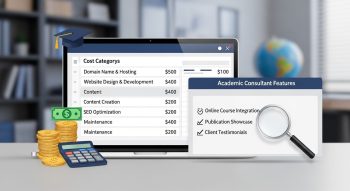
Here’s how your budget might be allocated, with approximate ranges:
1. Domain and Hosting
-
Domain name: ~$10-30/year
-
Hosting + SSL certificate: For a professional site, perhaps ~$100-$300/year depending on traffic and platform
These are foundational and relatively small compared to design/development.
2. Design & Branding
-
A clean, professional design that matches academic consulting (serious, credible, trustworthy) is important.
-
Using a premium template will cost less; a fully custom design costs more.
-
Expect roughly ~$500-$1,000 for design, depending on how custom you want it.
3. Development & Functionality
-
Setting up a CMS (like WordPress), responsive design (mobile friendly), pages such as Home, About, Services, Testimonials, Blog/Resources, Contact.
-
Lead capture form, maybe scheduling/booking integration for consultations.
-
Basic SEO setup.
Estimated cost: ~$700-$2,000 depending on number of pages and features.
4. Content & Copywriting
-
Clear, persuasive copy for your service pages: what you do (e.g., admissions consulting, academic planning, research mentoring), results, process.
-
Blog posts or resource content help with SEO and establish you as an expert.
-
Good copywriting might cost ~$300-$800 depending on pages and depth.
5. SEO & Optimization
-
Keyword research (e.g., “academic consultant for college admissions”, “graduate research mentoring service”), meta tags, alt text, mobile speed optimization.
-
Ensuring site loads fast, mobile-friendly, user experience is good.
Budget perhaps ~$150-$400.
6. Maintenance & Ongoing Costs
-
After launch, you’ll have annual costs: hosting/domain renewal, plugin updates, backups, minor adjustments.
-
Possibly content updates (blog, new service pages).
Expect maybe ~$200-$500/year for maintenance depending on complexity.
Key Features Your Site Should Include
To make your academic consulting website effective, include:
-
Homepage: Clear value proposition (“Helping students get into top universities”, “Expert academic research mentoring”), strong visuals, call-to-action (CTA) like “Schedule your free consultation”.
-
About/Your Team: Your credentials, experience, testimonials or success stories of past students, photos, maybe video introduction. Builds trust.
-
Services Page(s): Detail the consulting services you offer—undergraduate admissions, graduate application support, research mentoring, academic writing guidance—each with benefit, process, pricing (or at least starting point) clearly described.
-
Testimonials/Success Stories: Client quotes, outcomes (e.g., “Admitted to Ivy League”, “Published research in X journal”), maybe case study summaries.
-
Blog/Resources Section: Helpful articles for your audience—“How to write a research proposal”, “Top 5 mistakes students make in applications”, etc. This boosts SEO and establishes expertise.
-
Contact/Booking Page: A form to capture inquiries, scheduling link, maybe payment link if you accept deposits or consultations online.
-
Mobile-Friendly & Fast: Many people will access via mobile devices; ensure good UX, fast loading.
-
SEO Friendly: Use keywords naturally in titles, headings, content; alt text for images; meta descriptions; internal linking.
-
Optional Advanced Features: Student portal for documents & tracking progress, online payment integration for consulting sessions, membership area or resource downloads, interactive tools like “Are you ready for graduate research?”. These add cost but increase value.
Factors That Increase or Decrease Your Cost
Things that push cost upward:
-
Wanting many pages (e.g., separate pages for many services, many blog posts at launch).
-
Advanced functionality (student/customer portal, online payment, membership area).
-
Custom design, animations, unique graphics.
-
Multilingual site or targeting multiple countries/languages.
-
High traffic expectations or media-rich content (videos, interactive tools) requiring more robust hosting.
-
Using a premium agency rather than a freelance designer or template.
Things that reduce cost:
-
Using a strong high-quality premium theme/template and customizing slightly rather than full custom design.
-
Starting with a core set of pages (e.g., Home, About, Services, Contact, Blog) and expanding later.
-
Doing part of the content yourself (you write some pages) rather than outsourcing everything.
-
Using standard CMS (WordPress) and minimal custom features.
-
Choosing shared hosting and standard domain configurations for launch.
Sample Cost Scenarios
Scenario A – Basic Launch Version
-
Pages: Home, About, Services (2-3), Testimonials, Contact
-
Template design, minimal branding tweaks
-
Lead capture form, mobile responsive, basic blog section
-
Content created with some owner involvement
Estimated cost: ~US$1,500 – US$2,000
Scenario B – Professional Consulting Website
-
Pages: Home, About, Services (5 distinct services), Blog/Resources (5 posts at launch), Success Stories, Pricing/Packages, Contact
-
Custom branding, high-quality design, booking form integration, payment link maybe for consultations
-
SEO setup and copywriting outsourced
Estimated cost: ~US$2,500 – US$3,500
Scenario C – Advanced Platform Version
-
Many service pages, blog archive, student portal, membership resources, interactive tool (“Assess your readiness for grad school”), multilingual support
-
Custom design, high performance, high traffic, media rich (videos, resources)
Estimated cost: ~US$4,000 – US$5,500+
How to Budget & Choose Wisely
-
Define your scope clearly: Know what you want at launch vs. what you’ll add later (e.g., student portal, membership).
-
Get detailed quotes: Ask designers/developers to break down costs (design, development, content, SEO, hosting).
-
Prioritize features that drive results: For an academic consultant, key are service descriptions, testimonials, lead capture, and booking forms. Fancy extras can wait.
-
Check portfolios: Choose someone who has done professional service websites (consultants, coaches, educational services) so they understand your niche.
-
Plan for ongoing costs: Hosting, domain renewal, content updates, and SEO—build this into your annual budget.
-
Start with a scalable platform: A good CMS and structure will allow you to expand later without a full rebuild.
SEO & Visibility Considerations
Because you’re competing for students/clients who will search online (“academic consultant for college admissions,” “graduate research mentor,” “UK university application help”), SEO matters:
-
Use target keywords naturally in headings and content (e.g., “academic consulting services,” “college admissions consultant,” “graduate research advisor”).
-
Have optimized meta titles and descriptions so search engines display your site attractively.
-
Publish blog/resource content regularly—this helps you rank, builds authority, and drives traffic.
-
Ensure your website is mobile friendly, fast loading, and has clean navigation—these impact user experience and ranking.
-
Include credibility signals: testimonials, credentials, and case studies. These increase the chance visitors trust and convert.
-
If you serve specific geographic markets (e.g., students from Pakistan going to the UK, or international students), include localised content or keywords (“academic consultant Pakistan to USA”, etc.).
-
Use clear CTAs so once you attract traffic, you maximise conversion (inquiry form, free consultation, e-guide download).
Final Thoughts
A website for your academic consulting business is a critical investment in your brand, visibility and client acquisition. While you could launch something very basic for less, to create a professional site that builds credibility and converts clients, budgeting in the range of US$1,500 to US$3,500 USD is realistic for most consultancy websites. If you want advanced features from the start, plan for US$4,000+.
Focus on the essentials: professional design, clear service pages, strong copy, mobile optimisation, SEO foundations, and lead-capture functionality. As your business grows, you can add more pages, resources, portals, or tools.

He is a SaaS-focused writer and the author of Xsone Consultants, sharing insights on digital transformation, cloud solutions, and the evolving SaaS landscape.