

Blog

How Much
Does It Cost to Develop a Website for a YouTube Content Creator?
As a YouTube content creator, your channel may get
traffic, but having your own website gives you
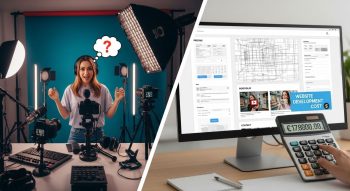
As a YouTube content creator, your channel may get traffic, but having your own website gives you several key advantages:
-
Branded hub: A website allows you to showcase your content, tell your story, present a media kit, link to your channel, social, sponsorships.
-
Portfolio & lead magnet: Brands, sponsors or collaborators will check you out online. A professional site raises credibility.
-
Content and community platform: Beyond YouTube, you can host blog posts, behind‑the‑scenes, downloadable resources, email list building, maybe fan‑club or membership.
-
Monetisation channel: You can capture leads, sell merchandise, offer subscriptions or Patreon‑style tiers, embed video, run affiliate links.
-
SEO and discoverability: A well‑optimized site lets you capture audiences beyond YouTube’s algorithm—people searching keywords related to your niche (e.g., “how to edit vlogs”, “gameplay tips channel”) may find your site and then you funnel them to your YouTube or newsletter.
-
Control & diversification: If YouTube changes policy or algorithm, you still own your website and audience list.
Because your website will serve multiple roles (portfolio, content host, funnel, lead capture) it needs more than a simple landing page—it needs thoughtful design, content, media integration, and conversion elements. That affects cost.
Typical Cost Range for a YouTube Creator Website
Based on industry benchmarks for small business or creator sites, adjusted for creator‑specific needs:
-
According to multiple sources, basic small business websites cost roughly US $500 to US $3,000, depending on complexity.
-
For a YouTube creator’s website—with portfolio, embedded videos, content/blog, lead capture, maybe merch— a realistic budget might be:
-
Basic presence site: ~$1,000 – $1,500 USD
-
Professional creator site: ~$1,500 – $3,000 USD
-
Advanced creator platform (membership, e‑commerce, large media archive): ~$3,000 – $5,000+ USD
-
So as a guideline:
-
Starter website: ~$1,000 to ~$1,500
-
Standard professional website: ~$1,500 to ~$3,000
-
Premium/feature‑rich website: ~$3,000 to ~$5,000+
Detailed Cost Breakdown
Here’s how the costs often break down for a creator website and what each component covers.
Domain & Hosting
-
Domain name (e.g., yournamecreator.com): ~$10–$30/year.
-
Hosting + SSL certificate: For a site which may include embedded videos, blog posts, downloadable resources, you’d want reliable hosting—estimate ~$100–$300/year depending on traffic, storage and performance.
These are smaller segments of the total cost, but foundational.
Design & Branding
-
As a creator your brand identity matters: logo, colours, typography, visual aesthetic that matches your YouTube channel style.
-
Using a premium template and customizing it is cheaper; fully custom design costs more.
-
Estimate: ~$500–$1,200 depending on how unique you want the design and whether you want a custom theme/template.
Development & Functionality
-
Setting up a content management system (e.g., WordPress) or website builder.
-
Pages may include: Home, About/Bio, Portfolio/Showcase (Videos), Services or Collaborations, Blog/Resources, Merch or Products, Contact/Newsletter.
-
Features might include: embedded YouTube video players, video gallery, blog, lead capture forms (email signup), maybe e‑commerce (selling merch or digital downloads), maybe membership or subscription area.
-
Responsive/mobile design and speed optimization are essential (videos can slow site if not optimized).
-
Estimate: ~$700–$2,000 depending on number of pages and complexity of features.
Content Creation & Copywriting
-
You’ll need compelling copy: your story, your niche, collaboration offer for sponsors, services (brand deals, sponsorships), your value proposition, call to action (“Join my newsletter”, “Hire me as collaborator”).
-
SEO‑optimized copy is important so people searching for “YouTube creator [niche]”, “video editing tips blog”, “travel vlog YouTuber site” can find you.
-
Estimate: ~$300–$800 depending on pages and whether you outsource.
SEO & On‑Page Optimization
-
Keywords research for your niche (e.g., “travel YouTuber blog”, “tech gadget reviews creator”), meta titles/descriptions, alt text for images/videos, heading structure, internal linking, blog optimization, speed optimization.
-
This helps your website attract organic traffic beyond YouTube.
-
Estimate: ~$150–$400 for initial setup.
Maintenance & Ongoing Costs
-
After launch: hosting/domain renewal, theme/plugin updates, backups, maybe adding new blog posts, new video showcases, updating portfolio or merch items.
-
Budget: ~$150–$400/year for moderate site.
Key Features a YouTube Creator Website Should Include
To make your website both effective and conversion‑friendly, include:
-
Homepage: Strong headline (“[YourName] – YouTube Creator & Digital Storyteller”), hero section maybe showing your latest video or highlight reel, call‑to‑action (“Subscribe to my newsletter”, “Work with me”, “Watch latest”).
-
About / Bio Page: Your journey as a YouTuber, your niche, what distinguishes you, highlights/achievements (subscribers, collaborations, brand deals), maybe a photo or video of you.
-
Portfolio / Video Showcases Page: Embed your best YouTube videos, perhaps categorize them (e.g., Tutorials, Travel Vlogs, Tech Reviews), show thumbnails, descriptors, link to YouTube.
-
Services / Collaborations Page: If you work with brands/sponsors, list your offerings (brand integration, video production, product review, speaking engagements), audience demographics, past clients/testimonials, media kit download.
-
Blog / Resources Page: Content that supports your niche (e.g., “How I edit my vlogs in Davinci Resolve”, “Best travel camera gear 2025”, “How to grow your YouTube from zero”). Helps SEO and positions you as expert.
-
Merch or Products Page (Optional): If you sell merchandise, digital downloads (presets, e‑books), or offer memberships/subscriptions, include an e‑commerce page.
-
Contact / Newsletter Signup Page: Form for inquiries (brand collabs or viewer messages), email signup for your newsletter (to build your own list), maybe scheduling link for consultations.
-
Embedded Video & Media Friendly Design: Since you’re embedding YouTube videos or your own media, ensure site loads fast, mobile friendly, optimized for media.
-
Responsive & Mobile‑Optimised Design: Many viewers come on mobile; site must look good on all devices.
-
SEO‑Ready Structure: Use keywords, alt‑text, good heading structure, internal linking, optimized load speed, blog updates.
-
Optional Advanced Features:
-
Member area or fan‑club access (exclusive content)
-
Digital download store (presets, templates, e‑books)
-
Booking or consultation scheduling (if you do workshops/coaching)
-
Multi‑language if global audience
-
Campaign landing pages (for major sponsorship/world tour)
-
What Drives Costs Up or Down?
Costs Increase When You:
-
Want many service pages (e.g., collaborations, speaking engagements, multiple tiers of offerings), many blog posts/archives at launch.
-
Include e‑commerce (merch store, digital downloads), membership or subscription features.
-
Host large media archive (video gallery, downloadable high‑res content) which increases hosting/storage requirements.
-
Require heavy custom design or animation, video backgrounds, custom UI/UX.
-
Target multilingual audience (multiple language versions).
-
Expect high traffic or large file hosting requiring premium hosting plans.
-
Hire an agency rather than using a template + freelancer.
Costs Decrease When You:
-
Use a premium template/theme and custom‑configure it rather than full custom design.
-
Start with fewer pages (Home, About, Portfolio, Contact) and add more later (Blog, Merch, Membership).
-
Provide your own content (you write your bio, supply video links) rather than paying full copywriting.
-
Use standard hosting and optimise your media (compress videos, use YouTube or embed externally to reduce website load).
-
Delay advanced features like e‑commerce or membership until you’re ready monetarily.
-
Use WordPress or build on a website builder (Squarespace, Wix) that reduces development complexity.
Example Cost Scenarios
Scenario A – Basic Creator Website (~US $1,000)
-
Pages: Home, About, Portfolio (embed 3–5 videos), Contact/Newsletter.
-
Template design, minimal branding customization.
-
Maybe blog page ready but minimal posts.
-
No e‑commerce, no membership, simple contact form.
-
Basic copywriting and SEO setup.
This suits a YouTuber just starting and wanting an online presence beyond YouTube.
Scenario B – Professional Creator Website (~US $1,500–$3,000)
-
Pages: Home, About, Portfolio (multiple categories), Blog/Resources (some posts), Services/Collaborations page, Newsletter signup, Contact.
-
Custom branding visuals, embedded media (videos, thumbnails), maybe email opt‑in lead magnet.
-
SEO optimized copy, some blog content ready.
-
Maybe basic e‑commerce or digital download page.
Ideal if you’re established on YouTube and ready to attract brand deals, grow audience and maybe sell digital items.
Scenario C – Advanced Creator Platform (~US $3,000–$5,000+)
-
Many pages: Home, About, Portfolio (archived videos, multiple series), Blog archive, Shop (merch/digital downloads), Membership/fan‑club area, Services/Workshops page, Multi‑language, Campaign landing pages.
-
Custom UI/UX, heavy media integration (video backgrounds, custom animations), high‑performance hosting, thorough SEO/content strategy.
-
Support for membership, subscription, online course or coaching for creators.
Suitable for a creator building a full brand, multiple revenue streams, high traffic, and needing robust platform.
How to Budget & Choose Wisely
-
Define your scope clearly: Know how many pages you need, what must‑have features (portfolio, blog, newsletter), and what can wait.
-
Request detailed quotes: Ensure quotes show design cost, development cost, content/copywriting, SEO setup, hosting.
-
Focus on conversions: For you as a creator the key conversion might be “visitor → subscriber”, “visitor → brand inquiry”, or “visitor → merch purchase”. Budget for features that support those goals.
-
Select someone experienced in creator/portfolio sites: They understand embedding YouTube video, integrating lead capture, optimizing media load.
-
Budget for ongoing updates: As a creator you’ll update media, blog posts, collaborations. Ongoing maintenance budget for hosting/performance and content.
-
Use a scalable platform: WordPress or others that allow you to expand blog, shop, membership later.
-
Start lean and grow: Launch with core presence, grow features (shop, fan‑club, membership) after you see traction and revenue.
SEO & Visibility Considerations
Since you want your audience (viewers, brands, sponsors) to find you both via YouTube and search engines, SEO matters:
Keywords you might target:
-
YouTube content creator [niche]
-
[Niche] YouTuber blog
-
how to start a [niche] channel
-
brand collaborations for YouTubers
-
online course for aspiring YouTubers
Supporting/semantic keywords:
-
video content production
-
creator community
-
YouTube growth tips
-
content creator sponsorships
-
digital creator brand
On‑page SEO practices:
-
Use your primary keyword in page titles and H1s (e.g., “Tech YouTuber & Creator – [YourName]”).
-
Have service/collaboration pages with keywords like “brand deal YouTube creator” or “video editing creator services”.
-
Embed videos but accompany with text descriptions (search engines can’t “watch” YouTube videos).
-
Optimize video thumbnails and images with descriptive alt text.
-
Ensure mobile friendly and fast loading—especially with video embeds this is critical.
-
Use blog/ resources page to publish content like “5 tips for gaming YouTubers”, “how to monetize your travel channel” which drives search traffic.
-
Internal linking: blog posts link to portfolio and services page; newsletter signup links to blog and home.
-
Use calls‑to‑action: “Subscribe to my newsletter”, “Work with me”, “Watch latest video”.
-
If you target specific regions/countries, use localisation (e.g., “YouTube creator Pakistan”, “creator brand deals South Asia”).
-
Use testimonials or client logos (brands you’ve worked with), as this builds trust and helps conversions, which in turn can improve user behaviour signals (which search engines like).
Final Thoughts
Building a website for your YouTube‑content‑creator brand is a strategic investment—not just a cost. Done well, your website becomes your digital HQ: your portfolio, funnel, brand, lead magnet, and content hub.
Here’s a summary of budget expectations:
-
Basic website: ~$1,000 – ~$1,500
-
Professional creator website: ~$1,500 – ~$3,000
-
Advanced creator platform: ~$3,000 – ~$5,000+
Your actual final cost will depend on what you need: number of pages, depth of content/blog, media volume (videos, downloads), e‑commerce/membership features, how custom your design is, and how much SEO/content work you plan.
Focus your budget on these essentials:
-
Strong portfolio/showcase of your YouTube content
-
Clear service/collaboration page (if you work with brands)
-
Lead capture (newsletter, enquiry form) and conversion path
-
Mobile‑friendly, fast‑loading site optimized for media
-
SEO‑optimized content and structure so you’re discoverable

He is a SaaS-focused writer and the author of Xsone Consultants, sharing insights on digital transformation, cloud solutions, and the evolving SaaS landscape.