

Blog

Amazon Fire
TV Android 16: New Features, Release Date, and Compatibility
The Amazon Fire TV Android 16 update represents a
pivotal moment in the evolution of smart home
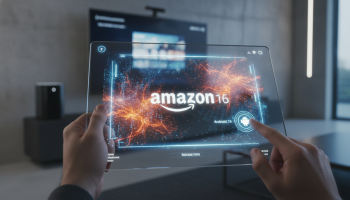
The Amazon Fire TV Android 16 update represents a pivotal moment in the evolution of smart home entertainment, bridging the gap between high-performance hardware and the latest software innovations. As Amazon continues to refine its Fire OS ecosystem, the integration of Android 16 features promises to deliver enhanced system fluidity, broader smart home interoperability via the Matter protocol, and a more intuitive user interface. For enthusiasts and casual streamers alike, understanding the Fire TV release date, device compatibility list, and new streaming capabilities is essential for maximizing their digital media experience. This guide, curated by the experts at XsOne Consultants, provides an exhaustive deep dive into the future of Amazon’s streaming platform.
The Evolution of Fire OS: Why Android 16 Matters
For years, Amazon has utilized a “forked” version of the Android Open Source Project (AOSP) to power its Fire TV devices. While the underlying code is Android, the user experience is uniquely Amazon. The jump to an Android 16-based Fire OS is significant because it marks a shift from the aging architectures of Fire OS 7 (Android 9) and Fire OS 8 (Android 11) toward a more modern, secure, and efficient framework.
The move to Android 16 isn’t just about a version number; it is about kernel-level optimizations. This update is expected to improve how Fire TV sticks and cubes handle background processes, reducing the “UI lag” that some users experience after months of heavy use. By leveraging the latest AOSP developments, Amazon can offer better memory management, ensuring that high-demand apps like Netflix, Disney+, and Prime Video load faster and run more reliably.
At XsOne Consultants, we have tracked the trajectory of streaming hardware for over a decade. Our analysis suggests that this update will be the cornerstone of Amazon’s strategy to keep its hardware relevant in a market increasingly dominated by high-end smart TVs with built-in operating systems. You can learn more about our digital strategy insights at XsOne Consultants, where we analyze the intersection of consumer tech and market trends.
Anticipated New Features in Amazon Fire TV Android 16
The integration of Android 16 brings a suite of features that will transform the Fire TV from a simple streaming stick into a comprehensive home automation hub. Here are the core enhancements we expect to see:
1. Enhanced Matter and Thread Support
Android 16 places a heavy emphasis on the Matter smart home standard. With this update, Fire TV devices will likely act as more robust Thread Border Routers. This means your Fire TV Cube or Stick 4K Max could become the central brain of your smart home, allowing you to control lights, locks, and cameras directly from the overlay menu without interrupting your movie.
2. Improved Multi-User Profiles and Privacy
Taking a cue from Android 16’s refined privacy dashboard, the new Fire OS will offer more granular control over app permissions. Users will be able to see exactly which apps are accessing their location or microphone. Furthermore, personalized profiles will become more distinct, with the AI-driven recommendation engine tailoring the home screen specifically to the active user’s viewing habits.
3. AV1 Decoding and Video Efficiency
As 4K and 8K content become the standard, bandwidth efficiency is critical. Android 16 includes advanced support for the AV1 codec. This allows for high-quality video streaming at significantly lower bitrates. For users with data caps or slower internet connections, this feature is a game-changer, providing Ultra HD quality without the buffering.
4. Dynamic Refresh Rate (DRR) Improvements
One of the common complaints among cinephiles is “judder” caused by a mismatch between the content’s frame rate and the TV’s refresh rate. Android 16’s improved Dynamic Refresh Rate switching will allow Fire OS to seamlessly match the output to 24fps, 50fps, or 60fps content, ensuring smooth motion for sports and films alike.
Technical Specifications: A Comparison of Fire OS Generations
To understand the leap that Android 16 represents, it is helpful to compare it to previous iterations of the Fire TV software. The following table highlights the technical progression of the platform.
| Feature | Fire OS 7 (Android 9) | Fire OS 8 (Android 11) | Fire OS 9/10 (Android 16 Expectation) |
|---|---|---|---|
| Kernel Version | 4.9 / 4.14 | 5.4 / 5.10 | 6.1+ |
| Matter Support | None/Limited | Basic Integration | Full Thread Border Router |
| AV1 Support | Software Only | Hardware (Select Models) | System-wide Optimization |
| Privacy Controls | Standard | Enhanced | Granular / Privacy Sandbox |
Release Date: When Can We Expect the Update?
Predicting the exact Fire TV Android 16 release date requires looking at Amazon’s historical hardware and software cycles. Typically, Google releases the stable version of a new Android build in the late summer or early fall. Amazon then takes several months to “skin” this version with the Fire TV interface.
Expert Perspective: We anticipate the first wave of Android 16-based Fire OS devices to be announced in late 2025 or early 2026. Amazon often debuts new software alongside new hardware, such as a refreshed Fire TV Cube or a “Pro” version of the Fire TV Stick. Existing high-end devices like the Fire TV Stick 4K Max (2nd Gen) are the most likely candidates for an over-the-air (OTA) update shortly after the new hardware launch.
Device Compatibility: Will Your Fire Stick Be Supported?
Compatibility is always a sensitive topic for Fire TV users. Because Amazon’s hardware varies significantly in terms of RAM and Processor (SoC) capabilities, not every device will make the cut. Based on current hardware requirements for Android 16, here is our projected compatibility list:
- Highly Likely: Fire TV Cube (3rd Generation), Fire TV Stick 4K Max (2nd Generation), Fire TV 4-Series and Omni Series Smart TVs (2023+ models).
- Possible: Fire TV Stick 4K (2nd Generation), Fire TV Cube (2nd Generation).
- Unlikely: Fire TV Stick Lite, Fire TV Stick (3rd Gen), and older 1st Generation 4K sticks. These devices likely lack the overhead memory (RAM) required to run the more intensive Android 16 background services.
Pro Tip: If your device is more than four years old, it is unlikely to receive the full Android 16 update. However, Amazon usually continues to provide security patches for older devices for several years after they stop receiving major OS upgrades.
The “Vega OS” Rumor: Is Android 16 the End of the Road?
A critical topic in the tech community is the rumor that Amazon is developing its own proprietary operating system, internally codenamed “Vega.” If Amazon transitions away from an Android-based backend to Vega, the “Android 16” update might look very different—or it might only apply to specific legacy-compatible hardware.
The shift to a non-Android OS would mean that sideloading APKs (Android Package Kits) could become much more difficult or impossible. For users who rely on apps like Kodi or custom launchers, this is a significant concern. However, for the average consumer, a move to Vega would likely result in a faster, more lightweight experience specifically optimized for Amazon’s silicon. As a specialist at XsOne Consultants, I recommend users keep an eye on official Amazon developer blogs regarding “Appstore Compatibility” in the coming months.
Gaming and Performance Benchmarks
With the rise of cloud gaming through services like Amazon Luna and Xbox Cloud Gaming (Beta), the underlying OS needs to handle low-latency inputs and high-speed data streaming. Android 16 introduces several Game Mode APIs that allow the OS to prioritize CPU and GPU resources for gaming apps.
We expect the Android 16 update to bring:
- Reduced Input Lag: Faster processing of Bluetooth controller signals.
- Better Thermal Management: Software tweaks that prevent the Fire Stick from throttling during intense gaming sessions.
- Expanded Controller Support: Native drivers for a wider range of third-party gamepads.
User Interface (UI) Overhaul: What to Expect
Amazon’s UI has often been criticized for being “cluttered” with advertisements. While Android 16 won’t remove Amazon’s ads, it will provide the framework for a more fluid and responsive navigation. We expect a shift toward a more cinematic home screen, featuring larger preview tiles and auto-playing trailers that are less intrusive.
The “Find” tab is also expected to receive an AI upgrade. By utilizing Large Language Models (LLMs), the Fire TV search function will become more conversational. Instead of searching for “Action Movies,” you might be able to ask Alexa, “Find me a movie similar to John Wick but set in space,” and receive highly accurate results powered by the deeper integration of Android 16’s search APIs.
Deep Dive: Security and Privacy Enhancements
In an era where smart TVs are often seen as data-collection tools, the security updates in Android 16 are welcome. The Privacy Sandbox on Android will be a core part of the new Fire OS. This technology aims to limit the tracking of users across different apps while still allowing for relevant advertising.
Key security features include:
- Approximate Location: Apps that don’t need your exact address can only see an approximate area.
- Safe Browsing: Built-in protection within the Silk Browser to block known malicious websites.
The Impact on Developers and the Amazon Appstore
For developers, the move to Android 16 (API Level 35 or 36) means they can utilize the latest Android Jetpack libraries to build more robust apps. However, it also means they must update their apps to comply with new background execution limits. XsOne Consultants works closely with digital platforms to ensure their applications remain compatible with shifting OS environments. The transition to Android 16 will require developers to optimize their resource consumption, which ultimately benefits the end-user through better battery life (for remotes) and smoother system performance.
How to Prepare Your Fire TV for Future Updates
While the official rollout of an Android 16-based OS is still on the horizon, there are steps you can take now to ensure your hardware is ready:
- Clear Cache Regularly: Go to Settings > Applications > Manage Installed Applications to clear the cache of heavy apps. This keeps your storage lean.
- Monitor Storage Space: Major OS updates require significant free space (often 1GB to 2GB). Uninstall apps you no longer use.
- Invest in a High-Speed HDMI Cable: To take advantage of the new Dynamic Refresh Rate and AV1 features, ensure your cable supports HDMI 2.1 standards.
- Check for Updates Manually: Even if you don’t have Android 16 yet, keeping your current Fire OS version up to date ensures you have the latest bootloader and security patches required for the eventual jump.
Expert Checklist: Is It Time to Upgrade Your Hardware?
If you are wondering whether you should buy a new Fire TV now or wait for the Android 16 devices, consider this checklist:
- Are you experiencing frequent crashes? If yes, your current RAM is likely insufficient. Upgrade to the Fire TV Stick 4K Max.
- Do you use smart home devices? If you want a Matter-ready home, wait for the next generation of Fire TV hardware.
- Is your TV 4K? If you are still using a 1080p stick on a 4K TV, you are missing out on the upscaling and codec improvements coming with the new OS.
Frequently Asked Questions (FAQ)
Will Fire TV Android 16 support sideloading?
As long as the OS remains based on the Android Open Source Project (AOSP), sideloading should remain possible. However, if Amazon switches to the rumored Vega OS, this functionality may be restricted. Currently, Android 16 maintains the core architecture that allows for APK installation.
Can I manually update my old Fire Stick to Android 16?
No. Fire TV updates are controlled by Amazon. Unlike mobile phones, there is no “beta program” for consumers to manually flash new Fire OS versions. You must wait for the OTA (Over-The-Air) notification.
How does Android 16 improve 4K streaming?
Android 16 improves 4K streaming through better buffer management and native support for the AV1 codec, which provides better image quality at lower data rates compared to the older H.264 or HEVC standards.
Will Alexa be faster on Android 16?
Yes. The update includes on-device processing improvements that allow Alexa to handle basic commands (like “Open Netflix”) without always needing to communicate with the cloud, resulting in near-instant response times.
Final Thoughts: The Future of Fire TV
The journey toward Amazon Fire TV Android 16 is more than just an incremental update; it is a fundamental shift toward a more integrated, efficient, and user-centric entertainment hub. By focusing on Matter compatibility, AV1 video efficiency, and AI-driven personalization, Amazon is positioning its Fire TV lineup to remain the leader in the streaming wars.
Whether you are a tech-savvy user looking for the latest kernel optimizations or a casual viewer wanting a smoother Netflix experience, the upcoming changes to Fire OS will deliver tangible benefits. As we move closer to the official release, staying informed through trusted sources like XsOne Consultants will ensure you are ready to navigate the changing landscape of digital media and smart home technology.
The convergence of high-performance hardware and cutting-edge software is finally here. The Fire TV Android 16 update is not just about watching TV—it’s about how we interact with our digital world, making it faster, safer, and more enjoyable than ever before.

Editor at XS One Consultants, sharing insights and strategies to help businesses grow and succeed.