

Blog

ChatGPT Atlas
by OpenAI is Live: Review, Features And Pricing
OpenAI has launched a significant new product: ChatGPT Atlas.
This is not merely a new feature for
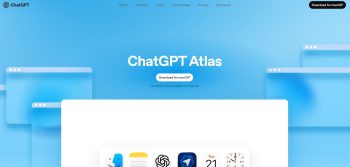
OpenAI has launched a significant new product: ChatGPT Atlas. This is not merely a new feature for the existing chatbot; it is a full, dedicated web browser. It has been engineered to fundamentally change how users interact with the internet. By integrating advanced generative AI capabilities directly into the browsing experience, Atlas positions itself as a true super-assistant. This comprehensive article will provide an in-depth review, detail its standout features, and clarify the associated pricing structure.
What is ChatGPT Atlas? The AI Browser Redefined
ChatGPT Atlas is an AI-powered browser built from the ground up to center on conversational intelligence. Unlike traditional browsers like Chrome, Atlas places the power of ChatGPT at the very heart of navigation and web interaction. It moves beyond simple searching and viewing to actively assisting the user’s workflow.
OpenAI describes Atlas as a browser for the next era of the web. It is designed to be a continuous, contextual co-pilot. The core idea is simple: the AI comes with you everywhere on the web, understanding your goals and completing tasks right where you are. This eliminates the need to constantly switch tabs or copy and paste information.
Key Technology: More Than Just a Chat Window
Atlas leverages OpenAI’s most powerful models, such as GPT-4o and GPT-5 (where available). It uses a sophisticated architecture, reportedly built on the Chromium kernel, but completely redesigned for AI. This foundation allows for a fast, sleek browsing experience combined with deep, context-aware AI integration. This is an entirely new approach to digital productivity.
ChatGPT Atlas Features: A Seamless Super-Assistant
The design of ChatGPT Atlas revolves around three pillar capabilities: Chat, Memory, and Agent. These features are what make Atlas a direct challenger to existing browsers and other AI search engines.
1. Persistent ChatGPT Integration (Chat Anywhere)
This is the most visible feature of Atlas. It ensures the AI is always available, without leaving the current webpage.
- Integrated Sidebar: A persistent ChatGPT sidebar is available on virtually any webpage. This allows users to engage with the AI about the page’s content in real-time.
- Content Summarization: Users can instantly request a summary of web content, whether it is a lengthy article, a complex financial report, or lines of code on GitHub.
- Real-time Analysis: You can ask ChatGPT to analyze data from a chart, compare products on an e-commerce site, or explain complex terminology within an article.
- Cursor Chat: A highly innovative feature, cursor chat allows users to highlight any text—in an email, document, or web form—and instantly prompt ChatGPT to edit, refine, or translate it inline. For example, highlighting an email draft and asking, “Make this sound more professional.”
2. Browser Memory and Context Retention
Atlas features an integrated, optional memory system that learns from the user’s past activity to offer increasingly personalized and relevant assistance. This moves beyond standard search history.
- Contextual Recall: The browser retains context from sites visited and past interactions with the AI. This allows for complex follow-up queries.
- Advanced Research Queries: A user could ask, “Find all the job postings I looked at last week and create a summary of industry trends,” with the browser pulling data across various sites.
- User Control: OpenAI emphasizes that this browser memory is private to the user’s account. Users have full control to view, archive, or delete stored memories at any time.
3. Agent Mode: Task Automation and Agentic Capabilities
The Agent Mode is a powerful, premium feature that truly transforms ChatGPT into an autonomous digital assistant.
- Autonomous Task Execution: The AI can perform complex, multi-step actions on the user’s behalf across different websites and tabs. This includes:
- Online Shopping: Automatically adding items to a cart and completing the purchase.
- Research Automation: Compiling data from multiple sources to create a unified report.
- Scheduling and Booking: Planning a trip, booking flights, or making restaurant reservations.
- Workflow Automation: Filling out forms or managing multi-step professional workflows.
- Monitoring and Safety: When the AI agent takes action, the user maintains oversight. The system is designed to pause for user approval before sensitive actions, like transactions, ensuring transparency and safety. The agent cannot run code, install extensions, or access the local file system.
Additional Technical Features
- Unified Interface: The browser’s home screen doubles as a unified chat and search interface.
- Data Privacy: By default, all browsing content is opted out of training the underlying ChatGPT models. Users can further control this by toggling site access and using an incognito mode that temporarily logs out of ChatGPT.
ChatGPT Atlas Pricing and Availability: Who Gets What?
The cost of ChatGPT Atlas is tied directly to the existing ChatGPT subscription plans. The browser itself is free to download, but advanced functionality is reserved for paid users.
Availability
- Current Rollout: ChatGPT Atlas is initially available for macOS users globally, covering Free, Plus, Pro, and Go subscribers.
- Upcoming Platforms: Versions for Windows, iOS, and Android are confirmed to be in active development and will be released soon.
- Enterprise Access: A beta rollout is available for Business and Enterprise accounts, though admins must explicitly enable access due to complex security and compliance considerations.
Pricing Tiers and Features Access
The core AI capabilities of Atlas—specifically the Agent Mode—are tiered according to the user’s existing ChatGPT subscription.
| ChatGPT Subscription Tier | Monthly Price (Approx.) | Atlas Browser Access | Key Atlas Features Included |
| Free | $0 | Yes | Basic ChatGPT assistance, Content Summarization, Cursor Chat. |
| Plus | $20 | Yes | All Free features, Preview of Agent Mode (with usage limits), Full Browser Memory. |
| Pro | $200 | Yes | All Plus features, Enhanced Agent Mode (higher usage limits), Priority access to new AI features. |
| Business/Team | ~$25–$30/user | Yes | All Plus features, Enhanced Agent Mode, Shared workspace and admin controls. |
| Enterprise | Custom | Yes | All Business features, Highest usage limits, Enterprise-grade security and compliance. |
The Value Proposition: Is Atlas Worth the Price?
The ChatGPT Atlas pricing structure clearly targets the professional and power user market.
- For the Free User: Atlas is a significant upgrade. It provides a seamless, powerful integration of ChatGPT into daily browsing without an additional fee. This is ideal for casual use and experimentation.
- For the Paid User (Plus/Pro): The investment is justified by the Agent Mode. Paying the monthly subscription cost of $20 (Plus) unlocks true task automation and the profound efficiency gains of a contextual AI assistant. For professionals whose workflows involve constant web interaction, research, and data processing, the Agent Mode can be a game-changer for productivity. The Pro tier is for those who need the highest rate limits and most advanced models for intensive, mission-critical work.
In-Depth Review and Market Impact
ChatGPT Atlas is more than just a product launch; it is a strategic maneuver by OpenAI to challenge the very foundation of how we use the internet. It is a direct assault on the browser market, long dominated by Google Chrome, and a response to emerging AI competitors like Perplexity’s Comet browser.
A Focus on Workflow Efficiency
The most compelling aspect of the Atlas review is its focus on dissolving context switching The constant need to move between a browser, a separate chat window, and various applications is a significant drain on professional productivity. Atlas tackles this head-on:
- Professional Use Cases: For sales professionals, Atlas can summarize client websites and draft personalized outreach emails directly within a CRM tab. For researchers, it automates data collection and synthesis across numerous academic pages.
- User Experience (UX): Early reviews praise the clean interface and the seamless, non-intrusive nature of the AI. The cursor chat feature, in particular, has been lauded as a significant step forward in blending AI with everyday digital tasks.
Security and Ethical Considerations
OpenAI has taken steps to address critical data privacy and security concerns, which is paramount for an application that reads all browsing data.
- Opt-Out by Default: The commitment to not training models on user browsing data by default is a major positive.
- Enterprise Challenge: The Enterprise tier, while having custom pricing, will need to fully integrate its promised security and compliance features (like SOC 2) to appeal to highly regulated industries. The current beta status for Enterprise suggests caution is warranted.
Conclusion: The Future of Browsing
ChatGPT Atlas represents a fundamental shift from a “search-and-click” web to an “ask-and-act” web. It moves the AI from being a separate tool to an intrinsic part of the application used to access information. The combination of deep ChatGPT integration, contextual memory, and autonomous agent capabilities makes Atlas a genuinely revolutionary offering. While the full Agent Mode requires a paid subscription—making the ChatGPT Plus tier the essential entry point for the full experience—the free version still provides an unprecedented level of AI assistance. For users seeking maximum digital efficiency and a true AI co-pilot, ChatGPT Atlas is the new benchmark for the web browser.

Editor at XS One Consultants, sharing insights and strategies to help businesses grow and succeed.