

Blog

How Much
Does It Cost to Build a Website for a SaaS Support Business?
If you operate a SaaS (Software-as-a-Service) support business—providing onboarding,
customer success, support portals, knowledge bases, ticket systems,
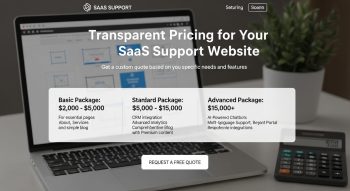
If you operate a SaaS (Software-as-a-Service) support business—providing onboarding, customer success, support portals, knowledge bases, ticket systems, integrations, and ongoing user support—then your website is far more than just a contact-point. It’s a key part of your product and service ecosystem. Your website needs to showcase your software, support services, case studies, integrations, frequently asked questions, documentation hub, login portals, and more. In short: it must reflect your brand’s technical maturity, reliability and value proposition.
Because of that complexity, the question often arises: How much does it cost to build a website for a SaaS support business?
In this guide I’ll walk you through realistic cost ranges (for initial build and ongoing costs), what drives those costs (platform, features, integrations, content, scalability), what features your SaaS support website should include, and how to get the best value.
Why a SaaS Support Business Needs a Professional Website
For a SaaS support business, the website has multiple roles:
-
Brand & trust-builder: Your website needs to convey you’re technically competent, trustworthy, reliable, and able to support clients long-term.
-
Product-&-service showcase: It should explain your software features, support tiers, onboarding process, integrations (e.g., with CRM, ticketing, analytics), and demonstrate results (case studies, testimonials).
-
Lead generation & qualification: Because your target audience is often businesses (not just consumers), your website must capture qualified leads with forms, demos, white papers, maybe gated content.
-
Client portal & documentation hub: Many SaaS support businesses embed or link to support portals, knowledge bases, product guides, API docs, FAQ sections—so the website is more than just marketing.
-
SEO & content marketing asset: Given the competitive nature of B2B SaaS, you’ll want SEO-optimized content: blog posts on “how to reduce churn in SaaS”, “customer-success best practices”, “onboarding automation for SaaS support”.
-
Scalable & flexible architecture: Your website may need to integrate with CRM systems, login systems, ticketing systems, chatbots, analytics, etc.
Given these demands, the cost is generally higher than a simple brochure site. According to cost-surveys, websites for business or SaaS applications often start at significantly higher ranges. For example, a survey of web development costs shows that “SaaS websites” may start in the tens of thousands of dollars.
Typical Cost Range for a SaaS Support Website
So, what budget should you plan for? Based on industry data and adjusting for the demands of a SaaS support business, here’s a realistic range:
-
Lower-complexity SaaS support website (marketing site + documentation hub + simple lead-form): USD $5,000 to $15,000
-
Mid-tier SaaS support website (marketing + lead-capture + integrations + client portal link + blog): USD $15,000 to $30,000
-
High-complexity SaaS support website (custom client portal, secure login, interactive documentation, deep integrations, custom web app features): USD $30,000 to $100,000+
According to one cost survey, a “business website” can range up to $60,000, and for SaaS websites they estimated even higher.The platform/technology matters: e.g., a fully custom site built with modern frameworks (React, Next.js, Laravel) typically commands higher budgets.
Here’s a breakdown of typical cost components:
| Cost Component | Estimate (USD) | Description |
|---|---|---|
| Domain & SSL | ~$10-$100/year | Domain name, SSL certificate for security. |
| Hosting & Platform Infrastructure | ~$300-$1,000/year (or more) | Depending on scale, traffic, support portal demands. |
| Website Design & Branding | ~$1,000-$5,000+ | Brand identity, custom UI/UX, hero visuals, responsive design. |
| Website Development (pages + features) | ~$3,000-$20,000+ | Multiple pages, lead-forms, documentation sections, login links, integrations. |
| Content Creation / Copywriting | ~$1,000-$5,000 | SaaS-specific copy: service pages, case studies, blog posts, support content. |
| Integrations & Functional Features | ~$2,000-$20,000+ | CRM/marketing automation integration, support ticket system, chatbots, API docs. |
| Basic SEO Setup & On-Page Optimisation | ~$500-$3,000 | Keyword research (e.g., “SaaS support service”, “customer success software support”), meta tags, blog strategy. |
| Maintenance & Updates (first year) | ~$300-$2,000+ | Updates, backups, security, plugin/theme updates, small enhancements. |
Given all this, when you aim for a professional SaaS support site with decent features, the $15,000 to $30,000 USD range is a good baseline for many businesses. If your site is simpler (just marketing + lead form), you may get away with $5K-$10K. If you need custom portal/integrations, expect $30K+.
What Drives The Cost (And What You Can Influence)
The variation in cost comes down to several key factors:
Platform & Technology
-
Simple site using a CMS (WordPress + theme + plugins) is cheaper.
-
Use of modern frameworks (React, Next.js, custom backend) for interactive documentation, portals, or dynamic pages adds cost.
-
If you build client login/portal modules, ticketing integration or custom functionality, cost goes up significantly. According to pricing guides, custom business systems (Laravel / Node.js) often fall in higher ranges.
-
Hosting & infrastructure for high traffic/support portals also adds cost.
Design & User Experience
-
A basic template with branding tweaks is cheaper.
-
Custom UI/UX design, responsive across devices, supporting complex flows (lead capture, login, documentation search) costs more.
-
For SaaS support businesses, professional visuals, product screenshot galleries, feature animations, and clean service pages matter.
Number of Pages & Content Complexity
-
A site with 5-7 pages (Home, About, Services, Blog, Contact) is cheaper.
-
A full site with multiple service pages, case studies, documentation hub, client portal link, blog archive, download pages increases cost.
-
Content writing for SaaS/technical audiences is more expensive than generic copy.
Features & Functional Requirements
Important features that drive cost include:
-
Lead capture forms (basic) vs. full demo scheduling, quote generation, chatbots
-
Client portal / login system
-
Documentation or knowledge base with search/filter
-
Integrations with CRM, marketing automation, support systems (Zendesk, Intercom, Salesforce)
-
Blog with CMS, categories, tagging
-
Multi-language support (if global)
-
Secure hosting, performance optimisation
Each added feature increases cost significantly.
SEO & Marketing Readiness
Because SaaS support businesses often compete globally and target decision-makers (CRO, CTO, Customer Success Director), your website needs strong SEO, thought-leadership content, and possibly landing pages for different market segments. This adds content cost, keyword strategy cost, and perhaps ongoing marketing cost.
Maintenance, Scalability & Ongoing Costs
After launch, how you maintain and scale the site affects cost:
-
Regular updates, backups, security
-
Adding new case studies, new service pages, blog posts
-
Supporting integrations, new features
-
Hosting scaling as traffic/user load grows
Many budgets under-estimate post-launch costs.
Must-Have Elements for a SaaS Support Business Website
When you build your website for a SaaS support business, make sure it includes these elements to convert leads, support clients, and reflect your product/service quality:
Home Page
-
Clear value proposition (e.g., “Comprehensive SaaS Support for Growing Software Companies”)
-
Hero image/visual showing software dashboard or happy support team
-
Key benefits (reduced churn, faster onboarding, 24/7 support)
-
Call-to-Action (Schedule a Demo, Get Support Access)
-
Quick links to Services, Case Studies, Documentation
About / Team Page
-
Your company story, mission, team bios (especially support/customer success leads)
-
Certifications, partnerships, technology stacks you support
-
Trust signals (logos of clients, testimonials, awards)
Services / Solutions Page
-
Detailed breakdown of support offerings: Onboarding, Tier-1/2 support, Migration, Integrations, Customer Success Consulting
-
For each: features, benefits, pricing model (if applicable)
-
Technology stack supported (SaaS platforms, cloud services)
-
Use cases or verticals (e.g., FinTech SaaS, MarTech SaaS, SMB SaaS)
Case Studies / Testimonials
-
Real client success stories: challenge → solution → result (metrics like “Reduced ticket backlog by 40%”, “Cut churn by 15%”)
-
Testimonials with names/roles and client logos
-
Maybe downloadable PDF white-paper for lead-capture
Documentation / Knowledge Base / Support Portal
-
If you provide user support, documentation hub or knowledge base is essential
-
Searchable content, FAQ, tutorials, integrations documentation
-
Possibly client login link for support portal or ticketing system
-
For website, you might include a “Support” section linked to external system or embed a module
Blog / Thought-Leadership
-
Articles/posts on topics like “Best Practices in SaaS Customer Success”, “How to Optimise Support for SaaS”, “Managing SLA for SaaS Businesses”
-
Helps SEO and positions you as an expert
Lead Capture / Demo Booking / Contact Page
-
Contact form with fields tailored for B2B (Company size, Industry, Number of users, Platform)
-
Demo scheduling tool or “Request a Quote”
-
Clear location/contact info (even if remote)
-
Possibly live chat integration
Technology & Integrations
-
Icons or details of platforms you integrate with (CRM, Zendesk, Intercom, cloud providers)
-
Explain how your support ties into SaaS lifecycle (onboarding → adoption → retention)
-
May include downloadable content or gated assets
Mobile Responsiveness & Performance
-
Decision-makers may browse on mobile or tablet; site must be responsive and fast
-
Use clean navigation, logical structure, minimal loading delays
Trust & Security Signals
-
SSL certificate, privacy policy, data protection policy
-
Partner or vendor certifications (if you handle sensitive data)
-
Client logos, testimonials, results
-
Maybe CDN for performance, uptime guarantee statement
Example Cost Scenarios for a SaaS Support Website
Here are three example scenarios illustrating how costs vary with complexity:
| Scenario | Included Features | Estimated Cost (USD) |
|---|---|---|
| Basic Marketing+Support Info Website | 5-7 pages (Home, About, Services, Contact, Blog), lead-form, template theme, minimal integrations | ~$5,000 – $10,000 |
| Mid-Tier SaaS Support Website | 12-15 pages (detailed service pages, case studies, blog archive, documentation hub, demo scheduling form, CRM integration) | ~$15,000 – $30,000 |
| Advanced SaaS Support Portal Site | 20+ pages, custom UI, client portal/login link, full documentation search, chat/ticket integration, multi-language, performance optimisation, marketing automation integration | ~$30,000 – $100,000+ |
Depending on your geographic region, agency vs freelancer, technology stack, the costs may vary. But these give good ballparks.
Tips to Manage Cost while Maximising Value
If you’re mindful of budget but want a high-quality site, here are ways to optimise:
-
Use a robust CMS (like WordPress) with a premium theme and customise rather than build everything from scratch.
-
Focus on core pages/features first, then add advanced integrations later.
-
Provide your own content (you know your SaaS support offering best), then hire a copy-editor.
-
Collect client logos/testimonials early and use them in case studies.
-
Prioritise mobile responsiveness and performance optimization from the start.
-
Choose reliable hosting but don’t over-scale until you need it.
-
Use standard third-party tools for forms, chat, documentation rather than custom-build everything.
-
Prioritise SEO-friendly content early: blog posts relevant to your niche (SaaS support, customer success) will help long-term.
-
Expect and budget for ongoing maintenance (updates, security, content refresh) rather than “build once and forget”.
Ongoing & Hidden Costs to Be Aware Of
Beyond initial build, remember these costs:
-
Domain renewal ($10-$50/year)
-
Hosting & infrastructure ($300-$2,000/year or more depending on traffic)
-
SSL certificate or security certifications
-
Content updates (new blog posts, case studies), possibly $500-$2,000 per year
-
Maintenance/updates: plugin/theme updates, backups, security patches, may cost $500-$5,000/year depending on complexity
-
Marketing/SEO: if you choose to run continuous content marketing, PPC, etc., budget accordingly
-
Licensing/integration costs: CRM, ticketing system, chat tool may have monthly subscriptions that link to your website.
Final Thoughts: Is the Investment Worth It?
Yes — for a SaaS support business, investing in a professional, scalable, SEO-optimized website is extremely worthwhile. Here’s why:
-
It establishes credibility and trust with business-clients who expect polished and functional digital touchpoints.
-
It drives qualified leads—having a site that clearly explains your support offering, features, and case studies helps attract the right clients.
-
It acts as a platform for growth—your website can evolve with your services (portal, documentation, integrations) rather than being a static brochure.
-
Over time, the website becomes a business asset: supporting marketing, onboarding, and client communication rather than just “having a website”.
If you budget around USD $15,000 to $30,000 for a good quality SaaS support website (with the features described), you are in a solid position. If you opt for a simpler version, you might start around $5,000-$10,000, but expect fewer features and less flexibility. For large, high-traffic, heavily integrated sites, plan for $30,000+.
Frequently Asked Questions (FAQs)
1. Can I build a SaaS support website myself cheaply?
Yes—but you will likely compromise on design, integrations, performance, and scalability. If you’re targeting business clients and want to stand out, the investment in a professional build is justified.
2. How long does it take to build a SaaS support website?
It depends on complexity. A simple site might take 4-6 weeks. A mid-tier site with integrations and documentation might take 8-12 weeks. A fully custom site with portal features could take 12+ weeks.
3. Is SEO important for a SaaS support business website?
Absolutely — especially because you’re targeting business audiences searching for support services, customer success, SaaS integrations etc. Without SEO, your website may not reach the right audience.
4. Do I need a client portal from day one?
Not necessarily. You can launch with basic marketing pages and lead capture, then add portal/login features later as your business grows.
5. What should I budget for ongoing costs?
Expect hosting/domain renewals ($300-$1,000+ annually), maintenance/updates ($500-$2,000+ depending on complexity), content updates and possibly marketing/SEO spend.

He is a SaaS-focused writer and the author of Xsone Consultants, sharing insights on digital transformation, cloud solutions, and the evolving SaaS landscape.