

Blog

How to
Build an App Like iLocker
In today’s digital world, protecting personal data has become
more important than ever. Our smartphones contain sensitive
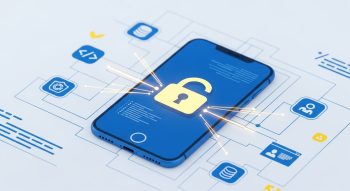
In today’s digital world, protecting personal data has become more important than ever. Our smartphones contain sensitive information — from photos and messages to financial details and business files. A single unauthorized access could compromise privacy and security. That’s why app locker apps like iLocker have gained immense popularity, allowing users to protect specific apps, photos, and files with passwords, patterns, or biometric authentication.
If you’re planning to build an app like iLocker, this comprehensive guide will walk you through everything — from concept planning and UI design to security features, tech stack, and monetization. Let’s explore how you can create a powerful mobile privacy protection app that meets today’s user expectations.
1. Understanding What iLocker Is and Why It’s Popular
iLocker is a next-generation app locker and data vault app designed to secure users’ apps, media files, and private data. It allows users to set PINs, patterns, or fingerprints to lock sensitive apps like WhatsApp, Gallery, Messenger, or Instagram.
Why Users Love iLocker
-
Simplicity: A clean, intuitive interface that’s easy to use.
-
Advanced Security: Robust encryption and biometric support.
-
Customization: Users can choose themes, patterns, and lock types.
-
Stealth Mode: Hides the app to prevent detection by intruders.
-
Intruder Selfie: Captures unauthorized access attempts automatically.
By combining security, design, and user trust, iLocker stands out as a go-to privacy app for millions of users.
2. Market Analysis: Growing Demand for Privacy Apps
The demand for mobile privacy tools has skyrocketed over the past decade. With digital transactions, remote work, and social media usage on the rise, data safety has become a major concern.
Key Market Insights
-
The global app security market is expected to reach $15 billion by 2030.
-
Over 60% of smartphone users have installed at least one security or privacy app.
-
Asia-Pacific leads in privacy app downloads due to Android dominance.
-
Biometric authentication (fingerprint, face ID) is now preferred by 80% of users.
The data clearly shows there’s strong potential for developers to create next-gen app locker apps that combine performance and privacy — like iLocker.
3. Planning Your iLocker-like App
Before jumping into development, strategic planning is crucial. Define your target audience, unique selling proposition (USP), and revenue model.
Step 1: Define Your Target Audience
Your app should cater to:
-
Android and iOS users prioritizing security
-
Professionals storing sensitive work files
-
Parents wanting to restrict kids’ app access
-
Individuals protecting personal photos, chats, or financial data
Step 2: Choose the Core Objective
Decide whether your app will focus on:
-
App locking only
-
File vault and media protection
-
Full-scale privacy management suite
Step 3: Analyze Competitors
Study apps like:
-
AppLock by DoMobile Lab
-
Smart App Protector
-
Keepsafe Vault
-
iLocker itself
Analyze their features, pricing, downloads, and user reviews to identify market gaps.
4. Key Features of an App Like iLocker
Your success depends on building robust and user-centric features. Below are must-have functionalities.
A. Basic Features
-
App Locking: Secure apps with PIN, pattern, or fingerprint.
-
Media Vault: Store photos, videos, and documents in an encrypted space.
-
Password Protection: Multiple lock options (pattern, PIN, biometric).
-
Intruder Detection: Take selfies of unauthorized users.
-
Notification Control: Hide or filter sensitive notifications.
-
Fake Cover Screen: Display a decoy error or calculator app.
-
Cloud Backup: Sync encrypted data to cloud for recovery.
-
Uninstall Prevention: Restrict uninstallation without authorization.
-
Multi-language Support: Cater to global users.
-
Customization: Themes, backgrounds, and lock styles.
B. Advanced Features
-
AI Threat Detection: Detect suspicious activity automatically.
-
Stealth Mode: Make app invisible from the home screen.
-
Break-in Alerts: Send real-time email or SMS alerts.
-
Smart Unlock: Auto-disable lock in safe zones (home/work Wi-Fi).
-
Battery Optimization: Lightweight and power-efficient design.
5. UI/UX Design Principles for iLocker
Design plays a vital role in user trust and engagement. An app dealing with privacy should look clean, professional, and intuitive.
UI/UX Best Practices
-
Use minimal, modern layouts with smooth transitions.
-
Prioritize clarity over complexity.
-
Include quick access buttons for locking/unlocking.
-
Design visual feedback for successful or failed logins.
-
Offer dark mode for visual comfort.
-
Use trust-building colors like blue, gray, and white.
Tools like Figma, Adobe XD, and Sketch are ideal for designing the app interface.
6. Choosing the Right Tech Stack
The technology stack determines performance, scalability, and security.
Frontend (Mobile App Development)
-
Flutter – Ideal for building cross-platform apps.
-
React Native – Great for native-like Android/iOS experiences.
-
Kotlin or Java (Android) – For Android-only versions.
-
Swift (iOS) – For iPhone apps.
Backend Development
-
Node.js or Django – For efficient server-side logic.
-
Firebase – For authentication and cloud storage.
-
AWS or Google Cloud – For scalable hosting and data protection.
Database
-
SQLite or Realm – For local data storage.
-
Firebase Firestore – For real-time cloud data management.
Security Tools
-
AES 256-bit encryption – For securing local files.
-
SSL/TLS protocols – For secure data transmission.
-
Biometric APIs – For fingerprint and face ID integration.
7. Development Process: Step-by-Step
Step 1: Ideation and Research
-
Study existing app lockers.
-
Identify problems users face with current solutions.
-
Define your USP — speed, customization, or smart AI-based protection.
Step 2: Wireframing and Prototyping
-
Create screen mockups using Figma or Adobe XD.
-
Visualize user flow and lock/unlock interaction.
Step 3: Frontend and Backend Development
-
Build app interface using Flutter or Kotlin.
-
Connect to backend APIs for authentication, media storage, and notifications.
Step 4: Implement Security Features
-
Add fingerprint/face authentication.
-
Encrypt sensitive user data.
-
Build a stealth feature that hides the app’s icon.
Step 5: Testing
-
Conduct Unit Testing, Penetration Testing, and Beta Testing.
-
Ensure data remains secure even under jailbreak or root scenarios.
Step 6: Deployment
-
Publish to Google Play Store and Apple App Store with optimized metadata.
-
Include screenshots, feature highlights, and privacy policies.
Step 7: Maintenance and Updates
-
Continuously update encryption libraries.
-
Fix bugs, improve UI, and introduce new privacy features.
8. Security Measures You Must Implement
Since privacy is the foundation, robust security measures are non-negotiable.
-
End-to-End Encryption: Encrypt all data stored and transmitted.
-
Biometric Authentication: Integrate fingerprint and face ID APIs.
-
PIN/Pattern Backup: Enable secure fallback access methods.
-
Two-Factor Authentication: Add OTP or email verification.
-
Intruder Detection: Log failed attempts and capture photos.
-
No Cloud Leakage: Ensure even cloud backups are encrypted.
-
App Integrity Check: Prevent tampering or cloning.
These features build user trust and app credibility, which are key to success.
9. Monetization Strategies for iLocker-like Apps
Monetizing your privacy app smartly ensures sustainability and growth.
Revenue Models
-
Freemium Model: Offer free basic locking, with paid premium themes or advanced vaults.
-
In-App Purchases: Charge for extra cloud storage or security add-ons.
-
Subscription Plans: Monthly or yearly plans for premium users.
-
Ad Integration: Non-intrusive ads for free users.
-
Affiliate Partnerships: Collaborate with antivirus or cloud storage brands.
Example:
-
Free Plan: Basic app lock + limited vault storage.
-
Pro Plan ($2.99/month): Cloud backup, stealth mode, AI protection, and ad-free experience.
10. Estimated Development Cost
Building an app like iLocker depends on complexity, features, and platform choice.
| Development Aspect | Estimated Cost (USD) |
|---|---|
| UI/UX Design | $2,000 – $4,000 |
| App Development (Frontend + Backend) | $8,000 – $20,000 |
| Security Integration | $3,000 – $6,000 |
| Testing & QA | $1,500 – $3,000 |
| Deployment & Maintenance | $2,000 – $5,000 |
| Total Estimated Cost | $15,000 – $35,000 |
For startups or freelancers, using Flutter + Firebase can reduce costs significantly while maintaining performance.
11. Challenges in Building an App Like iLocker
Creating a security app isn’t without hurdles. Here are common challenges developers face:
-
Managing biometric authentication across devices.
-
Balancing security and user convenience.
-
Handling battery optimization and background restrictions.
-
Complying with data privacy laws (GDPR, CCPA).
-
Ensuring compatibility with different Android versions.
Overcoming these challenges requires skilled developers and regular updates.
12. Future Trends in App Locker Development
The app locker industry continues to evolve with technology.
Emerging trends include:
-
AI-based Security: Predict threats using behavior analysis.
-
Voice Authentication: Use voice as an unlocking method.
-
Cloud Encryption Vaults: Zero-knowledge cloud backups.
-
Decentralized Security Apps: Blockchain-based privacy solutions.
-
Adaptive Locks: Context-aware locking based on time or location.
Building your app with scalable architecture ensures adaptability to future innovations.
13. Final Thoughts
Building an app like iLocker is not just about locking apps — it’s about earning user trust through reliable, transparent, and secure privacy solutions. By combining modern encryption, intuitive design, biometric authentication, and real-time protection, you can develop an app that truly stands out.
If you focus on usability, performance, and privacy, your iLocker-inspired app can become a top-rated security tool in app stores — empowering users to control access to their digital world confidently.

He is a SaaS-focused writer and the author of Xsone Consultants, sharing insights on digital transformation, cloud solutions, and the evolving SaaS landscape.