

Blog

How to
Create an AI Chatbot for Your Instagram or Facebook Page Using ChatGPT
AI chatbots have become essential tools for social media
engagement, helping brands automate replies, handle customer queries,
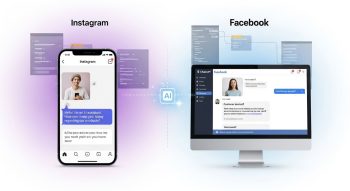
AI chatbots have become essential tools for social media engagement, helping brands automate replies, handle customer queries, generate leads, and increase conversions. With platforms like Instagram and Facebook receiving millions of messages every day, integrating a smart, ChatGPT-powered bot can save hours of manual work and deliver 24/7 customer support.
In this guide, you’ll learn step-by-step how to create an AI chatbot for your Instagram or Facebook page using ChatGPT, the tools you need, and how to connect everything properly.
Why You Need an AI Chatbot for Instagram & Facebook
A ChatGPT-powered bot can help your business by:
-
Responding to customer queries instantly
-
Handling FAQs automatically
-
Managing orders, bookings, and reservations
-
Engaging customers with personalized responses
-
Helping sell products via automated DM conversations
-
Running campaigns or giveaways
-
Providing 24/7 support without human involvement
Meta (Facebook + Instagram) officially supports chatbots via its Messenger API and Instagram Graph API, so everything can be fully automated.
Tools You Need
You only need 3 things:
1. A Facebook Page and Instagram Business Account
Your Instagram must be connected to a Facebook page.
2. A Meta Developer Account
This allows you to use the API that sends and receives messages.
3. ChatGPT API (OpenAI API Key)
This powers the intelligence of your chatbot.
Create a key here: platform.openai.com
(Optional) A Workflow Automation Tool
If you don’t want to code, use platforms like
-
ManyChat
-
Botpress
-
Zapier
-
Make (Integromat)
-
Chatfuel
All of these can connect Instagram/Facebook to ChatGPT without coding.
Method 1: Create an AI Chatbot for Instagram or Facebook WITHOUT Coding (Easiest)
This is perfect for beginners.
Step 1: Create an Account on ManyChat or Botpress
ManyChat works extremely well with both Instagram and Facebook.
Step 2: Connect Your Instagram or Facebook Page
Log in → Settings → Connect Facebook/Instagram
Authorize Meta to give message access.
Step 3: Create a ChatGPT Integration
Inside ManyChat:
-
Go to Automation → Flows
-
Add a new HTTP request.
-
Paste your OpenAI API URL:
https://api.openai.com/v1/chat/completions -
Add your API key
-
Pass user message into the prompt
-
Set the model to GPT-4o, GPT-4.1, or GPT-3.5 depending on your choice.
Now the incoming DM messages will be sent to ChatGPT, and the bot will reply automatically.
Step 4: Set Keywords & Auto-Replies
You can set triggers like
-
“Price”
-
“Book appointment”
-
“Order”
-
“Help”
Your chatbot will instantly reply with a smart message.
Step 5: Publish Your Bot
Once live, your Instagram or Facebook inbox will be fully automated.
Method 2: Create an AI Chatbot Using Coding (Advanced/Developers)
If you want full customization, you can code your bot.
Step 1: Create a Meta App
Go to https://developers.facebook.com/.
-
Create a new app
-
Add the Messenger or Instagram Messaging product
-
Connect your Facebook Page & Instagram Business account
-
Generate a Page Access Token
Step 2: Set Up a Webhook
Your server will receive messages when users DM you.
You can use:
-
Node.js
-
Python
-
PHP
Example (Node.js):
Step 3: Send the Reply Back to Instagram or Facebook
Use Meta’s Send API.
Step 4: Deploy Your Bot
Deploy on:
-
Render
-
Vercel
-
Heroku
-
Firebase
-
AWS
Your bot will now auto-reply in real time.
Features You Can Build in Your Chatbot
1. Auto Replies to FAQs
-
Prices
-
Delivery
-
Product availability
-
Store hours
-
Booking details
2. Lead Generation
Capture user details:
-
Name
-
Email
-
Phone number
-
Location
3. Smart Conversation Flow
ChatGPT can give human-like replies.
4. Sell Products via DM
Show product options
Recommend items
Guide customers to checkout
5. Customer Support
AI can answer questions instantly and escalate complex issues to a human.
Best Practices for Your Instagram/Facebook Chatbot
-
Keep responses short and friendly
-
Add personality (brand tone)
-
Avoid long paragraphs
-
Use quick replies and buttons
-
Train the bot with example questions
-
Use fallback answers for unclear messages
-
Test before going live
Benefits of Using ChatGPT as a Social Media Bot
-
Highly realistic conversations
-
Natural language understanding
-
Personalised replies
-
Multilingual support
-
Better engagement & conversions
-
Saves time and reduces workload
Conclusion
Creating an AI chatbot for your Instagram or Facebook page using ChatGPT has never been easier. Whether you choose a no-code platform like ManyChat or build it with the Meta API, you can automate your entire inbox, improve customer support, boost engagement, and grow your business effortlessly.

He is a SaaS-focused writer and the author of Xsone Consultants, sharing insights on digital transformation, cloud solutions, and the evolving SaaS landscape.