

Blog

How to
Create an App for Tracking Fitness Goals
Introduction Contents hide 1 Introduction 2 Step 1: Identify
Your App’s Purpose and Target Audience 2.1 Common
Introduction
In today’s health-conscious world, fitness tracking apps have become indispensable companions for millions of users aiming to lead healthier lives. From monitoring workouts and calories to setting goals and tracking progress, these apps have turned smartphones and wearables into personal fitness coaches.
Apps like MyFitnessPal, Fitbit, Strava, and Google Fit dominate the market because they help users maintain accountability, visualize progress, and stay motivated on their fitness journey. If you’re interested in creating an app for tracking fitness goals, this is the perfect time. The global fitness app market continues to expand rapidly, fueled by growing awareness of personal health and the rise of wearable devices.
Developing a fitness app requires a blend of health data integration, intuitive design, goal-setting features, gamification, and secure data management. In this guide, you’ll learn exactly how to build a fitness tracker app from concept to launch—one that motivates users to stay active and loyal.
Step 1: Identify Your App’s Purpose and Target Audience
Before writing any code, define who your app is for and what problem it solves. Fitness apps vary widely in focus, from step counters to comprehensive wellness platforms.
Common Fitness App Types:
- Activity Trackers – Track steps, calories, and heart rate.
- Workout Apps – Provide guided exercise routines.
- Nutrition Apps – Help users track food intake and calories.
- Comprehensive Fitness Apps – Combine workouts, nutrition, and progress tracking.
Ask These Questions:
- Will your app target beginners, athletes, or general fitness enthusiasts?
- Is it focused on weight loss, muscle gain, or daily activity tracking?
- Do you plan to integrate wearables like Apple Watch or Fitbit?
Clearly defining your niche helps tailor your features, branding, and user experience.
Step 2: Research Competitors and Market Gaps
The fitness app market is crowded but full of opportunities. Study popular competitors to identify features users love and pain points you can improve.
Top Competitors to Study:
- MyFitnessPal: Excellent nutrition tracking and community engagement.
- Fitbit App: Deep wearable integration and goal tracking.
- Strava: Strong social community for runners and cyclists.
- Nike Training Club: Guided workouts and gamified challenges.
Key Research Focus:
- Read user reviews on app stores to find what’s missing.
- Check monetization models (free, freemium, or premium).
- Analyze design patterns—how they visualize fitness data.
This research helps you design a product that fills real market gaps and stands out with innovation.
Step 3: Choose the Right Features
The features you include will define the value of your app. For a fitness goal tracking app, focus on features that promote motivation, engagement, and convenience.
Essential Features to Include
- User Registration and Profile Setup
- Enable login via email, Google, or Apple ID.
- Allow users to input personal data (age, weight, goals).
- Goal Setting
- Let users set fitness goals (e.g., “lose 5kg,” “run 10km,” or “work out 5 days a week”).
- Offer adjustable timelines and progress tracking.
- Activity Tracking
- Use smartphone sensors or wearable integration to track steps, distance, calories, and active minutes.
- Workout Plans and Routines
- Provide pre-designed exercise plans or allow custom routines.
- Include video tutorials for correct form.
- Progress Dashboard
- Display real-time progress with charts, graphs, and achievements.
- Nutrition and Calorie Tracking (Optional)
- Allow users to log meals and track macros.
- Sync with databases for calorie estimation.
- Push Notifications and Reminders
- Send motivational messages and reminders for workouts or hydration.
- Social and Community Features
- Allow users to share achievements and join challenges.
- Integrate leaderboards or friend groups.
- Wearable Device Integration
- Connect with Fitbit, Garmin, Apple Watch, or Google Fit via APIs.
- Data Sync and Cloud Backup
- Sync data across devices and store progress safely in the cloud.
The goal is to strike a balance between simplicity and functionality—offer just enough features to help users stay motivated without overwhelming them.
Step 4: Design a User-Friendly Interface
A fitness app should feel motivating, energetic, and easy to use. Users interact with it daily, so the design must inspire action.
Fitness App Design Tips:
- Use bright, energizing colors (like blues and greens) with clear typography.
- Keep navigation simple—one tap to start tracking.
- Use icons and visual cues for quick understanding.
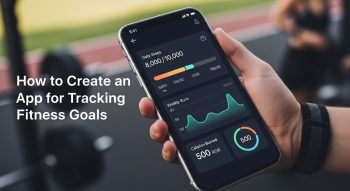
- Display progress visually through animations or circular progress bars.
- Add gamification elements (badges, streaks, rewards).
Tools like Figma, Adobe XD, and Sketch can help design seamless UI/UX prototypes.
Remember, an intuitive and visually engaging design keeps users motivated to return daily.
Step 5: Select the Right Tech Stack
Building a fitness tracking app requires the right blend of frontend, backend, and integration technologies to ensure speed, accuracy, and scalability.
Recommended Tech Stack
Frontend (Mobile App):
- Flutter or React Native (for cross-platform development)
- Swift (for iOS native)
- Kotlin (for Android native)
Backend:
- Node.js, Django (Python), or Ruby on Rails
- Cloud Services: AWS, Firebase, or Google Cloud
Database:
- MongoDB or PostgreSQL
APIs and Integrations:
- HealthKit (iOS) and Google Fit (Android) for fitness data
- Map APIs (for route tracking in running/cycling apps)
- Wearable APIs (Fitbit, Garmin, Samsung Health)
Choosing cross-platform tools like Flutter saves development time and cost while maintaining high performance across both Android and iOS.
Step 6: Implement Core Functionalities
Now comes the development phase—where your app starts taking shape.
Key Development Tasks:
- Set Up Backend Server: Manage user authentication, data storage, and APIs.
- Build Frontend Interface: Develop app screens and integrate animations.
- Integrate Fitness Data: Connect with device sensors or third-party APIs to collect real-time activity data.
- Enable Goal Tracking: Use logic to compare daily activity with user-defined goals.
- Add Gamification & Rewards: Motivate users with badges, points, or achievements.
For instance, if a user completes 10,000 steps in a day, trigger a “Goal Achieved” animation and notification.
Step 7: Focus on Data Privacy and Security
Fitness apps often handle sensitive health data, so ensuring privacy and security is essential.
Best Practices:
- Use end-to-end encryption for all personal and fitness data.
- Apply OAuth 2.0 for secure login.
- Follow regulations like GDPR and HIPAA (if applicable).
- Clearly state your privacy policy in the app.
Trust is crucial—users must feel confident their health information is safe.
Step 8: Test Your Fitness App
Before launch, test thoroughly to ensure accuracy, performance, and a seamless user experience.
Types of Testing:
- Unit Testing: Verify each feature (goal setting, tracking, reminders).
- Integration Testing: Ensure APIs and wearables sync correctly.
- Performance Testing: Check real-time tracking under high usage.
- User Testing: Collect feedback from real users to refine UI/UX.
Testing tools like Appium, TestFlight, and Firebase Test Lab can help you identify and fix issues efficiently.
Step 9: Launch and Promote Your App
Once testing is complete, prepare for launch on the Google Play Store and Apple App Store.
Pre-Launch Checklist:
- Optimize your app title and description for App Store Optimization (ASO).
- Add high-quality screenshots and a short demo video.
- Launch social media campaigns with motivational fitness content.
- Encourage early adopters to share reviews and testimonials.
After launch, continue updating your app based on user feedback and fitness trends.
Step 10: Monetization Strategies
To make your fitness app profitable, choose the right monetization model for your audience.
Popular Revenue Models:
- Freemium Model: Offer basic tracking free; charge for premium features like AI insights or advanced reports.
- Subscription Plans: Monthly or yearly plans for personalized training or nutrition advice.
- In-App Purchases: Sell digital products like meal plans or workout videos.
- Affiliate Marketing: Partner with fitness brands or equipment suppliers.
- Ads (Limited): Show relevant ads without disrupting user experience.
A combination of freemium + subscription models often works best for fitness apps.
Step 11: Add AI and Machine Learning for Personalization
To make your app stand out, integrate AI-driven insights for smarter, more adaptive fitness experiences.
AI Features to Consider:
- Personalized Workouts: Tailor routines based on performance and goals.
- Predictive Analysis: Estimate future progress from past trends.
- Voice Assistants: Allow users to ask, “How many calories did I burn today?”
- Smart Reminders: Send timely motivational prompts.
Machine learning libraries like TensorFlow, scikit-learn, and Core ML can power these advanced features.
Step 12: Maintain and Update Regularly
Post-launch, continuous improvement is crucial for long-term success.
Keep Your App Relevant By:
- Adding new fitness programs and tracking metrics.
- Enhancing wearable compatibility.
- Improving data visualization.
- Fixing bugs and updating UI regularly.
Regular updates not only retain users but also boost app rankings in stores.
Benefits of Building a Fitness Tracking App
Creating a fitness app offers both business potential and social impact.
Key Advantages:
- Rising global demand for mobile health (mHealth) solutions.
- Potential for recurring revenue via subscriptions.
- Opportunity to promote wellness and lifestyle improvement.
- Scalability into corporate wellness programs or wearable partnerships.
You’re not just building an app—you’re contributing to a healthier, more active world.
Common Mistakes to Avoid
Avoid these pitfalls to ensure a smoother development journey:
- Too many features at once — start simple with an MVP.
- Neglecting UX design — fitness users value simplicity.
- Poor data accuracy — unreliable tracking ruins credibility.
- No privacy safeguards — users won’t trust unsecured apps.
Keeping these points in mind ensures your app delivers real value and longevity.
Conclusion
Developing a mobile app for tracking fitness goals is an exciting opportunity to merge technology and health for positive impact. By combining smart goal tracking, wearable integration, personalized insights, and strong data protection, you can create a fitness app that motivates users to stay active, committed, and inspired.
Start small, focus on solving one fitness challenge, and evolve your app with user feedback and emerging tech trends. With persistence and innovation, your fitness app can become the next go-to platform helping millions achieve their health and wellness goals.

He is a SaaS-focused writer and the author of Xsone Consultants, sharing insights on digital transformation, cloud solutions, and the evolving SaaS landscape.