

Blog

How to
Develop an App Like NoteNest
In an age dominated by information overload, people are
constantly searching for smarter ways to capture, store,
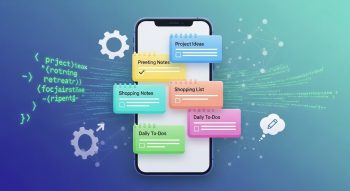
In an age dominated by information overload, people are constantly searching for smarter ways to capture, store, and organize their ideas. NoteNest, a powerful note-taking and productivity app, has become a benchmark in the digital workspace world — combining simplicity, synchronization, and speed.
If you’re inspired to develop an app like NoteNest, this complete guide walks you through everything you need — from market research and feature planning to UI/UX design, backend development, AI integration, and monetization strategies.
By the end, you’ll know how to build a cloud-based, cross-platform, and user-focused note-taking app that competes with leaders like Evernote, Notion, and Google Keep.
1. Understanding What Makes NoteNest Successful
Before jumping into development, it’s important to analyze what makes NoteNest stand out in a crowded market of productivity apps.
Key Success Factors of NoteNest:
-
User-Centric Simplicity: Intuitive interface and clean layout.
-
Cloud Synchronization: Notes automatically saved and synced across devices.
-
Real-Time Collaboration: Users can share notes or lists and edit together.
-
Smart Organization: AI-powered tagging, folders, and keyword search.
-
Offline Access: Work seamlessly without an internet connection.
-
Cross-Platform Compatibility: Works smoothly on Android, iOS, and web.
These core attributes make NoteNest more than a digital notebook — it’s a personal knowledge hub. When developing your app, your goal should be to replicate this balance between simplicity and innovation.
2. Conduct Market Research and Define Your Target Audience
A successful app begins with understanding your audience.
Steps to Research and Plan:
-
Identify Your User Persona: Students, entrepreneurs, writers, designers, or professionals.
-
Analyze Competitors: Explore apps like Notion, Evernote, Simplenote, and Zoho Notebook.
-
Find Gaps in the Market: Maybe users want voice notes, better tagging, or AI summarization.
-
Define Your Unique Selling Proposition (USP): This could be smart categorization, minimalist UI, or real-time sync without lag.
A clear USP ensures your app doesn’t just imitate NoteNest but builds on its foundation with something unique.
3. Feature Planning and App Functionality
To develop an app like NoteNest, you need a combination of core and advanced features that create a seamless, reliable experience.
Core Features:
-
Create, Edit, and Delete Notes
-
Rich Text Formatting (bold, italics, lists, bullets)
-
Add Images, Audio, or Attachments
-
Search and Filter Notes by Tags
-
Offline Editing and Auto-Sync
-
Multi-Device Support (mobile, tablet, desktop)
Advanced Features:
-
AI-Powered Note Suggestions: Automatic tagging, summarization, and organization.
-
Voice-to-Text Notes: Use speech recognition to capture ideas instantly.
-
Real-Time Collaboration: Shared workspaces with live editing.
-
Task Management Integration: To-do lists, reminders, and deadlines.
-
Data Encryption: Secure all user data with end-to-end encryption.
-
Cloud Storage Integration: Connect with Google Drive, Dropbox, or iCloud.
-
Custom Themes and Fonts: Enhance personalization and aesthetics.
The right feature mix helps your app deliver efficiency, flexibility, and security — the three pillars of productivity software.
4. Choose the Right Tech Stack
The technology stack is the backbone of your app. Choosing the right one ensures your app is scalable, fast, and easy to maintain.
Frontend (UI) Technologies:
-
Frameworks: Flutter, React Native, or Swift/Kotlin for native builds.
-
Languages: Dart (for Flutter), JavaScript/TypeScript, Swift, or Kotlin.
-
UI Design Tools: Figma, Adobe XD, Sketch for prototyping layouts.
Backend (Server-Side) Technologies:
-
Languages: Node.js, Python (Django/Flask), or Go.
-
Database: Firebase, MongoDB, or PostgreSQL for structured note storage.
-
APIs: RESTful or GraphQL for efficient communication.
-
Cloud Services: AWS, Firebase, or Google Cloud for hosting and syncing.
Other Essential Tools:
-
AI & ML Libraries: TensorFlow, OpenAI API, or spaCy for AI-based organization.
-
Authentication: OAuth 2.0, Firebase Auth, or custom JWT-based login.
-
Storage & Sync: Firebase Realtime Database or AWS Amplify for real-time synchronization.
Using Flutter + Firebase is an excellent choice if you’re targeting fast development and cross-platform support — similar to NoteNest’s sleek, multi-device performance.
5. UI/UX Design: Keep It Simple Yet Powerful
In note-taking apps, design isn’t just about aesthetics — it’s about ease, speed, and focus.
Key UI/UX Design Tips:
-
Minimalism First: Focus on white space, clean fonts, and intuitive icons.
-
Consistency: Keep button placements, colors, and interactions uniform.
-
Gestures and Shortcuts: Enable swipe gestures or keyboard shortcuts.
-
Theming: Offer light/dark mode and customizable backgrounds.
-
Microinteractions: Smooth animations make note creation feel effortless.
User Flow Example:
-
Open app → Tap “+” → Type note → Auto-save → Tag → Sync to cloud.
Good UX makes this flow frictionless — reducing user effort and improving engagement.
6. App Architecture and Data Flow
The app’s architecture should be modular, scalable, and secure.
Recommended Architecture:
-
Frontend Layer: Handles UI, input, and interactions.
-
Backend Layer: Manages storage, authentication, and API communication.
-
Database Layer: Stores notes, tags, and media securely.
-
AI Layer: Handles auto-tagging, search optimization, and text recognition.
Data Flow Example:
User writes a note → note saved locally → syncs to cloud → updates across all devices.
This structure ensures speed, reliability, and offline access — a must for a productivity app like NoteNest.
7. Integrating AI for Smart Productivity
AI can take your note app to the next level — automating organization, improving search, and saving time.
Smart AI Features to Include:
-
Auto-Tagging: Detect keywords and assign tags automatically.
-
Content Summarization: Shorten long notes using NLP algorithms.
-
Voice-to-Text Recognition: Convert spoken content into notes instantly.
-
Semantic Search: Users can find notes based on meaning, not just keywords.
-
Smart Reminders: Detect deadlines or actionable phrases and set reminders automatically.
By leveraging machine learning, your app transitions from a basic tool to an intelligent digital assistant — increasing user retention and satisfaction.
8. Security and Privacy: Building Trust
In a note-taking app, users often store personal and confidential information. Therefore, implementing strong data privacy and security standards is non-negotiable.
Best Practices for App Security:
-
End-to-End Encryption: Protect data during transfer and storage.
-
Secure Login: Use biometrics, 2FA, or OAuth-based logins.
-
Offline Data Safety: Encrypt local storage using AES-256.
-
Regular Backups: Automated cloud backups ensure no data loss.
-
GDPR and CCPA Compliance: Respect global privacy regulations.
Security is a silent feature — users may not see it, but they’ll leave instantly if it’s missing.
9. Testing and Quality Assurance
Testing ensures that your app runs smoothly on all devices and conditions.
Types of Testing to Perform:
-
Unit Testing: Verify every feature (create, edit, delete, sync).
-
UI/UX Testing: Ensure responsiveness and smooth interactions.
-
Integration Testing: Check cloud sync, authentication, and file uploads.
-
Performance Testing: Optimize speed and minimize memory usage.
-
Security Testing: Protect against data leaks and unauthorized access.
Tools to Use:
-
Appium, Espresso, and Firebase Test Lab for mobile testing.
-
JMeter for performance analysis.
-
Selenium for web-based versions.
Testing is the step where your NoteNest-like app becomes polished, stable, and launch-ready.
10. Launch and Deployment Strategy
Once your app is tested and stable, you’re ready to launch!
Steps to Launch:
-
Set Up App Store Listings: Use strong visuals and keyword-optimized descriptions.
-
Submit to Google Play & App Store: Ensure compliance with guidelines.
-
Beta Testing: Release a closed beta version to gather user feedback.
-
Collect Feedback: Identify bugs, missing features, and UX issues.
-
Official Launch: Announce across social media, tech blogs, and product platforms.
ASO (App Store Optimization):
Use relevant keywords like:
-
“Best note-taking app”
-
“Cloud notes app”
-
“Fast note sync app”
-
“Digital notebook for Android/iOS”
An optimized listing ensures your app ranks higher and reaches the right audience faster.
11. Marketing and Monetization Strategies
After launch, your next focus is visibility and revenue generation.
Marketing Strategies:
-
Social Media Campaigns: Showcase app features through reels and posts.
-
Content Marketing: Write blogs about productivity and digital organization.
-
Influencer Reviews: Partner with YouTubers or tech reviewers.
-
Email Marketing: Send productivity tips, updates, and feature launches.
-
App Review Websites: Submit your app to Product Hunt and TechCrunch.
Monetization Models:
-
Freemium: Free version with limited storage, paid for premium features.
-
Subscription Plans: Monthly or annual pricing for advanced tools.
-
In-App Purchases: Themes, AI assistants, or premium templates.
-
Ads (Optional): Non-intrusive banners for free users.
A sustainable monetization model ensures consistent revenue while maintaining user satisfaction.
12. Post-Launch Maintenance and Continuous Improvement
Building an app is just the beginning. Continuous updates ensure growth and longevity.
Maintenance Checklist:
-
Fix bugs and improve speed.
-
Update app for new OS versions.
-
Add user-requested features (widgets, markdown support, etc.).
-
Monitor analytics for usage trends.
-
Optimize cloud costs and scalability.
Constantly improving the app based on real feedback keeps your product relevant and competitive.
Conclusion
Developing an app like NoteNest is a powerful opportunity to tap into the booming productivity and organization app market.
With the right mix of modern technologies, clean UX, AI integration, and secure cloud architecture, you can build a note-taking app that users trust and love.
Remember — success isn’t about copying NoteNest’s features, but about enhancing them with innovation. Whether it’s smarter note suggestions, seamless collaboration, or beautiful design, every improvement adds lasting value.
So start planning, sketch your prototype, and begin creating your own version of NoteNest — a digital space where ideas truly come to life.

He is a SaaS-focused writer and the author of Xsone Consultants, sharing insights on digital transformation, cloud solutions, and the evolving SaaS landscape.