

Blog

How to
Develop an App Like SyncMate
Contents hide 1 1. What Is SyncMate and Why
Is It Popular? 2 2. Core Features of
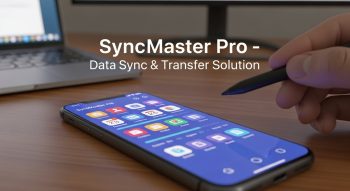
In today’s connected world, where people use multiple devices — smartphones, tablets, laptops, and desktops — keeping data synchronized across platforms is more critical than ever. Apps like SyncMate have revolutionized this space by allowing users to sync files, contacts, calendars, and media seamlessly between macOS, Android, iOS, and cloud services.
If you’re wondering how to develop an app like SyncMate, this guide covers everything from the core features and technical stack to development steps, cost breakdown, monetization, and future trends. Whether you aim to create a device synchronization app, a cloud-based data management tool, or a multi-platform sync service, this comprehensive blueprint will help you turn your idea into a successful, scalable solution.
1. What Is SyncMate and Why Is It Popular?
SyncMate is a macOS-based synchronization software that enables users to connect multiple devices and cloud services to keep data updated in real time. It synchronizes contacts, messages, calendars, folders, and media files between Mac computers and devices running Android, iOS, Google Drive, Dropbox, or other cloud platforms.
The app’s key strengths include:
-
Real-time synchronization between multiple devices
-
Support for multiple data types (contacts, files, media, etc.)
-
Cloud and local sync options
-
Simple and intuitive interface
-
Secure data transfer protocols
As digital ecosystems expand, users increasingly need data consistency and cross-platform access — and apps like SyncMate solve this challenge efficiently. Building a similar app positions you in the growing market for productivity tools, file synchronization apps, and device management software.
2. Core Features of an App Like SyncMate
Before starting development, identify the must-have features that define a robust synchronization platform.
A. User-Focused Features
-
Multi-Device Connectivity
Enable users to connect and sync between macOS, Windows, Android, iOS, and cloud platforms like Google Drive, Dropbox, and OneDrive. -
Real-Time Synchronization
Provide automatic background syncing so that updates made on one device instantly reflect on all others. -
Two-Way Data Sync
Support bidirectional synchronization to maintain consistency across devices. -
Custom Sync Profiles
Let users choose specific folders or file types to sync — e.g., contacts only, or media and documents. -
File and Folder Management
Allow direct access, editing, and transfer of files between connected systems. -
Calendar and Contact Integration
Sync events, reminders, and contact lists between different platforms seamlessly. -
Cloud Backup and Restore
Offer automatic backup options to prevent data loss. -
Secure Data Encryption
Implement end-to-end encryption (AES, SSL/TLS) to protect user data during transmission and storage. -
Offline Sync Mode
Cache changes locally and sync them when the device reconnects to the internet. -
Notifications and Sync Reports
Send status alerts, completion messages, or error logs to enhance transparency.
B. Admin and Backend Features
-
User Management System – Manage subscriptions, authentication, and device registrations.
-
Cloud Integration Dashboard – Handle all API integrations and storage limits.
-
Activity Logs and Reports – Record synchronization history and user activity.
-
Data Conflict Resolution – Automatically detect and manage duplicate or conflicting files.
-
Security Monitoring – Track vulnerabilities, unauthorized access attempts, and usage analytics.
3. Technology Stack for Developing an App Like SyncMate
A synchronization app must support speed, accuracy, and scalability. Here’s a recommended tech stack to achieve these goals.
Frontend (User Interface)
-
Mobile: Flutter, React Native, or Swift for iOS, Kotlin for Android
-
Desktop: Electron.js (for cross-platform), Swift (macOS), C# (Windows)
-
Web Dashboard: React.js or Angular
Backend (Server-Side)
-
Frameworks: Node.js (Express), Django, or Laravel
-
Database: PostgreSQL, MongoDB, or Firebase Realtime Database
-
Real-Time Services: WebSockets, MQTT, or Socket.IO
-
Cloud Platforms: AWS (S3, EC2, Lambda), Google Cloud, or Microsoft Azure
APIs and Integrations
-
Google Drive, Dropbox, OneDrive, iCloud APIs
-
Google Calendar API, Contacts API
-
Apple iCloud SDK for macOS and iOS integration
Security and Data Protection
-
SSL/TLS encryption
-
OAuth 2.0 and JWT authentication
-
End-to-end encryption for sensitive data
-
GDPR and CCPA compliance for data privacy
4. Step-by-Step Process to Develop an App Like SyncMate
Creating a synchronization app involves meticulous planning and robust backend logic. Here’s how to proceed step by step.
Step 1: Market Research and Competitor Analysis
Analyze competitors like SyncMate, Resilio Sync, GoodSync, and SyncThing. Focus on:
-
What users love or dislike
-
Missing functionalities
-
Pricing and user experience gaps
Define your unique selling proposition (USP) early — for example, faster syncing speed or better multi-cloud integration.
Step 2: Define Use Cases and Target Audience
Determine whether your app will serve:
-
Personal users – who need cross-device syncing
-
Businesses – for team file sharing and version control
-
Developers – for integrating sync functions via APIs
Step 3: UI/UX Design
A synchronization app must emphasize clarity, simplicity, and control. Use design tools like Figma or Adobe XD to prototype:
-
Dashboard with connected accounts
-
File explorer interface
-
Sync progress visuals
-
Conflict management prompts
Consistency across all platforms (desktop, mobile, web) is crucial for user trust.
Step 4: Choose the Right Tech Stack
Select your development frameworks based on the platforms you target.
For instance:
-
Cross-platform apps: Flutter or React Native
-
macOS-specific: Swift + Apple APIs
-
Web: React.js with Node.js backend
Step 5: Develop the Core Sync Engine
This is the heart of your app. The sync engine manages:
-
File comparison algorithms (based on timestamps or hashes)
-
Conflict resolution logic
-
Incremental sync to minimize bandwidth usage
-
Background syncing and scheduling
Using tools like rsync algorithms or delta transfer protocols ensures efficiency and reliability.
Step 6: Implement Cloud and Local Sync Options
Offer flexibility for users to sync between:
-
Device-to-Device (local Wi-Fi or Bluetooth)
-
Device-to-Cloud (Google Drive, Dropbox, etc.)
-
Device-to-Server (custom cloud infrastructure)
Step 7: Testing and Quality Assurance
Comprehensive testing is critical:
-
Functional Testing: Verify each sync scenario.
-
Performance Testing: Assess load under concurrent syncs.
-
Security Testing: Test encryption, token expiry, and API integrity.
-
Compatibility Testing: Ensure seamless operation across OS versions and devices.
Step 8: Deployment
Once stable, deploy:
-
Mobile apps to Google Play and App Store
-
Desktop versions via installer packages or app stores (Mac App Store, Microsoft Store)
-
Cloud backend on AWS, Azure, or Google Cloud
Ensure automated updates and cloud monitoring are active.
Step 9: Post-Launch Maintenance
Monitor app performance, user feedback, and sync reliability. Schedule:
-
Regular updates and feature improvements
-
API version upgrades
-
Bug patches and compatibility enhancements
5. Estimated Cost of Developing an App Like SyncMate
The cost depends on complexity, feature set, and development approach.
| App Complexity | Approximate Cost (USD) | Development Time |
|---|---|---|
| Basic Sync App | $20,000 – $35,000 | 3–4 months |
| Mid-Level App | $40,000 – $60,000 | 5–6 months |
| Advanced Multi-Platform | $70,000 – $120,000+ | 8–10 months |
Cost Breakdown
-
UI/UX Design: 10–15%
-
Frontend Development: 25–30%
-
Backend & API Integration: 35–40%
-
Testing & QA: 10–15%
-
Maintenance & Updates: 10–20%
Outsourcing development to skilled offshore teams can reduce costs significantly while maintaining quality.
6. Monetization Strategies
To make your app profitable, consider these models:
-
Subscription Model – Offer monthly or annual plans based on storage and sync speed.
-
Freemium Model – Free basic version with paid advanced features.
-
One-Time License – Charge a one-time fee for lifetime access.
-
In-App Purchases – Sell add-ons like extended cloud storage or priority sync.
-
Enterprise Licensing – Provide white-label or multi-user solutions for businesses.
7. Challenges and Their Solutions
| Challenge | Solution |
|---|---|
| Data Conflicts | Implement intelligent comparison algorithms and version tracking. |
| Slow Sync Speed | Use delta sync and compression to transfer only modified files. |
| Security Risks | Employ end-to-end encryption and secure API keys. |
| Cross-Platform Compatibility | Use modular codebases and adaptive frameworks. |
| Data Privacy Laws | Ensure compliance with GDPR, HIPAA, and CCPA. |
8. Future Trends in Data Sync App Development
The synchronization market continues to evolve rapidly. To stay ahead, incorporate these emerging trends:
-
AI-Driven Sync Optimization
Use machine learning to predict sync priorities and optimize resource usage. -
Edge Computing
Reduce latency by processing sync operations closer to the data source. -
Zero-Knowledge Encryption
Ensure even the service provider cannot access user data. -
Blockchain Integration
Use distributed ledgers for transparent and tamper-proof sync logs. -
Cross-Cloud Automation
Allow users to automate tasks across different cloud accounts using APIs.
These innovations make sync apps smarter, faster, and more secure, positioning your app competitively in the productivity software market.
9. Best Practices for Developing a SyncMate-Like App
-
Prioritize Data Security: Encryption and authentication must be core priorities.
-
Optimize Bandwidth Usage: Use incremental sync and data compression.
-
Ensure Seamless User Experience: Keep the interface simple and informative.
-
Focus on Scalability: Build architecture that supports millions of users.
-
Automate Testing: Continuous integration ensures faster updates.
-
Provide 24/7 Support: Offer quick solutions for sync errors or conflicts.
10. Conclusion
Developing an app like SyncMate is both a technical challenge and a strategic business opportunity. In an age where digital ecosystems are expanding rapidly, users demand instant data synchronization, security, and accessibility. By combining advanced technologies — from cloud APIs and encryption protocols to machine learning and cross-platform frameworks — you can build a next-generation synchronization app that rivals the best in the industry.
Whether your focus is on personal productivity or enterprise-level data management, success lies in delivering speed, security, and simplicity.
To summarize:
-
Start with strong market research.
-
Build a robust sync engine.
-
Ensure security and compliance.
-
Offer user-friendly design and flexible pricing.
With the right development strategy and continuous innovation, your app could become the next SyncMate — or even better.

He is a SaaS-focused writer and the author of Xsone Consultants, sharing insights on digital transformation, cloud solutions, and the evolving SaaS landscape.