

Blog

How to
Develop an App like ZenPlayer
In the fast-evolving world of multimedia entertainment, music and
media streaming apps like ZenPlayer, Spotify, and YouTube
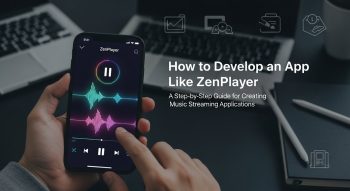
In the fast-evolving world of multimedia entertainment, music and media streaming apps like ZenPlayer, Spotify, and YouTube Music have become indispensable tools for users who seek seamless audio experiences. These platforms combine smart audio streaming, personalized recommendations, AI integration, and cross-platform synchronization to redefine how people enjoy their favorite tunes.
If you’re planning to build your own music streaming app, this guide will walk you through how to develop an app like ZenPlayer — from concept to launch. You’ll learn about the core features, development process, technology stack, monetization strategies, cost estimation, and marketing tactics that can help you compete in the music app market.
Introduction: What Is ZenPlayer?
ZenPlayer is a next-generation music and media player app designed to deliver high-quality audio playback, personalized playlists, and offline listening support. It allows users to stream music, organize playlists, discover artists, and listen seamlessly across devices — all within a sleek and intuitive interface.
Step 1: Understanding the Vision Behind ZenPlayer
Before beginning development, define your app’s core purpose. ZenPlayer succeeds because it focuses on simplicity, performance, and personalization.
Ask yourself:
-
Will your app focus on music playback, streaming, or both?
-
Who is your target audience — casual listeners, professionals, or creators?
-
Do you want to support local file playback, online streaming, or podcasts?
Clearly outlining your goals and target users helps shape the feature set, design, and technology choices.
Step 2: Conduct Market Research and Competitor Analysis
Researching your competitors helps identify market opportunities and user pain points. Study top apps like:
-
Spotify – AI-driven music recommendations.
-
Apple Music – Seamless iOS integration and high-quality sound.
-
SoundCloud – Creator-friendly platform for sharing audio.
-
YouTube Music – Video-based music discovery.
Focus on their strengths and weaknesses to decide what differentiates your app — such as better audio quality, a minimalist UI, or AI-assisted mood-based playlists.
Step 3: Define Key Features for Your ZenPlayer-Like App
To make your app competitive, include both core and advanced features that enhance the user experience.
Core Features:
-
User Registration & Authentication – Sign-up via email, Google, or Apple ID.
-
Music Library – Browse songs, albums, and artists.
-
Playlist Creation & Management – Users can create, edit, and share playlists.
-
Offline Mode – Download songs for offline listening.
-
Search & Filter – Smart search by artist, genre, or mood.
-
Media Playback Controls – Play, pause, shuffle, repeat, and queue management.
-
Cross-Platform Sync – Sync user data across devices.
-
Dark & Light Modes – Enhance visual comfort.
Advanced Features:
-
AI-Based Music Recommendations – Personalized playlists using machine learning.
-
Smart Equalizer Settings – Audio customization per user preference.
-
Cloud Storage Integration – Access songs from Google Drive, Dropbox, etc.
-
Lyrics Display – Real-time synced lyrics.
-
Podcast & Audiobook Support
-
Voice Commands & Assistant Integration
-
Social Sharing – Share songs and playlists directly.
-
In-App Radio & Live Streaming
Step 4: Choose the Right Tech Stack
Your technology stack determines app performance, scalability, and security. For a robust, ZenPlayer-like experience, consider the following setup:
Frontend (Client-Side):
-
Frameworks: Flutter, React Native (for cross-platform apps)
-
Languages: Swift (iOS), Kotlin (Android)
-
UI Tools: Figma, Adobe XD for wireframes and prototypes
Backend (Server-Side):
-
Languages: Node.js, Python (Django/Flask), or Java Spring Boot
-
Database: MongoDB, PostgreSQL, or Firebase
-
Cloud Storage: AWS S3, Google Cloud Storage
-
Streaming Server: Wowza, ExoPlayer SDK, or Icecast for real-time streaming
-
APIs: RESTful or GraphQL APIs for data management
Additional Tools:
-
AI/ML Integration: TensorFlow or OpenAI API for smart recommendations
-
Security: OAuth 2.0 for authentication, SSL encryption for data transfer
This stack ensures your app runs smoothly with fast streaming, secure logins, and low latency.
Step 5: Design a Smooth and Intuitive UI/UX
A beautiful and intuitive design is vital for a media app. Users expect a visually appealing, easy-to-navigate interface.
Design Tips for a ZenPlayer-Like App:
-
Keep the layout clean with minimal buttons.
-
Use fluid animations and soft transitions for smooth navigation.
-
Ensure large, touch-friendly icons for controls.
-
Integrate a dark mode and customizable themes.
-
Include an interactive music visualizer for a modern look.
User testing and A/B design comparisons can help you identify which interface drives higher engagement.
Step 6: Build the MVP (Minimum Viable Product)
Start by developing a Minimum Viable Product — a simple version of your app containing only essential features.
Your MVP should include:
-
User registration
-
Music library access
-
Basic media playback controls
-
Playlist creation
-
Offline mode (optional)
Once your MVP is released, gather user feedback to improve the UI, fix bugs, and introduce new features like AI-based recommendations or lyrics synchronization.
Step 7: Implement Cloud and Streaming Infrastructure
A strong backend and cloud infrastructure is critical for a music streaming app.
Streaming Infrastructure:
-
Use CDNs (Content Delivery Networks) for smooth global playback.
-
Implement adaptive bitrate streaming (ABS) to adjust quality based on user bandwidth.
-
Use audio compression (e.g., AAC, MP3, FLAC) for efficient data delivery.
Cloud Integration:
-
Cloud services like AWS Lambda or Firebase handle file storage, authentication, and sync.
-
Use real-time databases for fast song and playlist updates.
Efficient streaming reduces buffering and improves user retention and satisfaction.
Step 8: Testing and Quality Assurance
Before launch, your app must go through thorough testing to ensure high performance and usability.
Types of Testing:
-
Unit Testing – For individual modules like the player or authentication.
-
Integration Testing – To ensure smooth data flow between backend and frontend.
-
UI/UX Testing – To verify user-friendly navigation.
-
Load Testing – To check performance under heavy traffic.
-
Beta Testing – Collect real-world feedback from limited users.
Testing tools like Appium, JUnit, and Firebase Test Lab can automate and streamline this process.
Step 9: Deployment and App Store Launch
Once testing is complete:
-
Deploy your backend on AWS, Azure, or Google Cloud.
-
Submit your app to Google Play Store and Apple App Store.
-
Write a keyword-rich App Store Optimization (ASO) description using terms like music player app, ZenPlayer alternative, high-quality audio app, personalized playlists, etc.
-
Use attractive screenshots, videos, and preview graphics to increase downloads.
A well-optimized launch page can significantly boost visibility and conversion rates.
Step 10: Post-Launch Maintenance and Updates
Launching is only the beginning. Continuous maintenance and updates are essential for success.
-
Monitor performance analytics using Firebase Analytics or Mixpanel.
-
Fix bugs and add new features based on feedback.
-
Update libraries and SDKs regularly.
-
Optimize streaming speed and app responsiveness.
Consistent updates show users your commitment to improvement and innovation.
Step 11: Monetization Strategies for a Music App
Your app can generate steady revenue through different monetization models, depending on your target market.
Common Monetization Options:
-
Freemium Model – Offer free access with ads, premium subscriptions for ad-free streaming.
-
Subscription Model – Monthly/annual premium plans with offline access and high-quality streaming.
-
Ad-Supported Model – Use banner, audio, or video ads (Spotify-style).
-
In-App Purchases – Sell premium features, exclusive tracks, or themes.
-
Affiliate Marketing – Collaborate with artists and music distributors.
A hybrid model (ads + subscription) is often the most profitable for streaming apps.
Step 12: Marketing and Promotion Strategy
To compete with giants like Spotify or SoundCloud, you’ll need a powerful marketing plan.
Effective Marketing Techniques:
-
SEO Blog Content: Write articles like “Top Music Apps of 2025” or “Best Offline Players.”
-
Social Media Marketing: Use Instagram Reels, TikTok trends, and YouTube shorts.
-
Influencer Collaborations: Partner with musicians and DJs for promotions.
-
Email Campaigns: Notify users about new features or exclusive playlists.
-
Referral Programs: Reward users for inviting friends.
Combining organic and paid campaigns ensures steady user growth and brand recognition.
Step 13: Estimated Cost to Develop an App like ZenPlayer
The total cost to develop a ZenPlayer-like app depends on your chosen features, design complexity, and developer location.
| Development Phase | Estimated Cost (USD) |
|---|---|
| UI/UX Design | $3,000 – $6,000 |
| Frontend Development | $7,000 – $12,000 |
| Backend Development | $8,000 – $15,000 |
| Streaming & Cloud Setup | $5,000 – $10,000 |
| QA & Testing | $3,000 – $5,000 |
| Maintenance & Updates | $2,000 – $4,000 |
Estimated Total Cost: $25,000 – $50,000
If you hire offshore developers, you can cut costs by up to 40%.
Step 14: Future Trends in Music App Development
The future of music apps will revolve around personalization, AI, and immersive experiences. Emerging trends include:
-
AI-Generated Playlists based on user mood and activity.
-
3D Audio and Spatial Sound for immersive listening.
-
Blockchain Royalties for fair artist payments.
-
Voice Command Integration (Alexa, Google Assistant).
-
Social Listening Rooms where users can share live sessions.
Integrating these innovations early will keep your app ahead of competitors.
Conclusion
Developing an app like ZenPlayer requires a mix of technical expertise, strong UX design, and user-focused innovation. Whether you’re targeting audiophiles, creators, or casual listeners, your success depends on delivering a smooth, high-quality, and secure streaming experience.
By following this roadmap — from market research to deployment — and focusing on personalization, seamless playback, and modern design, you can build a music app that not only competes with industry leaders but sets new standards in digital audio entertainment.

He is a SaaS-focused writer and the author of Xsone Consultants, sharing insights on digital transformation, cloud solutions, and the evolving SaaS landscape.