

Blog

How to
Integrate AI Chatbots in an Online Store
AI chatbots are revolutionising e-commerce by providing personalised shopping
assistance, improving customer support, increasing conversions, and automating
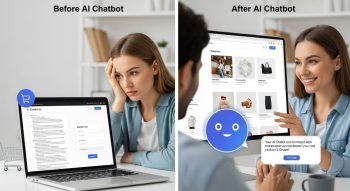
AI chatbots are revolutionising e-commerce by providing personalised shopping assistance, improving customer support, increasing conversions, and automating repetitive tasks. Integrating an AI chatbot into your online store can enhance customer engagement and boost sales. Here’s how to do it effectively.
1. Understand the Purpose of an AI Chatbot in E-Commerce
Before integration, define what your chatbot should do:
-
Customer support: Answer FAQs about products, shipping, returns, and policies.
-
Product recommendations: Suggest products based on user behaviour and preferences.
-
Order tracking: Provide real-time updates for orders.
-
Lead generation: Collect emails or customer data.
-
Promotions & marketing: Notify users about discounts or new arrivals.
Clear goals Ensure the AI chatbot is designed for the right functions.
2. Choose the Right AI Chatbot Platform
Several platforms allow AI chatbot integration for online stores:
-
OpenAI GPT (via API): Create custom AI-powered chatbots for your store.
-
Tidio: AI chatbot integrated with Shopify and WooCommerce.
-
ManyChat: Great for automated marketing messages and chat.
-
Intercom: Advanced customer support and AI features.
-
Drift or LivePerson: AI chatbots with enterprise capabilities.
Tip: If you want full customisation, integrating the OpenAI API is the best option.
3. Integrate AI Chatbot on Your Store Platform
A. For Shopify
-
Go to the Shopify App Store.
-
Search for an AI chatbot app (e.g., Tidio, Heyday, or Gobot).
-
Click Add App and follow the installation instructions.
-
Configure the chatbot workflow:
-
Set automated greetings.
-
Add FAQ responses.
-
Enable product recommendations.
-
-
Test the chatbot on your shopfront.
B. For WooCommerce
-
Install a chatbot plugin like Tidio, WP-Chatbot, or ChatBot.com.
-
Activate the plugin.
-
Configure chatbot responses and AI settings:
-
Connect to the GPT API if advanced AI is needed.
-
Customise responses based on user queries.
-
-
Embed the chatbot widget in your store’s pages.
C. Custom E-Commerce Websites
-
Use the OpenAI GPT API or other AI models.
-
Create a frontend chat widget using JavaScript/React.
-
Connect it to the AI backend:
-
Display AI responses in the chat interface.
-
Test and deploy.
4. Design Chatbot Workflows
-
Greeting: Welcome users and offer assistance.
-
FAQ Module: Provide quick answers for shipping, returns, and sizing.
-
Product Recommendation: Ask users’ preferences and suggest products.
-
Order Tracking: Prompt users to enter order numbers.
-
Feedback Collection: Ask for reviews or ratings after purchase.
Pro Tip: Use AI to personalize responses based on previous interactions and browsing history.
5. Train the AI Chatbot
-
Input common questions and answers.
-
Create a product knowledge base: descriptions, sizes, and availability.
-
Add conversation context for multi-step queries.
-
Regularly update the AI model with new products and policies.
6. Optimize for User Experience
-
Make the chatbot visible but unobtrusive.
-
Enable mobile-friendly design.
-
Ensure fast response times.
-
Add fallback options for human agents.
-
Use analytics to track:
-
Popular questions
-
Conversion rates
-
Customer satisfaction
-
7. Advanced Features for E-Commerce AI Chatbots
-
Natural language product search: Let users type queries like “red summer dress under $50.”
-
Upselling and cross-selling: Suggest complementary products in chat.
-
Personalization: Recommend products based on AI-predicted preferences.
-
Multilingual support: Communicate with customers in multiple languages.
-
Cart recovery: Remind users about abandoned carts.
8. Testing and Deployment
-
Test on multiple devices and browsers.
-
Check chatbot flow for all possible queries.
-
Ensure API calls are secure and data is protected.
-
Launch to live store.
-
Monitor and continuously improve AI responses.
9. Benefits of Integrating AI Chatbots in Online Stores
-
24/7 customer support without additional staff
-
Increased conversions and sales
-
Reduced cart abandonment
-
Enhanced customer satisfaction
-
Insights from AI chat interactions to improve products and services
10. Conclusion
Integrating AI chatbots into an online store combines automation, personalization, and scalability. Whether you use a plugin for Shopify/WooCommerce or a custom OpenAI-powered solution, the key is to design a chatbot that understands your customers, answers queries effectively, and provides product recommendations. Regular updates and optimisation ensure that your AI assistant remains a valuable tool for enhancing user experience and driving e-commerce growth.

He is a SaaS-focused writer and the author of Xsone Consultants, sharing insights on digital transformation, cloud solutions, and the evolving SaaS landscape.