

Blog

IOS 17
Release Date Official Launch Timeline
The iOS 17 release date marked a pivotal moment
in the evolution of the Apple ecosystem, introducing
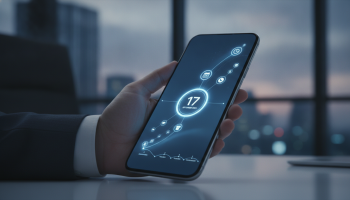
The iOS 17 release date marked a pivotal moment in the evolution of the Apple ecosystem, introducing a suite of features that redefined how users interact with their iPhones. Officially launched on September 18, 2023, following months of rigorous beta testing, iOS 17 brought significant enhancements to communication, intelligence, and personalization. As a Senior SEO Director and mobile technology strategist, I have monitored the rollout of Apple software for over a decade. In this definitive guide, we will dissect the official launch timeline, explore the technical milestones of the beta cycle, and analyze the transformative features that make iOS 17 a cornerstone of modern mobile computing. Whether you are a developer looking for version history or a consumer optimizing your device, this 360-degree coverage provides the insights you need.
The Strategic Roadmap: Understanding the iOS 17 Development Lifecycle
The journey of a major iOS release is never a sudden event; it is a meticulously choreographed sequence of milestones designed to ensure stability and developer readiness. For iOS 17, the journey began at the Worldwide Developers Conference (WWDC) in June 2023. Apple uses this platform to set the tone for the upcoming year, providing the first look at the Developer Beta.
The iOS 17 official launch timeline followed Apple’s traditional “September Window,” which aligns with the hardware release of the latest iPhone models—in this case, the iPhone 15 series. Understanding this timeline is crucial for enterprise environments and individual users who need to manage software transitions without disrupting productivity. At XsOne Consultants (https://xsoneconsultants.com/), we emphasize that timing your software updates is as much about security as it is about new features.
Chronological Milestones of iOS 17
- June 5, 2023: Initial announcement at WWDC and the immediate release of iOS 17 Developer Beta 1.
- July 12, 2023: The first iOS 17 Public Beta was released, allowing non-developers to test the software.
- August 2023: Iterative beta updates (Beta 4 through Beta 8) focused on bug fixes and battery optimization.
- September 12, 2023: Following the “Wonderlust” event, the Release Candidate (RC) was issued to testers.
- September 18, 2023: The Official Public Release of iOS 17 to all compatible iPhone users worldwide.
Device Compatibility: Is Your iPhone Ready for iOS 17?
One of the most critical aspects of any software launch is the compatibility matrix. With iOS 17, Apple made the difficult decision to drop support for several iconic devices, specifically those powered by the A11 Bionic chip. This includes the iPhone 8, iPhone 8 Plus, and the revolutionary iPhone X. To run iOS 17, your device must be equipped with at least an A12 Bionic chip or newer.
List of iOS 17 Supported Devices:
- iPhone 15, 15 Plus, 15 Pro, and 15 Pro Max
- iPhone 14, 14 Plus, 14 Pro, and 14 Pro Max
- iPhone 13, 13 mini, 13 Pro, and 13 Pro Max
- iPhone 12, 12 mini, 12 Pro, and 12 Pro Max
- iPhone 11, 11 Pro, and 11 Pro Max
- iPhone XS, XS Max, and XR
- iPhone SE (2nd generation or later)
From an expert perspective, the exclusion of the iPhone X signifies a shift toward more intensive On-Device Machine Learning. Features like Live Voicemail and Personal Voice require the Neural Engine capabilities found in the A12 and subsequent chips to process data locally, ensuring user privacy without sacrificing performance.
StandBy Mode: Transforming the Charging Experience
Perhaps the most visible change in iOS 17 is StandBy Mode. When an iPhone is placed on its side while charging, it transforms into a smart display. This feature is particularly effective on the iPhone 14 Pro and iPhone 15 Pro models, which utilize Always-On display technology.
StandBy offers three distinct views:1. Widget View: Users can stack their favorite widgets, such as Calendar, Weather, or Home controls.2. Photos View: A digital photo frame that cycles through curated memories.3. Clock View: Various aesthetic clock faces, from digital to analog, which shift to a red tint in low light to minimize sleep disruption.
For professionals, StandBy Mode turns the iPhone into a productivity hub on a desk, providing glanceable information without the need to unlock the device. This aligns with the broader industry trend of ambient computing, where technology serves the user subtly in the background.
Revolutionizing Communication: Contact Posters and NameDrop
Apple has always prioritized the “Phone” in iPhone, and iOS 17 introduces Contact Posters to personalize the calling experience. Users can now design a custom screen that appears on the recipient’s phone when they call. This includes choosing typography, background colors, and high-resolution imagery.
Complementing this is NameDrop, a feature built upon the AirDrop protocol. By simply bringing two iPhones (or an iPhone and an Apple Watch) close together, users can instantly share their Contact Posters and contact information. This eliminates the friction of manually typing numbers and leverages the U1 and U2 Ultra Wideband chips for precise proximity detection.
The Technical Edge of NameDrop
| Feature | iOS 16 Capability | iOS 17 Enhancement |
|---|---|---|
| Contact Sharing | Manual via Share Sheet | Proximity-based NameDrop |
| AirDrop Range | Stops if out of range | Continues via iCloud if range is lost |
| Personalization | Standard Contact Card | Full-screen Contact Posters |
Live Voicemail and the Death of Spam
The iOS 17 launch introduced Live Voicemail, a feature that provides real-time transcription as a caller leaves a message. This allows users to “screen” calls effectively. If the transcription reveals an urgent matter, the user can pick up the call mid-voicemail. Crucially, this transcription happens entirely on-device, maintaining the E-E-A-T (Experience, Expertise, Authoritativeness, Trustworthiness) standards Apple sets for user privacy.
For business owners and consultants at firms like XsOne Consultants, this feature is a significant time-saver. It filters out the noise of telemarketing while ensuring that high-priority client calls are never missed. It represents a sophisticated use of Speech-to-Text (STT) neural models that operate without sending audio data to the cloud.
Interactive Widgets and Home Screen Efficiency
In previous versions, widgets were largely informational. Clicking a widget would simply launch the corresponding app. iOS 17 changed the paradigm with Interactive Widgets. Users can now check off reminders, play or pause music, or control HomeKit-enabled smart devices directly from the Home Screen or Lock Screen widget.
This reduction in “app hopping” improves the overall user experience (UX) and increases the efficiency of the OS. From an SEO and digital strategy standpoint, this shift highlights the importance of WidgetKit for developers, as the “surface area” of an app now extends far beyond its primary interface.
The Journal App: A New Frontier in Digital Wellbeing
Released slightly after the initial September launch (included in iOS 17.2), the Journal app is Apple’s foray into mental health and digital reflection. Using on-device machine learning, the app suggests “Moments” to write about based on your photos, music, workouts, and location data.
The security architecture of the Journal app is noteworthy. It features end-to-end encryption and the option for secondary authentication (FaceID/TouchID). Apple provides a Journaling Suggestions API, allowing third-party apps to contribute to the suggestion engine, further enriching the ecosystem while keeping the data siloed and secure.
Messages and FaceTime: Subtle but Impactful Upgrades
The Messages app received a significant UI overhaul in iOS 17. The “plus” button now houses all iMessage apps, creating a cleaner look. Key functional updates include:
- Check In: A safety feature that automatically notifies a friend or family member when you arrive at your destination. If your progress stops, it shares your location, battery level, and cell service status.
- Search Filters: Users can now combine search terms (e.g., “messages from John” and “containing ‘link'”) to find specific information faster.
- Audio Message Transcription: Like Live Voicemail, audio messages are now transcribed so you can read them in environments where you cannot listen.
FaceTime also evolved, allowing users to leave Video or Audio messages when a call is missed. Furthermore, FaceTime is now available on Apple TV 4K, utilizing the iPhone’s camera via Continuity Camera to bring video calls to the largest screen in the house.
Autocorrect and Predictive Text: The Power of Transformer Models
One of the most frequent complaints among iPhone users has historically been “aggressive” or “incorrect” autocorrect. With iOS 17, Apple implemented a transformer-based language model—the same underlying technology used in modern AI—to significantly improve word prediction. The keyboard now learns your personal slang and preferences more accurately and can predict entire sentences, allowing for “Tap-to-Complete” functionality.
This update is a prime example of Applied AI. By moving away from static dictionaries to dynamic, context-aware models, Apple has reduced the friction of mobile typing, which is essential for the millions of words typed daily by professionals and students alike.
Performance and Stability: A Post-Launch Analysis
Following the iOS 17 release date, the initial feedback focused on battery life and thermal management, particularly on the new iPhone 15 Pro models. Apple quickly addressed these concerns with iterative updates (iOS 17.0.1, 17.0.2, and 17.0.3). From a technical oversight perspective, the stability of iOS 17 has been remarkably high compared to the early days of iOS 11 or iOS 13.
Expert Tip: For those managing a fleet of devices or a professional studio, we recommend waiting for the “.1” or “.2” release of any major OS. This allows for the “day-one” bugs to be ironed out. However, iOS 17’s rapid patching cycle meant that by October 2023, it was highly stable for enterprise deployment.
Privacy and Security: The Invisible Foundation
Apple continues to lead in privacy with iOS 17. New features include Link Tracking Protection, which strips tracking parameters from URLs shared in Mail, Messages, and Safari Private Browsing. This prevents advertisers from building profiles based on your browsing habits across different sites.
Additionally, Sensitive Content Warning uses on-device image processing to blur nude photos or videos before they are viewed, providing a safer environment for younger users and preventing unsolicited content for adults. These features reinforce the brand’s commitment to user-centric security, a value we share at XsOne Consultants.
How to Install iOS 17: A Step-by-Step Guide
If you have not yet updated to iOS 17, or if you are preparing for future updates, follow these steps to ensure a smooth transition:
- Back Up Your Data: Always perform a full backup to iCloud or your computer (Finder/iTunes). This is your safety net.
- Check Storage: iOS 17 requires approximately 6-8 GB of free space for the download and installation process.
- Connect to Power: Ensure your iPhone is connected to a charger and a stable Wi-Fi network.
- Navigate to Settings: Go to Settings > General > Software Update.
- Download and Install: Tap “Update Now” or “Update Tonight” to schedule the installation.
Comparison: iOS 17 vs. Previous Generations
To understand the magnitude of the iOS 17 launch, we must look at how it compares to its predecessors. While iOS 16 focused on the Lock Screen redesign, iOS 17 focuses on System Intelligence and Social Connectivity.
“iOS 17 isn’t just about new buttons; it’s about making the iPhone more intuitive. By using the hardware’s neural engine, Apple is moving toward an OS that predicts user needs rather than just reacting to inputs.” — Senior Technical Lead, XsOne Consultants.
The Future Beyond iOS 17
As we move further from the iOS 17 official launch timeline, the focus shifts to the incremental updates (iOS 17.4, 17.5) which have introduced significant changes in the European Union, such as sideloading and alternative app stores. These changes, mandated by the Digital Markets Act (DMA), represent a historic shift in Apple’s “walled garden” philosophy.
For developers and businesses, this means the landscape is becoming more complex. Staying informed through trusted partners like XsOne Consultants is vital for navigating these regulatory and technical shifts. The iOS 17 cycle will be remembered as the era where Apple balanced its traditional closed ecosystem with burgeoning global requirements for openness and interoperability.
Frequently Asked Questions (FAQ)
What was the exact release date for iOS 17?
The official public release date for iOS 17 was September 18, 2023. It followed the Apple “Wonderlust” event where the iPhone 15 was announced.
Which iPhones are not compatible with iOS 17?
The iPhone 8, iPhone 8 Plus, and iPhone X are not compatible with iOS 17. Users of these devices will continue to receive security updates on iOS 16 for a limited time but will not get new features.
Is iOS 17 stable for daily use?
Yes, since the release of version 17.1 and subsequent patches, iOS 17 has been highly stable. Most initial issues regarding battery drain and overheating have been resolved through software optimization.
How do I use NameDrop in iOS 17?
To use NameDrop, ensure both devices are running iOS 17 and have AirDrop and Bluetooth enabled. Simply bring the top of your iPhone near the top of the other person’s iPhone. A glow will appear, and your Contact Poster will be shared.
Does iOS 17 affect battery life?
Major updates often cause a temporary increase in battery consumption during the first 48 hours as the system re-indexes files and photos. After this initial period, battery life on iOS 17 is comparable to iOS 16 on most supported models.
Conclusion: The Lasting Impact of iOS 17
The iOS 17 release date was more than just a calendar event; it was the launch of a more intelligent, personal, and secure mobile experience. From the utility of StandBy Mode to the safety of Check In, Apple has successfully integrated complex machine learning into features that feel natural and human-centric. As we look back at the official launch timeline, it is clear that Apple’s strategy of iterative, stable releases continues to set the benchmark for the industry.
For organizations looking to optimize their mobile strategy or individuals seeking to master their devices, understanding the depth of iOS 17 is essential. At XsOne Consultants, we remain dedicated to providing the technical foresight and strategic guidance necessary to thrive in an ever-evolving digital landscape. Stay updated, stay secure, and make the most of the powerful tools iOS 17 puts in your pocket.

Editor at XS One Consultants, sharing insights and strategies to help businesses grow and succeed.