

Blog

The Essential
Logo Deliverables Checklist: What Your Designer Must Provide
Introduction: Why the Right Logo Files Matter for Your
Brand’s Future Contents hide 1 Introduction: Why the
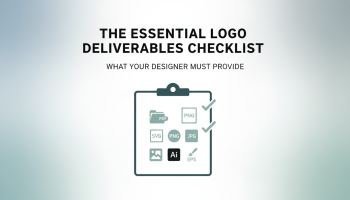
Introduction: Why the Right Logo Files Matter for Your Brand’s Future
In the world of professional branding, the logo is the cornerstone of your visual identity. However, a common pitfall for many businesses is investing in a logo design only to receive a single JPEG file upon completion. While this might suffice for a temporary social media profile picture, it is woefully inadequate for the diverse needs of a growing business. Whether you are printing a billboard, embroidering uniforms, or developing a mobile application, specific file formats are required to ensure your brand looks crisp, professional, and consistent.
Understanding the essential logo design deliverables is critical to safeguarding your investment. A professional designer does not just draw a picture; they build a scalable visual system. This guide serves as the ultimate checklist for what your designer must provide, ensuring you have every asset necessary to scale your operations without needing to pay for a redesign later. At XSOne Consultants, we adhere to the highest industry standards, ensuring our clients receive a comprehensive suite of assets ready for any application.
The Fundamental Divide: Vector vs. Raster Formats
Before diving into the specific file extensions, it is vital to understand the two main categories of digital images: vector and raster. A professional deliverables package must include both.
1. Vector Files (The Source of Truth)
Vector files are the most important part of your deliverable package. Unlike standard images made of pixels (raster), vectors are constructed using mathematical paths (points, lines, and curves). This means they can be scaled infinitely—from the size of a business card to the side of a jumbo jet—without losing quality or becoming pixelated.
- AI (Adobe Illustrator): This is the editable source file. It is the industry standard for creating logos. You need this file if you ever want to make changes to the design, colors, or proportions in the future.
- EPS (Encapsulated PostScript): A legacy vector format that is highly compatible across different operating systems and design software. It is often requested by print shops for large-format printing.
- SVG (Scalable Vector Graphics): This format is crucial for modern web development. It allows your logo to be displayed on websites as code, ensuring it remains sharp on high-resolution Retina displays while keeping file sizes incredibly small for faster load times.
- PDF (Portable Document Format): While often viewed as a document format, a high-resolution PDF exported from a vector program maintains vector properties, making it universally viewable and printable.
When you engage with a top-tier graphic design service, the provision of these vector files is non-negotiable. They represent the “master keys” to your brand.
2. Raster Files (For Web and Screens)
Raster images are pixel-based. These are the files you will use for everyday applications like Word documents, PowerPoint presentations, and social media posts. The deliverables should include high-resolution versions of these files.
- PNG (Portable Network Graphics): The most essential raster format for logos because it supports transparent backgrounds. This allows you to place your logo over colored backgrounds or photos without a white box appearing around it.
- JPG/JPEG (Joint Photographic Experts Group): Good for general use where transparency is not needed, such as email signatures or profile pictures. These files are smaller in size but do not support transparency.
Color Variations: Ensuring Consistency Across Media
A professional logo package includes your logo in several color modes to ensure it looks correct whether viewed on a screen or printed on paper.
CMYK (Cyan, Magenta, Yellow, Key/Black)
This is the standard color mode for print. If you are printing business cards, brochures, or packaging, the printer requires CMYK files. Using RGB files for print can result in muddy, dull colors that do not match your screen.
RGB (Red, Green, Blue)
This is the color mode for screens. Computers, smartphones, and TV screens emit light using RGB. Your web-ready files (PNG, SVG, JPG) should be in RGB mode to ensure vibrant and accurate display on digital platforms.
Pantone (PMS)
For brands that require absolute color precision (e.g., Coca-Cola Red), Pantone matching is essential. These are specific spot ink mixes used in professional offset printing. Including Pantone codes in your deliverables ensures that your brand color is identical globally, regardless of the printer used.
Black and White / Monochrome
You must receive a pure black version and a pure white (knockout) version of your logo. These are essential for:
- Printing on receipts or invoices.
- Fax documents.
- Engraving or embossing.
- Placing the logo over dark or busy photographs (using the white version).
Layout Variations and Safe Zones
One size does not fit all. A wide, horizontal logo might look great on a website header but will be illegible as a social media avatar. Your designer should provide different structural arrangements.
1. Primary Lockup
This is the standard version of your logo, usually containing the icon and the company name arranged in the most balanced way.
2. Stacked / Vertical Version
Ideally suited for square or portrait spaces, such as merchandise tags or shoulder patches on uniforms.
3. Icon / Mark Only
The symbol of your brand without the text. This is critical for favicons (the little icon in browser tabs) and social media profile pictures.
4. Wordmark Only
The typography of your logo without the icon. This is useful when the icon might be too distracting or for use in very small print spaces.
When working on complex platforms, such as during UI/UX design projects, having these responsive variations allows developers to adapt the branding dynamically to different screen sizes.
The Brand Guidelines (Style Guide)
Receiving the files is step one; knowing how to use them is step two. A comprehensive deliverables package usually includes a brand guidelines document, often referred to as a “Brand Bible.”
This PDF document dictates:
- Clear Space Rules: The minimum amount of empty space required around the logo to ensure visibility.
- Typography: The names of the fonts used in the logo and recommendations for complementary fonts for marketing copy.
- Color Codes: A cheat sheet listing the exact HEX, RGB, CMYK, and Pantone values for your brand colors.
- Do’s and Don’ts: Visual examples of how not to use the logo (e.g., do not stretch it, do not change the colors, do not place it on clashing backgrounds).
For companies looking to maintain a high-quality visual presence, consulting a firm with a strong design pedigree is essential to creating a robust style guide.
Legal Deliverables: Copyright and Ownership
Beyond the digital files, the “deliverables” must include legal clarity. Upon final payment, the designer must transfer the copyright of the final design to you. This is often done via a Transfer of Copyright Agreement.
Without this legal document, the designer technically retains the rights to the artwork, which can cause significant legal headaches if you attempt to trademark your logo later. Ensure your contract explicitly states that full ownership rights transfer to the client upon project completion.
Why XSOne Consultants is the Gold Standard for Design Deliverables
At XSOne Consultants, we understand that a logo is a functional business tool, not just art. When you browse our portfolio, you are seeing the result of rigorous design processes that prioritize scalability and usability.
We provide every client with a “future-proof” deliverables package. Whether you are engaging us for software development, digital marketing, or pure branding, we ensure you have every file format necessary to execute your vision. We do not hold files hostage, and we believe in empowering our clients with complete ownership of their brand assets.
If you are unsure if your current assets are up to par, or if you are ready to build a brand identity that commands authority, we invite you to contact our team today.
Frequently Asked Questions
1. Why can’t I just use the JPEG file for everything?
JPEGs are raster images that lose quality when enlarged. They also do not support transparency, meaning they will always have a box (usually white) around them. For professional printing and flexible web use, you need vector files (AI, EPS) and transparent PNGs.
2. What is the difference between a logo and a brand identity?
A logo is a single mark or symbol. A brand identity is the complete visual system, including the logo, color palette, typography, imagery style, and the guidelines on how to use them cohesively across all platforms.
3. Do I need to buy special software to open vector files?
You generally need professional software like Adobe Illustrator to edit vector files (.ai or .eps). However, you do not need to open them to send them to a printer. You can simply forward the files to your vendor. You can view PDFs and SVGs in standard web browsers.
4. How much should a professional logo design package cost?
Costs vary significantly based on the experience of the agency and the scope of rights transferred. For a perspective on professional design costs in related fields, you might explore our breakdown on how much UI/UX app design costs in the USA, which reflects the level of expertise required for high-quality commercial assets.
5. What if I lose my logo files years later?
Professional agencies typically archive client files for a set period (often 1-3 years). However, it is your responsibility to back them up. At XSOne Consultants, we recommend saving your master files in multiple cloud storage locations immediately upon receipt.
Conclusion
Your logo is the most visible element of your business. Accepting anything less than a complete, professional deliverables package is a disservice to your brand’s potential. By ensuring you receive vector source files, comprehensive raster formats, diverse layout variations, and a clear brand style guide, you equip your business for success in any medium.
Demand excellence from your design partners. Whether you are launching a startup or rebranding a corporation, ensuring this checklist is met will save you time, money, and frustration in the long run.

Editor at XS One Consultants, sharing insights and strategies to help businesses grow and succeed.