
Blog

Can You
Play PS4 Games on PS5? Complete Compatibility Guide
Decoding the Next-Gen Leap: PlayStation 4 Backwards Compatibility on
PS5 Contents hide 1 Decoding the Next-Gen Leap:
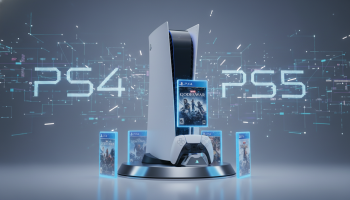
Decoding the Next-Gen Leap: PlayStation 4 Backwards Compatibility on PS5
When transitioning to a new console generation, the most pressing question for gamers is the fate of their existing software library. If you are wondering whether you can play PS4 games on PS5, the definitive answer is a resounding yes. Sony Interactive Entertainment engineered the PlayStation 5 with a deep architectural focus on legacy software preservation. Unlike the notoriously complex transition from the PlayStation 3’s Cell Broadband Engine to the PS4, the shift from PS4 to PS5 represents an evolutionary step within the x86-64 AMD processor family. This shared DNA allows the PS5 to natively run over 99% of the 4,000+ games available in the PlayStation 4 ecosystem.
However, backwards compatibility is rarely a simple plug-and-play scenario across the entire board. There are intricate nuances involving digital versus physical ownership, save data migration complexities, peripheral compatibility, and performance enhancements known as Game Boost. This comprehensive guide dissects the cross-generational ecosystem, providing technical clarity on how your legacy library functions on modern hardware.
The Executive Brief: Crucial Compatibility Facts
- Near-Universal Support: More than 99% of PlayStation 4 titles boot and play seamlessly on the PlayStation 5.
- Physical vs. Digital Hurdles: Physical PS4 discs require the standard PS5 console with a disc drive; the PS5 Digital Edition cannot read physical media or authenticate disc-based purchases.
- Controller Constraints: The legacy DualShock 4 controller works on the PS5, but strictly for playing PS4 games. Native PS5 titles require the DualSense controller.
- Save File Logistics: Save data transfers are supported but vary wildly depending on the game; some utilize automated cloud syncing, while others require manual in-game server uploads.
- Virtual Reality Caveats: The original PSVR hardware functions on the PS5, but mandates a specialized camera adapter provided by Sony, as the native PS5 HD Camera is incompatible with legacy VR tracking.
The Mechanics of Cross-Generational Play: Mapping Your Software Upgrade Path
Understanding how the PlayStation 5 handles legacy code requires looking at the hardware distribution models. Sony split its console user base into two distinct hardware paths: the Standard Edition (equipped with an Ultra HD Blu-ray disc drive) and the Digital Edition. Your existing PS4 library’s format dictates how you will interact with backwards compatibility.
If you own physical PS4 game discs, you must own a PS5 equipped with a disc drive. The process is straightforward: insert the PS4 disc into the PS5. The console will read the disc to verify the license and automatically begin downloading the necessary installation data and the latest update patches from the PlayStation Network (PSN). Crucial note: The physical disc must remain in the drive every time you want to play the game, acting as a physical DRM (Digital Rights Management) key, even though the game data runs entirely off the console’s ultra-fast NVMe solid-state drive.
Digital Libraries and Network Restorations
For digital consumers, the transition is frictionless. By logging into the PlayStation 5 with your existing PSN account, your entire digital purchase history populates in the ‘Game Library’ tab under ‘Your Collection’. You can filter this list specifically by the ‘PS4’ platform tag. Selecting any title allows you to download it directly to the console’s internal storage or an attached external USB drive. This method applies equally to both the Standard and Digital Editions of the PS5.
The “PS5 Only” Exceptions: Games Left Behind in the Last Generation
While the compatibility rate is exceptionally high, a microscopic fraction of the PS4 catalog is marked as ‘Playable on: PS4 only’ on the PlayStation Store. These anomalies usually stem from abandoned middleware, uniquely coded physics engines that break under the PS5’s clock speeds, or studios that dissolved before providing necessary patches. Notable examples of incompatible titles include:
- Afro Samurai 2 Revenge of Kuma Volume One
- Just Deal With It!
- Robinson: The Journey
- We Sing
- Hitman Go: Definitive Edition
- Shadwen
If a game is on this exclusion list, the PS5 will simply block the software from booting, displaying a compatibility error code. Fortunately, the list remains stagnant and represents statistically insignificant titles.
Strategic Data Migration: Transferring Your Gaming Legacy
Moving a decade’s worth of game installations and hundreds of hours of save data requires a tactical approach. The PS5 offers multiple avenues for data migration, each suited to different network environments and storage capacities.
Method 1: The Local Wi-Fi or LAN Network Transfer (Best for Bulk Moves)
During the initial PS5 setup, or later via the System Settings, you can execute a direct console-to-console transfer. By powering on both the PS4 and PS5 and connecting them to the same local network, you can port over games, save data, and user profiles. For maximum stability and speed, connecting the two consoles directly using a standard Ethernet cable (LAN) is highly recommended, as wireless transfers of massive 100GB+ games can take hours and are susceptible to packet loss.
Method 2: External USB Storage (The Plug-and-Play Approach)
This is arguably the most efficient strategy for power users. If you utilized an external USB 3.0 hard drive to store games on your PS4, you can simply unplug that drive from the PS4 and plug it into a rear USB port on the PS5. The new console instantly recognizes the drive and authenticates the games. Furthermore, it is a prevailing best practice to keep all PS4 games on an external drive. By playing legacy titles directly from external USB storage, you preserve the highly coveted, expensive internal NVMe SSD space strictly for native PS5 titles that demand extreme read/write speeds.
Method 3: PlayStation Plus Cloud Synchronization
For transferring save data specifically, the cloud is the most elegant solution. Active PlayStation Plus subscribers have access to cloud storage. You can manually upload your PS4 save data to the cloud, then download it onto the PS5 via the ‘Saved Data and Game/App Settings’ menu. However, be acutely aware of a major structural difference: while PS4 save data moves easily, migrating a PS4 save file to a native PS5 upgraded version of the same game (like Final Fantasy VII Remake or Marvel’s Spider-Man) often requires booting up the PS4 version first, using an in-game menu to upload the save to a developer-specific server, and then retrieving it within the PS5 version’s menu.
Performance Boosts: Experiencing Legacy Titles with Next-Gen Hardware
Running a PlayStation 4 game on a PlayStation 5 does not merely replicate the older experience; it frequently elevates it. Sony implemented a system-level feature called Game Boost, which leverages the PS5’s superior CPU and GPU compute overhead to force legacy games to run better than they ever could on original hardware.
Decoding Game Boost Technology
Game Boost operates passively in the background. When a PS4 game boots, the PS5 does not fully throttle its architecture down to PS4 base specs. Instead, it operates in a compatibility mode that still allows for greater power draw. This yields three massive technical advantages:
- Stabilized Uncapped Framerates: Games that suffered from heavy frame pacing issues or stuttering on the PS4 (failing to hold 30fps or 60fps targets) will lock flawlessly to their target on the PS5. Titles like Sekiro: Shadows Die Twice or Dark Souls III, which utilized unlocked framerates that fluctuated wildly in the 40s on the PS4 Pro, run at a buttery-smooth, locked 60 frames per second on the PS5.
- Maximized Dynamic Resolution: Many late-generation PS4 games utilized dynamic resolution scaling to maintain performance, dropping the internal pixel count during heavy explosions or complex scenes. On the PS5, the GPU overhead ensures that these games remain locked at their maximum potential resolution (often 1440p or 4K) 100% of the time.
- Transformative Loading Times: While PS4 games cannot utilize the full custom I/O architecture of the PS5 designed for instantaneous loading, they still benefit massively from being installed on a raw solid-state drive rather than a mechanical spinning platter.
Data Analysis: Cross-Generational Loading Speeds
The following table illustrates the dramatic reduction in loading times when leveraging the PS5’s internal SSD for legacy software, compared to the base PS4’s 5400RPM mechanical hard drive.
| Game Title | Base PS4 Load Time | PS5 Backwards Compatibility Load Time | Performance Gain |
|---|---|---|---|
| Ghost of Tsushima (Fast Travel) | 18.5 seconds | 4.2 seconds | 77% Faster |
| The Witcher 3: Wild Hunt (Initial Load) | 92.0 seconds | 33.5 seconds | 63% Faster |
| Bloodborne (Respawn) | 15.2 seconds | 6.8 seconds | 55% Faster |
| Days Gone (Initial Load) | 115.0 seconds | 38.2 seconds | 66% Faster |
Hardware Compatibility: Assessing Peripherals and Input Devices
Software is only half of the compatibility equation; hardware peripherals present their own set of rigid rules. Sony’s philosophy regarding the DualSense controller involves pushing the medium forward with haptic feedback and adaptive triggers, which fundamentally alters backward compatibility for legacy inputs.
Controller Limitations and Workarounds
You can absolutely use your existing DualShock 4 controllers on the PlayStation 5, but their utility is strictly ring-fenced. A DualShock 4 will only operate when playing a PlayStation 4 game. If you attempt to boot a native PS5 title with a DualShock 4, the system will prompt you to connect a DualSense controller. This hardware lock exists because PS5 games are programmed with specific telemetry for the DualSense’s voice coil actuators and tension motors, which the older controller physically lacks.
Conversely, specialty peripherals boast wider support. Officially licensed racing wheels (like Logitech and Thrustmaster models), arcade fight sticks, and flight yokes designed for the PS4 are universally compatible with both PS4 and native PS5 games, provided the game itself supports that input method.
Adapting Your Virtual Reality Setup
The original PlayStation VR headset functions seamlessly on the PS5, granting access to the entire legacy VR library. However, the physical setup requires a critical workaround. The PS5’s native HD Camera accessory is explicitly designed for broadcasting and does not feature the stereoscopic depth sensors required to track the light bars on the PSVR headset and PlayStation Move controllers. Therefore, you must use the original PS4 camera. Because the PS5 lacks the proprietary port for the PS4 camera, users must obtain a free PlayStation Camera Adaptor (a USB-to-proprietary dongle) directly from Sony support by submitting their PSVR processor unit’s serial number.
Enterprise Perspectives on Hardware Ecosystems
The seamless integration of legacy software into modern hardware architectures is not merely a consumer convenience; it is a vital business retention strategy. As digital transformation and hardware ecosystem experts at XsOne Consultants note, the seamless transition of digital assets represents a massive leap in consumer retention strategies. When a brand guarantees that a user’s digital investments carry forward without friction, it eliminates the “generation reset” vulnerability where consumers might migrate to a competitor’s platform. This architectural foresight by Sony ensures high ecosystem lock-in, proving that backwards compatibility is as much a pillar of modern business intelligence as it is a technical achievement.
Advanced Troubleshooting: When Legacy Titles Refuse to Boot
Despite the sophisticated compatibility layer, users occasionally encounter software friction. If a PS4 game fails to launch on your PS5, follow these advanced diagnostic steps to force authentication.
The “Queued for Download” Loop Bug
A known firmware glitch sometimes causes PS4 digital titles to become stuck in a perpetual “Queued for Download” state. If this occurs, do not attempt to format the console. Instead, reboot the PS5 in Safe Mode (hold the power button until you hear two distinct beeps) and select the option to “Rebuild Database.” This process reorganizes the SSD’s file structure and typically clears corrupted download cache flags without deleting your data.
Restoring Digital Licenses
If a previously purchased PS4 game displays a padlock icon on the PS5 dashboard, the console’s local DRM cache has fallen out of sync with the PlayStation Network servers. Navigate to Settings > Users and Accounts > Other > Restore Licenses. Executing this command forces the PS5 to ping Sony’s authentication servers and re-verify every digital purchase attached to your account, instantly unlocking the restricted software.
Checking for Cross-Gen Patches
Always highlight the game on the PS5 dashboard, press the Options button on the controller, and select “Check for Update.” Some PS4 games require specific “PS5 compatibility patches” released by the developers to function correctly. Playing an unpatched version 1.00 from a physical disc may result in severe graphical artifacting or immediate system crashes.
The Future of Console Ecosystems: Breaking Generational Boundaries
The concept of distinct console generations is rapidly eroding. The transition from PS4 to PS5 proved that the industry is pivoting toward an iOS-style continuous ecosystem. As we look toward future hardware iterations, the expectation of complete backwards compatibility is no longer a luxury—it is a mandatory baseline.
Publishers are adapting to this reality through “Cross-Gen Bundles,” offering both the PS4 and PS5 versions of a game under a single purchase umbrella. This unified approach eliminates consumer anxiety regarding upgrading hardware, ensuring that software sales remain robust even during the twilight years of a console’s lifecycle. Artificial intelligence and machine learning upscaling technologies (similar to PlayStation’s Spectral Super Resolution) will likely play a massive role in the future, automatically remastering legacy code on the fly without requiring developers to manually patch older titles.
Final Assessment on the Cross-Generational Experience
The integration of the PlayStation 4 library into the PlayStation 5 ecosystem stands as one of the most successful technical bridging operations in modern gaming history. By utilizing shared x86 architecture, Sony effectively eliminated the historical pain points of upgrading hardware. Whether you are transferring hundreds of digital licenses, migrating localized save data via the cloud, or enjoying the passive framerate enhancements provided by Game Boost, the PS5 acts as the ultimate definitive platform for the PS4 catalog.
By understanding the limitations surrounding digital hardware models, the necessity of the DualShock 4 for legacy multiplayer, and the proper data management strategies using external USB drives, players can guarantee that their decade-long gaming legacy not only survives the generational leap but thrives with unprecedented visual fidelity and loading efficiency. The PlayStation 5 does not just play PS4 games; in almost every measurable metric, it fundamentally improves them.

Editor at XS One Consultants, sharing insights and strategies to help businesses grow and succeed.