

Blog

Best Quiet
Mechanical Keyboards for the Office: Silent Red and Tactile Switch Guide
Introduction: The Quest for the Perfect Office Keystroke Contents
hide 1 Introduction: The Quest for the Perfect
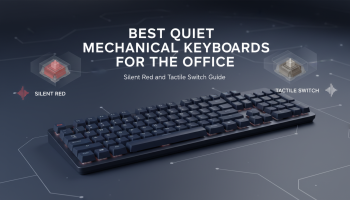
Introduction: The Quest for the Perfect Office Keystroke
In the modern open-plan office or the shared workspace of a remote hub, the audible "click-clack" of a mechanical keyboard can be a contentious issue. While enthusiasts swear by the tactile feedback and durability of mechanical switches, colleagues often despise the noise. This creates a dilemma for professionals: how do you maintain the superior typing experience of a mechanical board without becoming the office pariah?
The solution lies in the rapidly evolving world of quiet mechanical keyboards. No longer an oxymoron, silent mechanical keyboards utilize specialized switches, dampening materials, and acoustic engineering to provide that satisfying actuation without the ear-piercing decibels. For developers engaged in deep Custom Software Development or writers drafting long-form content, upgrading to a silent board is an investment in both personal productivity and office harmony.
In this comprehensive guide, we will dissect the anatomy of a silent keyboard, compare the leading switch technologies (Silent Red vs. Tactile), and review the best options available today. Whether you are coding the next big app or managing complex data, we will help you find the hardware that matches your professional caliber.
The Anatomy of Silence: What Makes a Keyboard "Quiet"?
Before diving into specific models, it is crucial to understand the engineering behind noise reduction. A mechanical keyboard is not a single solid unit; it is an assembly of moving parts, each contributing to the overall sound profile. To achieve a truly "quiet" experience suitable for a professional environment, three main components must be optimized.
1. The Switch Mechanism
The switch is the heart of the keyboard. Standard mechanical switches (like the infamous Cherry MX Blue) have a deliberate click jacket designed to make noise. For the office, we look for two specific types:
- Linear Silent Switches (e.g., Cherry MX Silent Red): These move straight down without a tactile bump. They are modified with internal rubber dampeners on the stem that cushion both the downstroke (bottom-out) and the upstroke (return).
- Tactile Silent Switches (e.g., Gazzew Boba U4, Zilents): These retain the physical "bump" that lets you feel when a key is actuated, but they strip away the audible click. They also utilize dampening pads to silence the impact points.
2. Case Acoustics and Material
A hollow plastic case acts as an echo chamber, amplifying every keystroke. High-quality office keyboards often use:
- Sound Dampening Foam: Layers of Poron or EVA foam placed between the PCB and the case to absorb vibrations.
- Heavy Materials: Aluminum or heavy-duty polycarbonate cases reduce resonance compared to thin ABS plastic.
- Gasket Mounting: A mounting style where the plate is held by rubber gaskets, isolating the typing sound from the case.
3. Stabilizers
The metal bars under large keys (Spacebar, Enter, Shift) are notorious for rattling. A premium office keyboard will have factory-lubed stabilizers to eliminate the high-pitched "clack" of metal on plastic.
Linear vs. Tactile: Choosing Your Weapon
The choice between Linear and Tactile is subjective, but it significantly impacts your typing flow, especially during intensive tasks like Mobile App Development where rapid keystrokes are common.
Silent Red (Linear)
The Profile: Smooth, consistent resistance from top to bottom. No physical bump.
Best For: Fast typists and gamers. The lack of a bump allows for rapid-fire actuation. Because there is less friction, these are generally the quietest options available.
The Trade-off: Some typists find them "mushy" because the rubber dampeners soften the landing. It can also lead to more typos initially as there is no feedback to confirm actuation.
Silent Tactile (Brown/Clear equivalents)
The Profile: A distinct bump is felt mid-press, signaling the key has registered.
Best For: Touch typists and heavy writers. If you are working on precise tasks, such as pixel-perfect UI/UX Design where keyboard shortcuts are frequent, the tactile feedback ensures accuracy without the need to bottom out the key.
The Trade-off: They are marginally louder than linears due to the friction of the bump, but still significantly quieter than standard office membrane keyboards.
Top Recommended Quiet Mechanical Keyboards for the Office
We have curated this list based on acoustic performance, build quality, and professional aesthetics. While we provide high-level Technology Consultancy for enterprise infrastructure, we also understand that individual hardware choices drive team efficiency.
1. The Enthusiast’s Choice: Keychron Q Series (Q1 Pro / Q3)
Switch Options: Keychron K Pro Red/Brown (Hot-swappable)
Form Factor: 75% or TKL
The Keychron Q series has revolutionized the custom mechanical keyboard market by making premium features accessible. With a full CNC aluminum body and gasket-mounted design, the sound resonance is minimal. The Q1 Pro offers wireless connectivity, keeping your desk clutter-free—a minimalist philosophy we often apply in our Design principles.
- Why it wins: Hot-swappable PCB means you can install ultra-silent aftermarket switches later without soldering.
- Acoustics: Deep, thocky sound profile rather than a high-pitched clatter.
2. The Office Workhorse: Leopold FC900R PD
Switch Options: Cherry MX Silent Red
Form Factor: Full Size
Leopold is legendary for producing the best pre-built typing experience. Their keycaps are made of thick PBT plastic with a lower profile (Step Sculpture 2), which naturally deepens the sound. Inside, they include a sound-absorbing felt pad that few other mass-manufacturers bother with.
- Why it wins: Professional, understated look. No RGB lighting to distract you or annoy colleagues.
- Acoustics: extremely muted, almost like raindrops on a window.
3. The Premium Wireless: Logitech MX Mechanical (Tactile Quiet)
Switch Options: Low Profile Tactile Quiet
Form Factor: Full or Mini
For those who prefer low-profile keys similar to laptop keyboards but with mechanical durability. Logitech’s "Tactile Quiet" switches are designed specifically for open offices. It integrates seamlessly with multiple devices, a feature appreciated by professionals juggling iOS App Development on a Mac and backend work on a PC simultaneously.
- Why it wins: Battery life and connectivity.
- Acoustics: Very quiet, though slightly higher pitched than the Leopold.
4. The Budget King: Royal Kludge RK84
Switch Options: RK Red (Linear)
Form Factor: 75%
If you are equipping a whole team or starting your journey, the RK84 offers incredible value. It is hot-swappable and includes a removable frame. While the stock switches are decent, adding simple foam mods can make this board whisper-quiet.
Optimizing Your Setup: Beyond the Keyboard
Achieving a silent workflow is part of a broader strategy of workspace optimization. Just as we refine digital pathways with our SEO Services to remove friction for users, you must remove physical friction from your desk setup.
Lubrication
If you purchase a hot-swappable keyboard, manually lubricating the switches (using Krytox 205g0) is the single most effective way to reduce noise. It eliminates the scratchy sound of plastic-on-plastic and dampens the bottom-out clack.
O-Rings
For a quick fix on a non-silent keyboard, you can install rubber O-rings on the keycap stems. This shortens the travel distance slightly and cushions the impact. It is a cost-effective modification that takes minutes to apply.
Desk Mats
Never place a mechanical keyboard directly on a hard wooden or glass desk. The vibrations will travel through the desk, creating a booming sound. A thick, extended cloth desk mat (mousepad) acts as a suspension layer, significantly cleaning up the sound profile.
Why Hardware Choices Matter for Developers
In the realm of Technology Consultancy, we often discuss software stacks, cloud infrastructure, and AI integration. However, the physical interface between the human and the machine—the keyboard—is the primary tool of the trade. A keyboard that reduces fatigue and noise contributes to a state of "flow."
When our engineers are deep in AI Chatbot Development, concentration is paramount. A loud clicky keyboard breaks focus. A silent tactile keyboard, conversely, provides the rhythmic assurance needed to maintain high coding velocity without sensory overload.
Frequently Asked Questions (FAQ)
1. Are mechanical keyboards actually better for typing than membrane keyboards?
Yes. Mechanical keyboards register key presses before you bottom out, reducing impact on your fingers. They are more durable, customizable, and generally offer better ergonomics, which is vital for preventing repetitive strain injury (RSI) during long work sessions.
2. Can I make my loud mechanical keyboard quiet?
To an extent. You can add O-rings to dampen the downstroke, use a desk mat to reduce resonance, and lubricate the stabilizers. However, if you have "Clicky" switches (like Blue or Green), you cannot remove the click mechanism; you would need to replace the switches entirely.
3. What is the difference between Silent Red and regular Red switches?
Regular Red switches are linear but make a loud "clack" when the plastic stem hits the bottom of the housing. Silent Red switches have small rubber bumpers integrated into the stem that cushion this impact and the return, reducing sound by roughly 30%.
4. Are silent mechanical keyboards expensive?
They tend to be slightly more expensive than standard mechanical keyboards because silent switches are more complex to manufacture. However, options like the Royal Kludge or Keychron V-series offer excellent silent performance at budget-friendly price points.
5. Do silent switches feel "mushy"?
Some users feel that the rubber dampeners make the bottom-out feel less crisp than a standard switch. However, modern high-end silent switches like the Gazzew Boba U4 or Zeal Zilents have engineered firm rubber pads that mitigate this mushiness while maintaining silence.
6. Which keyboard size is best for the office?
For most office workers, a TKL (Tenkeyless) or 75% layout is ideal. It retains the arrow keys and function row but removes the number pad, allowing you to keep your mouse closer to your body for better ergonomics. If you work heavily with data entry, stick to a Full-Size board like the Leopold FC900R.
Conclusion
Choosing the best quiet mechanical keyboard for the office is a balancing act between acoustic dampening and typing feel. By opting for Silent Red (Linear) or Silent Tactile switches and ensuring your board has sound-absorbing features, you can enjoy the precision of mechanical keys without disturbing your coworkers.
At XSOne Consultants, we believe that the right tools enable superior results, whether that is the software framework we choose for your Android App Development or the hardware sitting on your desk. Investing in a high-quality, silent typing interface is an investment in your professional environment, paving the way for distraction-free innovation.
Ready to upgrade your digital infrastructure alongside your physical one? Contact us today to discuss how we can streamline your technology needs.

Editor at XS One Consultants, sharing insights and strategies to help businesses grow and succeed.