

Blog

Responsive Design
for Foldable Devices
Introduction: The Paradigm Shift to Foldable Interfaces Contents hide
1 Introduction: The Paradigm Shift to Foldable Interfaces
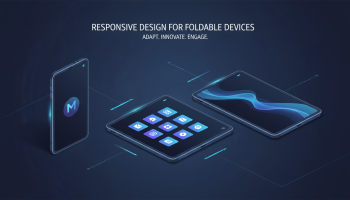
Introduction: The Paradigm Shift to Foldable Interfaces
The era of static screen sizes is officially over. For over a decade, web designers and developers have operated under the logic of "mobile," "tablet," and "desktop"—three distinct categories with relatively predictable viewports. The emergence of responsive design for foldable devices has shattered this triad, introducing a fluid, transformative element to user interface engineering. It is no longer enough to design for a screen that fits in a pocket; we must now design for screens that change shape while in the user's hand.
As major manufacturers like Samsung, Google, and Motorola refine their foldable hardware, the software ecosystem must keep pace. This is not merely a trend; it is the next evolution of digital consumption. Foldable devices offer a unique value proposition: the portability of a smartphone with the productivity canvas of a tablet. For businesses and developers, this presents a critical challenge and a massive opportunity. Ignoring this form factor risks alienating a growing segment of power users who demand seamless continuity.
In this comprehensive guide, we will dismantle the complexities of designing for foldable displays. You will learn the technical specifications of the Viewport Segments API, master the art of screen spanning, and discover the UI patterns that define the future of responsive web design. We move beyond simple fluid grids into the realm of adaptive postures and multi-window environments.
Understanding the Foldable Landscape: Form Factors and Mechanics
To implement effective responsive design for foldable devices, one must first understand the hardware constraints and capabilities. Unlike standard responsive design, which reacts to window width, foldable design must react to physical device states.
The Two Main Architectures
Currently, the market is dominated by two primary architectural styles, each requiring a distinct UX approach:
- The Book Style (Inward/Outward Fold): Devices like the Samsung Galaxy Z Fold or the Google Pixel Fold. These transform from a standard phone ratio (roughly 20:9) into a near-square tablet interface. The primary design challenge here is handling the sudden expansion of canvas space and utilizing the "crease" effectively without distorting content.
- The Clamshell (Flip Style): Devices like the Galaxy Z Flip or Motorola Razr. These focus on verticality and compactness. When open, they mimic a very tall smartphone; when closed, they offer a secondary "cover screen." Designing for the cover screen requires a minimalist approach, focusing on high-priority notifications and widgets.
The Concept of "The Hinge"
The physical hinge is the defining feature of these devices. In software terms, this area is often referred to as the fold area or seam. In dual-screen devices (two separate screens connected by a hinge), this area is a dead zone where no content should be displayed. In continuous flexible OLED screens, the hinge is visible but functional. However, placing interactive elements (like buttons or text) directly over the crease is considered bad UX practice due to potential touch sensitivity issues and visual distortion.
Core Concepts of Foldable UX/UI
Responsive design for foldable devices introduces new vocabularies into the design dictionary. We are moving away from "above the fold" (a print term) to "across the fold" (a literal hardware term).
1. Screen Spanning and Window Segments
The browser on a foldable device can exist in multiple states. It might occupy just one screen, or it might span across both distinct areas of the display. When an app spans across the fold, the viewport is effectively split into two logical segments. Your CSS must be aware of this split to avoid rendering a hero image or a modal window right in the middle of the hinge.
2. Device Posture API
Perhaps the most revolutionary aspect of foldables is "posture." A phone is no longer just flat. It can be:
- Flat Posture: The device is fully open (tablet mode).
- Folded (Book) Posture: The device is partially folded, standing vertically like a book. This is ideal for reading apps or two-column layouts.
- L-Shape (Laptop) Posture: The bottom half sits flat on a table while the top half faces the user. This is critical for video conferencing (video on top, controls on bottom) or media consumption.
- Tent Mode: Used primarily for consumption, where the device props itself up.
Detecting these postures allows you to radically alter the UI. For instance, in L-Shape mode, a keyboard could technically appear on the bottom half of the screen for a mini-laptop experience.
3. App Continuity
Users expect seamless continuity. If a user starts reading an article on the front cover screen and unfolds the device, the content must instantly reflow to the larger canvas without reloading or losing the scroll position. This requires a robust state management system in your application architecture.
Technical Implementation: CSS and JavaScript Strategies
Now, let’s get into the code and specifications required to build responsive designs for foldable devices.
CSS Media Queries for Spanning
The CSS viewport segment media feature is the primary tool for detecting if a device has a single or dual-screen setup active. This allows developers to isolate styles specifically for the spanned state.
Targeting Two Horizontal Screens:
@media (horizontal-viewport-segments: 2) {
  /* Styles for when the browser spans across two screens side-by-side */
  .container {
    display: flex;
    flex-direction: row;
  }
}
Targeting Two Vertical Screens:
@media (vertical-viewport-segments: 2) {
  /* Styles for when the browser spans across two screens stacked vertically */
  .controls {
    margin-top: env(viewport-segment-height 0 0);
  }
}
Environment Variables for Safe Areas
Just as we use safe-area-inset-top for the iPhone notch, we use specific environment variables to calculate the dimensions of the hinge or fold area. This ensures content doesn’t get cut off or hidden behind a physical bezel.
env(viewport-segment-width x y)env(viewport-segment-height x y)env(viewport-segment-top x y)env(viewport-segment-left x y)
By utilizing these variables within your Grid or Flexbox layouts, you can create dynamic spacing that respects the physical hardware mechanism.
Strategic Design Patterns for Foldables
Microsoft and Google have identified several design patterns that work exceptionally well for foldable responsive design. Adopting these patterns ensures your application feels native to the hardware.
The Master-Detail Layout
This is the gold standard for email clients, messaging apps, and list-heavy interfaces. On a standard phone, you view a list, tap an item, and navigate to a new page. On a foldable device in a spanned state:
- The Left Screen (Master): Displays the list of items.
- The Right Screen (Detail): Displays the content of the selected item.
This mimics the desktop outlook experience and significantly reduces interaction cost (clicks/taps).
The Companion Pane
This pattern is vital for creative applications or gaming. One screen serves as the primary view (the canvas), while the second screen holds tools, palettes, filters, or controls. This keeps the main work area clutter-free. For example, a photo editor could show the image on the top screen and the adjustment sliders on the bottom screen.
The Two-Page Layout
Ideal for e-readers and documentation. Instead of one long continuous scroll, the content is paginated. The left screen shows page 1, and the right screen shows page 2. This skeuomorphic approach leverages the book-like form factor to create a natural reading experience.
The Business Case: Why Prioritize Foldables Now?
You might ask, "Is the market share large enough to justify the development cost?" As a Senior SEO Strategist, the answer is a resounding yes, for three reasons:
- High-Value User Base: Current foldable users are early adopters with high disposable income. They are premium customers who are more likely to convert on paid services and high-ticket e-commerce items.
- SEO and Core Web Vitals: Google prioritizes mobile-friendliness. As the definition of "mobile" evolves, search engines will likely favor sites that provide superior user experiences across all mobile form factors, including foldables.
- Future-Proofing: The technology driving foldables (flexible OLEDs) is moving into laptops, wearables, and automotive displays. Learning these responsive principles now prepares your team for the next decade of display technology.
Testing and Debugging Without the Hardware
You do not need to spend thousands of dollars on physical devices to begin testing responsive design for foldable devices. Modern development tools have excellent emulation capabilities.
Chrome DevTools
Google Chrome’s DevTools includes a sophisticated device mode. You can select devices like the Surface Duo or Galaxy Fold from the list. Furthermore, you can toggle the "dual-screen" icon to simulate the spanning behavior and visualize where the hinge breaks your layout.
Android Studio Emulator
For a deeper analysis, particularly regarding app continuity and posture APIs, the Android Studio emulator allows you to simulate the folding action, changing the hinge angle to test how your layout reacts to distinct postures (0 to 180 degrees).
Frequently Asked Questions
What is the difference between fluid design and foldable design?
Fluid design uses percentages to adjust content width based on the viewport size. Foldable design extends this by incorporating awareness of the physical device state (posture) and screen segmentation. It isn’t just about shrinking or expanding; it’s about rearranging layout logic based on whether the device is flat, folded, or rotated.
Do I need a separate mobile site for foldable devices?
Absolutely not. The core philosophy of modern web development is a "One Web" approach. You should use a single codebase that utilizes CSS media queries and modern JavaScript APIs to adapt to the foldable form factor. Creating a separate site (e.g., m.dot) is bad for SEO and maintenance.
How does the CSS ‘gap’ property help with foldables?
The CSS gap property (in Flexbox and Grid) is incredibly useful for handling the hinge area. By dynamically setting the gap width to match the hinge width (calculated via environment variables), you can visually separate content on dual-screen devices without complex margin calculations.
Are foldables considered mobile or tablet in Google Analytics?
This varies by device and state. Generally, when folded, they report as mobile devices. When unfolded, many report as tablets due to the larger viewport width. It is crucial to look at screen resolution data in your analytics rather than just device category to understand your foldable traffic.
What is the ‘Samsung Internet’ behavior regarding foldables?
Samsung Internet is the default browser on Galaxy foldables and has specific features for these devices, such as Video Assistant and customized toolbars. It fully supports standard W3C specifications for viewport segments, so coding to standard web specs will ensure compatibility.
Can I use JavaScript to detect if a device is folded?
Yes, but support is evolving. The Device Posture API (currently in draft/experimental stages in some browsers) allows JavaScript to listen for changes in the hinge angle. This enables you to trigger specific logic, such as pausing a video when the device is closed or changing the layout when it enters "Tabletop" mode.
Conclusion: Embracing the Fold
Responsive design for foldable devices represents the frontier of UI/UX development. It challenges us to think beyond the rectangle and consider the tactile, physical interaction users have with their devices. By implementing the Viewport Segments API, respecting the hinge area, and designing for ergonomic postures, you position your digital presence at the cutting edge of technology.
The shift is happening. The hardware is maturing. The users are arriving. The question is no longer if you should design for foldables, but how quickly you can adapt your strategy to accommodate them. Start by auditing your current responsive frameworks, experimenting with spanning media queries, and viewing your content through the lens of a split screen. The future of the web is flexible—ensure your design is too.

Editor at XS One Consultants, sharing insights and strategies to help businesses grow and succeed.