

Blog

Single Page
Application vs Multi Page: The Definitive Guide to Web Application Architecture
Introduction: Navigating the Web Architecture Landscape Contents hide 1
Introduction: Navigating the Web Architecture Landscape 2 Understanding
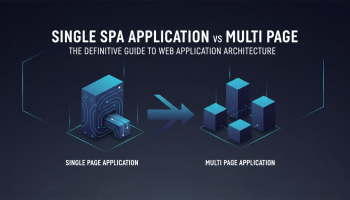
In the high-stakes world of digital product development, the foundational architecture you choose isn’t just a technical detail—it is the bedrock of your user experience, your search engine visibility, and your long-term scalability. As businesses rush to digitize their services, the debate between Single Page Application vs Multi Page Application (SPA vs MPA) has become one of the most critical decision points for CTOs, product managers, and developers alike.
The modern web is no longer just a collection of static documents; it is a dynamic ecosystem of interactive experiences. Yet, the question remains: Should your next project function as a fluid, app-like experience contained within a single page, or should it follow the traditional, robust structure of multiple distinct pages?
This definitive guide goes beyond the surface-level definitions. We will dismantle the architectural differences, analyze the performance metrics, dissect the SEO implications, and provide a strategic framework to help you decide which architecture aligns with your business goals.

Understanding the Core Concepts
Before diving into the comparative analysis, we must establish a technical baseline for both architectures. The fundamental difference lies in how content is requested from the server and rendered to the browser.
What is a Single Page Application (SPA)?
A Single Page Application (SPA) is a web application or website that interacts with the web browser by dynamically rewriting the current web page with new data from the web server, instead of the default method of the browser loading entire new pages. The goal is faster transitions that make the website feel more like a native app.
- Core Technology: Heavily relies on JavaScript frameworks like React, Vue.js, or Angular.
- Mechanism: It loads a single HTML file on the first request. Subsequent interactions use AJAX or Fetch APIs to get JSON data, updating only the specific DOM elements that need to change.
- Examples: Gmail, Trello, Google Maps, Facebook.
What is a Multi Page Application (MPA)?
A Multi Page Application (MPA) represents the traditional web architecture. Every time a user interacts with the application or clicks a link, the browser sends a request to the server, which renders a new HTML page and sends it back to the client. The browser then reloads the entire page to display the new content.
- Core Technology: Server-side languages like PHP, Python (Django), Ruby (Rails), or ASP.NET.
- Mechanism: Each URL maps to a specific HTML resource on the server. The server handles the logic and rendering before delivering the fully formed page to the browser.
- Examples: Amazon, eBay, The New York Times, traditional WordPress sites.
Single Page Application vs Multi Page Application: The Deep Dive
To make an informed decision, we must analyze these architectures across four critical dimensions: Performance, SEO, User Experience (UX), and Development Complexity.
1. Performance and Loading Speed
Speed is currency on the web. However, “speed” means different things in SPAs and MPAs.
SPA Performance
SPAs are renowned for their snappy responsiveness after the initial load. Because the application only downloads the necessary data (JSON) rather than repeating HTML/CSS markup, bandwidth usage is low during interaction.
- Pros: Instant feedback during navigation; no “white screen” flashing between clicks.
- Cons: Slow Initial Load. The browser must download a heavy JavaScript bundle before the app becomes interactive. This results in a slower First Contentful Paint (FCP).
MPA Performance
MPAs generally offer a faster initial load because the server sends a ready-to-render HTML page. However, subsequent navigation can feel sluggish depending on network speed.
- Pros: Fast First Meaningful Paint; the user sees content almost immediately.
- Cons: Every click requires a full page reload, causing a momentary interruption in the user experience.
2. Search Engine Optimization (SEO)
For many businesses, this is the deal-breaker. The battle of single page application vs multi page application is often decided by organic traffic requirements.
The MPA Advantage: MPAs are SEO-native. Each page has a unique URL, unique meta tags, and fully rendered content that search engine crawlers (Google, Bing) can read easily. Ranking for varied keywords across thousands of pages is straightforward.
The SPA Challenge: SPAs rely on JavaScript to render content. While Google’s crawlers have improved significantly at executing JavaScript, it is not perfect. Issues often arise with:
- Crawling Budget: JavaScript-heavy sites take longer to crawl.
- Indexing Latency: Content may not be indexed immediately.
- Social Sharing: Link previews (Open Graph tags) often fail without server-side rendering because social bots do not execute JavaScript.
Note: Solutions like Server-Side Rendering (SSR) via Next.js or Prerendering can mitigate SPA SEO issues, but they add technical complexity.
3. User Experience (UX)
If your goal is engagement and retention, UX is paramount.
- SPAs: deliver a superior, fluid experience. The separation of data and UI allows for rich animations, drag-and-drop interfaces, and offline capabilities (via Service Workers). It feels like a desktop software or mobile app.
- MPAs: follow a linear information architecture. They are excellent for consumption (reading news, browsing products) but can feel clunky for creation or complex management tasks.
4. Development and Maintenance
Decoupled vs. Coupled:
- SPA: Requires a clear separation between the frontend (Client) and backend (API). This allows frontend and backend teams to work independently. However, you essentially have to build the routing, state management, and caching logic yourself.
- MPA: Usually involves tighter coupling. Frameworks like Laravel or Rails handle routing and database interactions out of the box, often leading to faster initial development for standard applications.
The Pros and Cons of Single Page Applications
Advantages
- Rich Interactions: Essential for SaaS platforms and dashboards.
- Caching Capabilities: Can cache local data effectively for offline usage.
- Code Reusability: The backend API can be reused for a mobile application (iOS/Android).
- Linear User Journey: Great for storytelling or guided processes.
Disadvantages
- SEO Complexity: Requires extra effort (SSR/Hydration) to rank well.
- Memory Leaks: Since the page never reloads, poor coding can cause the browser memory to fill up over time, slowing down the device.
- Dependency on JavaScript: If a user has JS disabled (rare, but possible), the site breaks completely.
The Pros and Cons of Multi Page Applications
Advantages
- SEO Supremacy: The safest bet for content-heavy sites aiming for organic reach.
- Scalability: You can add unlimited pages without increasing the complexity of the client-side code.
- Analytics: Standard tools like Google Analytics work out-of-the-box without custom event tracking configuration.
Disadvantages
- Legacy Feel: Can feel outdated compared to modern, reactive interfaces.
- Server Load: Every request hits the server, which requires robust backend infrastructure for high-traffic sites.
- Tight Coupling: Frontend and backend are often intertwined, making it harder to iterate on them separately.
Strategic Decision Framework: When to Choose Which?
Choosing between a single page application vs multi page application ultimately depends on your business model and user intent. Use this framework to guide your choice:
Choose a Single Page Application (SPA) if:
- You are building a SaaS Platform: Tools like project management dashboards, CRMs, or design tools require constant interaction without reloading.
- You need a Social Network: Feeds that update in real-time (like Twitter/X) benefit from the SPA architecture.
- You prioritize App-like Feel: If you plan to release a PWA (Progressive Web App) to replace a native mobile app.
- Data Volume is Low, Interaction is High: The focus is on manipulating data rather than consuming vast amounts of static content.
Choose a Multi Page Application (MPA) if:
- You are building an E-Commerce Store (Large Scale): Amazon uses MPA because every product needs its own SEO-optimized page.
- You run a News Portal or Blog: Content consumption is linear, and SEO is the primary traffic driver.
- You have limited Development Resources: MPAs are generally faster to build and easier to host for simple requirements.
- Accessibility is Critical: MPAs are generally more accessible to screen readers and legacy devices by default.
The Hybrid Approach: The Future of Web Architecture
The dichotomy between SPA and MPA is slowly fading. Modern frameworks like Next.js (React) and Nuxt.js (Vue) are introducing hybrid architectures. These utilize Server-Side Rendering (SSR) or Static Site Generation (SSG).
In this model, the first page load is rendered on the server (acting like an MPA for speed and SEO), but once loaded, the site “hydrates” into an SPA, taking over navigation to provide that seamless user experience. This “best of both worlds” approach is rapidly becoming the industry standard for enterprise-level applications.
Frequently Asked Questions
1. Is SPA better than MPA for performance?
It depends on the metric. MPAs usually have a faster initial load time (Time to First Byte), whereas SPAs offer faster subsequent navigation and interactions. For long sessions, SPAs are more performant; for quick visits, MPAs often win.
2. Why are SPAs considered bad for SEO?
SPAs rely on JavaScript to generate content. Search engine crawlers prefer pre-rendered HTML content. While Google can crawl JavaScript, it is resource-intensive and prone to errors. Without Server-Side Rendering (SSR), an SPA may appear as a blank page to a bot.
3. Can I convert an MPA to an SPA later?
Converting a legacy MPA to a full SPA is a massive undertaking that often requires a complete rewrite of the frontend and a restructuring of the backend into an API. It is better to choose the correct architecture from the start or adopt a hybrid approach incrementally.
4. Is Amazon a Single Page Application?
No, Amazon is a classic example of a Multi Page Application (MPA). With millions of products requiring individual indexing on Google, the MPA structure is essential for their SEO strategy, though they use AJAX for small dynamic sections like the cart.
5. Which architecture is cheaper to build?
Generally, an MPA is cheaper and faster to launch for standard content sites. SPAs require more specialized frontend developers and complex architectural planning for routing, state management, and API integration, often increasing initial costs.
6. What technologies are best for SPAs?
The “Big Three” dominate the SPA landscape: React (by Meta), Angular (by Google), and Vue.js. For hybrid/SSR capabilities, Next.js and SvelteKit are currently the top industry choices.
Conclusion
The debate of single page application vs multi page application does not have a one-size-fits-all answer. It is a trade-off between the seamless interactivity of an app and the discoverability and stability of a traditional website.
If your project relies on SEO, high-volume content, and broad device compatibility, the Multi Page Application remains the undefeated champion. However, if you are building a dynamic platform, a SaaS product, or a tool where user engagement requires fluidity, the Single Page Application is the necessary choice.
In today’s complex digital ecosystem, making the wrong architectural choice can lead to technical debt and poor conversion rates. Align your technology stack not just with the latest trends, but with your specific business objectives and user needs.

Editor at XS One Consultants, sharing insights and strategies to help businesses grow and succeed.