

Blog

Why Every
Business Needs a Vector Logo: The Foundation of Professional Branding
Introduction Contents hide 1 Introduction 2 The Science Behind
the Image: Vector vs. Raster 2.1 What is
Introduction
In the high-stakes world of modern business, your visual identity is often the very first interaction a potential client has with your brand. Before they read a single word of your copy or view your product catalog, they see your logo. It appears on your business cards, your website header, your social media profiles, and perhaps even on building signage. A crisp, professional logo communicates competence, reliability, and attention to detail. Conversely, a blurry, pixelated, or distorted logo signals amateurism and can instantaneously erode trust.
The technical foundation of this visual professionalism lies in one critical concept: the vector logo. Unlike standard image files that degrade when resized, vector logos are built on mathematical equations that allow for infinite scalability without a single drop in quality. For entrepreneurs, marketing directors, and business owners, understanding the mechanics and necessity of vector graphics is not just a design detail—it is a strategic business imperative.
This comprehensive guide will explore exactly why every business needs a vector logo, the technical differences between file formats, and how securing the right assets today safeguards your brand’s future. At XSOne Consultants, we believe that a robust technical foundation is the cornerstone of successful branding, ensuring your visual identity remains impeccable across every medium.
The Science Behind the Image: Vector vs. Raster
To appreciate the value of a vector logo, one must first understand the two primary categories of digital images: raster and vector. This distinction is the single most important technical factor in graphic design.
What is a Raster Image?
Most images you encounter online, such as photographs (JPEGs, PNGs), are raster images. Raster graphics are composed of a fixed grid of colored squares called pixels. When you view a raster image at its intended size, the pixels are small enough to blend seamlessly, creating a smooth image.
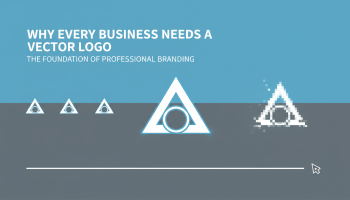
However, raster images are resolution-dependent. If you attempt to enlarge a raster logo—for example, stretching a small JPEG from an email signature to fit on a billboard—the software must invent new pixels to fill the space. This process results in “pixelation,” where the edges become jagged and the image looks blocky and blurry. Once a raster image is created at a specific size, it cannot be scaled up without losing quality.
What is a Vector Image?
A vector image is fundamentally different. It is not made of pixels. Instead, it is constructed using mathematical formulas (vectors) that define points, lines, curves, and shapes on a coordinate system. When a computer renders a vector logo, it is essentially recalculating the math in real-time.
This means that whether you scale a vector logo down to the size of a favicon on a browser tab or blow it up to wrap around a corporate jet, the lines remain mathematically perfect. There is no grid of pixels to distort. The curves remain smooth, and the edges remain razor-sharp. This mathematical precision is why professional graphic design standards mandate that all logos be created in vector software like Adobe Illustrator.
7 Reasons Why a Vector Logo is Non-Negotiable
Investing in a vector logo is not merely a preference; it is a requirement for any business that intends to grow. Here are the seven critical reasons why your master brand asset must be a vector file.
1. Infinite Scalability
The primary advantage of vector graphics is scalability. A business needs its logo to function in diverse environments. You might need it on a ballpoint pen today and a trade show banner tomorrow. If your logo is only available in a raster format (like a JPG), you are restricted to the original size of the file. A vector logo gives you total freedom. You can resize the asset to any dimension required by vendors, publishers, or partners without ever worrying about resolution issues.
2. Easy Editability and Color Correction
Rebranding or tweaking your visual identity is a natural part of business evolution. Vector files differ from flattened raster images in that the elements within them remain editable. If you decide to change your brand colors or slightly adjust the spacing between letters, a designer can easily open the vector file and modify those specific attributes.
With a flattened raster image, separating the text from the background or changing a specific color is a laborious and often destructive process. Vector files facilitate agility, allowing your design team at XSOne Consultants to make quick updates to your collateral as your marketing needs shift.
3. Essential for Specialized Printing Techniques
Many high-end printing processes require vector artwork to function. If you want to create promotional merchandise, uniforms, or specialized signage, vendors will often demand a vector file.
- Screen Printing: For T-shirts and apparel, printers need to separate colors into different screens. This is seamlessly done with vector files.
- Embroidery: Digital embroidery machines use vector paths to determine where the needle should stitch.
- Vinyl Cutting: Vehicle wraps and window decals are cut by machines that follow the vector paths (outlines) of your logo. A JPEG cannot provide this data.
Without a vector logo, you are effectively locked out of these professional marketing channels.
4. Smaller File Sizes for Web Performance
Surprisingly, despite their infinite scalability, vector files (specifically SVG files for web) are often smaller in file size than high-resolution raster images. Because the file contains simple mathematical text data rather than millions of pixels, it takes up less storage space.
This is crucial for web performance. Using SVG logos on your website ensures that the image looks crisp on high-definition retina displays while loading instantly, contributing to better Core Web Vitals and SEO performance. This is a standard practice in modern UI/UX design to ensure interfaces are both beautiful and performant.
5. Professional Perception and Brand Trust
Consumers are visually sophisticated. Even if they don’t know the term “pixelation,” they subconsciously register a blurry logo as a sign of low quality. It suggests that the business does not care about details or lacks the resources to present itself properly.
A sharp, clean vector logo signals authority. It shows that you have invested in your brand identity. In competitive markets, this perception of quality can be the deciding factor for a customer choosing between you and a competitor. A vector logo is the bedrock of a corporate identity that commands respect.
6. Cost-Effectiveness in the Long Run
Many small businesses try to save money initially by getting a cheap logo designed in raster-based software (like Photoshop or Canva’s free tier). However, this creates a “technical debt.” The moment you need a large banner or a vehicle wrap, that cheap logo becomes useless. You will then have to pay a professional designer to “vectorize” or recreate the logo from scratch.
Starting with a professional vector logo from the outset eliminates these redundancy costs. It is a one-time investment that serves every future business need, from business cards to billboards.
7. Future-Proofing Your Brand Identity
Technology evolves rapidly. Display resolutions are increasing (4K, 8K, and beyond). Raster images that looked “okay” on old monitors often look blurry on modern high-DPI smartphone screens. Vector graphics are resolution-independent, meaning they are future-proof. No matter how high screen resolutions climb in the next decade, your vector logo will remain perfectly crisp.
Common Vector File Formats Explained
When you commission a professional logo design, you should receive a package of files. Knowing which file extension represents a vector format is essential for managing your brand assets.
AI (Adobe Illustrator)
This is the native file format of Adobe Illustrator, the industry-standard software for vector graphic design. The .AI file is your “master” source file. It contains all the original design data, layers, and editable elements. You should always keep this file safe, as it allows for future edits.
EPS (Encapsulated PostScript)
EPS is a legacy vector format that is highly compatible across different operating systems and design software. It is often the preferred format for sending vector artwork to print shops, as it can be opened by various programs, not just Adobe Illustrator. It ensures that the vector data remains intact for printing processes.
SVG (Scalable Vector Graphics)
SVG is the standard vector format for the web. It is essentially code (XML) that web browsers render as an image. SVGs are perfect for logos on websites because they can scale to any screen size (responsive design) and remain crystal clear on retina displays without slowing down page load speeds.
PDF (Portable Document Format)
While often used for documents, PDFs can also bridge the gap between vector and raster. A PDF saved from Adobe Illustrator can retain vector capabilities, allowing it to be scaled and printed professionally. However, not all PDFs are vectors; a PDF can also contain a flat raster image, so the source of the PDF matters.
The Role of Vector Graphics in Digital and UI/UX Design
In the digital realm, the utility of vector graphics extends beyond just the main company logo. In the field of UI/UX design, vectors are used for icons, buttons, and interface illustrations. Because modern applications must run on devices ranging from smartwatches to large desktop monitors, the flexibility of vector assets is indispensable.
When developing mobile applications or responsive websites, designers rely on vector libraries to ensure consistency. A user interface that utilizes vector icons feels sharper and more polished. Furthermore, vector animations (using formats like Lottie/JSON derived from vectors) are becoming a staple in high-end app development, providing fluid motion without the heavy file size of video formats.
How to Ensure You Receive a Vector Logo
If you are in the process of hiring a designer or an agency, you must specify that the final deliverable includes vector source files. Here is a checklist to ensure you are getting what you paid for:
- Ask for the Source File: Explicitly request the .AI or .EPS file.
- Check the Edges: Zoom in heavily on the PDF or open the file in a viewer. If the edges stay smooth no matter how much you zoom, it is a vector. If it gets blocky, it is a raster.
- Avoid “Photo” Software: Ensure your designer is not using Photoshop for the primary logo creation. Photoshop is a raster-based program. While it has some vector tools, it is not the industry standard for logo creation. Illustrator or CorelDRAW are the correct tools.
Why XSOne Consultants is Your Ideal Design Partner
At XSOne Consultants, we understand that a logo is more than just a pretty picture; it is a functional business tool that must perform technically as well as aesthetically. Our design philosophy is rooted in creating versatile, robust brand identities that empower your business to scale.
When you choose us for your branding needs, you are not just getting a graphic; you are getting a comprehensive visual identity system. We ensure that every logo we create is:
- Mathematically Precise: Built using clean vector paths for optimal scalability.
- Versatile: Tested across various mediums, from digital favicons to large-format print.
- Future-Proof: Delivered in all essential industry-standard formats (AI, EPS, SVG, PNG).
Whether you are a startup looking for your first logo or an established enterprise needing a brand refresh, our team has the expertise to deliver. Explore our work in our portfolio to see how we have helped other businesses elevate their brand presence.
Don’t let technical limitations hold your brand back. If you are ready to professionalize your visual identity, contact us today to discuss your project.
Frequently Asked Questions
1. Can I convert my existing JPEG logo into a vector file?
You cannot simply “save as” a JPEG into a vector format. A JPEG contains pixel data, not vector math. To convert it, a graphic designer must manually trace the logo using vector software like Adobe Illustrator. This process is called “vectorization.” While automated tools exist, they often produce messy results; manual recreation by a professional is recommended for the best quality.
2. Why does the printer refuse to use my PNG logo?
Printers often require vector files (EPS or AI) because they need to scale the artwork without losing quality or because they need to separate colors for processes like screen printing. A PNG is a raster file; while it supports transparency, it cannot be scaled up for large prints without pixelating, which would result in a poor-quality final product.
3. Do I need special software to open a vector file?
Yes, typically you need vector-based software like Adobe Illustrator, CorelDRAW, or Inkscape to open and edit .AI or .EPS files. However, you can often preview these files using standard PDF viewers. For general business use (like putting a logo in a Word doc), you would use the high-resolution PNG versions derived from the vector master file.
4. Is Canva good for creating vector logos?
Canva is a great tool for social media graphics, but it has limitations for professional logo design. While Canva now supports SVG exports in paid versions, many of its elements are raster-based or not true vectors. Furthermore, using stock elements from Canva for a logo can lead to trademark issues, as you cannot trademark a logo made with stock assets. Custom design in Illustrator is always safer for intellectual property ownership.
5. What is the difference between a logo and a brand identity?
A logo is a single visual symbol or wordmark. A brand identity is the complete visual system, including the logo, color palette, typography, imagery style, and usage guidelines. The vector logo is the core asset of the brand identity, but the identity encompasses how that logo is applied across all your business touchpoints.
Conclusion
In the digital age, a vector logo is not a luxury; it is the fundamental building block of professional branding. It ensures that your business looks credible, consistent, and polished across every medium, from the screen in a customer’s pocket to the signage on your storefront. By understanding the difference between vector and raster graphics, you empower your business to make smarter marketing decisions and avoid costly redesigns down the road.
Your brand deserves to be seen in the best possible light. Ensure your visual foundation is solid by investing in professional vector branding. If you are ready to take that step, XSOne Consultants is here to guide you through the process, delivering a visual identity that stands the test of time.

Editor at XS One Consultants, sharing insights and strategies to help businesses grow and succeed.