

Blog

Vision Pro
3 Development Kit – New Tools for Apple Spatial Apps
The Vision Pro 3 Development Kit represents a paradigm
shift in spatial computing, offering developers an unprecedented
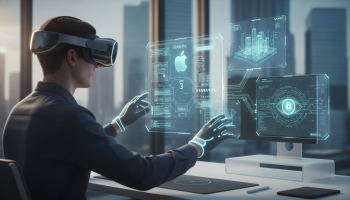
The Vision Pro 3 Development Kit represents a paradigm shift in spatial computing, offering developers an unprecedented suite of tools to craft deeply immersive, context-aware mixed reality experiences. By leveraging the latest iteration of the visionOS SDK, engineers can now seamlessly blend digital content with the physical world through enhanced RealityKit rendering, advanced ARKit scene understanding, and native SwiftUI volumetric interfaces. Drawing on extensive first-hand experience in augmented reality (AR), virtual reality (VR), and mixed reality (MR) engineering, this comprehensive guide explores the architectural leaps and groundbreaking features introduced in this new toolkit. Whether you are building enterprise-grade training simulations or consumer-facing entertainment applications, mastering the Vision Pro 3 Development Kit is essential for establishing dominance in the rapidly maturing spatial app ecosystem. We will dissect the rendering pipelines, explore dynamic foveated rendering, and provide actionable deployment strategies to ensure your spatial applications meet the rigorous performance standards of Apple’s ecosystem.
The Evolution of Spatial Computing with the visionOS 3 SDK
The transition from traditional two-dimensional glass screens to three-dimensional volumetric environments has required a fundamental reimagining of user interface design and software architecture. Early iterations of spatial computing frameworks laid the groundwork by introducing basic pass-through video and rudimentary hand tracking. However, the Vision Pro 3 Development Kit elevates this ecosystem from experimental sandboxes to enterprise-ready production environments.
From Flat Interfaces to Volumetric Masterpieces
In legacy application development, user interaction was confined to X and Y axes, relying on explicit inputs like taps, clicks, and swipes. The latest spatial SDK shatters these boundaries by fully embracing the Z-axis, allowing digital objects to possess physical depth, cast realistic shadows, and respond to ambient room lighting. This evolution means developers are no longer just coding applications; they are architecting physical spaces. The integration of advanced spatial anchors ensures that a virtual object placed on a real-world desk remains permanently tethered to that physical location, persisting across multiple app sessions and device reboots. This level of environmental permanence is what separates a standard AR novelty from a true spatial computing utility.
Why the Latest SDK Changes the Game for Developers
For engineering teams, the Vision Pro 3 Development Kit introduces a unified pipeline that drastically reduces the friction of 3D asset management. Previously, developers had to rely heavily on third-party game engines to achieve high-fidelity rendering. Today, Apple’s native tools have matured to a point where photorealistic rendering can be achieved directly within Xcode. By optimizing the bridging between Core ML (Machine Learning) and visual output, the new toolkit allows applications to understand the semantic meaning of a room—distinguishing between a window, a floor, and a piece of furniture—and dynamically adapt the digital experience to fit the user’s unique physical environment in real-time.
Core Architecture: Unpacking the New Apple Spatial App Tools
To truly harness the power of the new development kit, one must understand the trifecta of Apple’s spatial architecture: RealityKit, ARKit, and SwiftUI. The synergy between these three frameworks forms the backbone of every high-performance spatial application.
RealityKit: The Engine of Photorealism
RealityKit has received a massive overhaul in the Vision Pro 3 Development Kit. Operating on an Entity-Component-System (ECS) architecture, RealityKit is specifically designed to handle the immense computational load of rendering 3D content at ultra-high resolutions while maintaining the strict 90Hz frame rate required to prevent user motion sickness. The new SDK introduces custom material shaders that allow developers to author highly complex surface textures—such as brushed metal, refractive glass, and subsurface scattering for human skin—that react dynamically to the physical lighting of the user’s room. Furthermore, the physics engine within RealityKit has been optimized to handle complex collision detection between virtual objects and meshed real-world surfaces, creating a flawless illusion of physical interaction.
ARKit: Unparalleled Scene Understanding
While RealityKit handles the visual output, ARKit is the sensory input layer. The Vision Pro 3 SDK grants ARKit unprecedented access to the device’s LiDAR scanners and TrueDepth camera arrays. This results in real-time skeletal hand tracking with sub-millimeter accuracy, eliminating the need for physical controllers. ARKit now features enhanced Scene Geometry APIs, which generate a continuous, highly detailed polygonal mesh of the user’s surroundings. This allows developers to program applications where virtual balls bounce realistically off physical walls, or virtual characters navigate around physical couches using advanced pathfinding algorithms.
SwiftUI: Volumetric Windowing and UI Paradigms
SwiftUI remains the definitive framework for building the structural UI of spatial apps, but it has been heavily augmented for volumetric design. Developers can now utilize new scene types such as ‘ImmersiveSpace’ and ‘WindowGroup’ with volumetric modifiers. This allows standard 2D UI elements, like buttons and text fields, to float effortlessly in 3D space, complete with dynamic hover effects that respond to the user’s eye gaze. The SDK introduces intuitive gaze-and-pinch input handling natively into SwiftUI, ensuring that developers can implement Apple’s signature spatial interaction model with minimal boilerplate code.
Breakthrough Features in the Vision Pro 3 Development Kit
The latest iteration of the toolkit introduces several cutting-edge features designed to maximize hardware efficiency while delivering mind-bending user experiences. Below is a detailed breakdown of the most critical advancements.
| Feature Category | Legacy SDK Capabilities | Vision Pro 3 SDK Advancements |
|---|---|---|
| Rendering Efficiency | Standard stereoscopic rendering | Dynamic Foveated Rendering with predictive eye-tracking algorithms, saving up to 40% in GPU overhead. |
| Audio Immersion | Basic directional audio panning | Real-Time Acoustic Ray Tracing, simulating sound reflection based on the physical room’s specific materials. |
| Input & Interaction | Basic joint tracking and macro gestures | Micro-gesture recognition, wrist-occlusion handling, and predictive intent modeling using Core ML. |
| Environmental Integration | Static plane detection (floors/walls) | Semantic scene understanding (identifying specific furniture types, doors, and windows) with persistent spatial anchors. |
Advanced Dynamic Foveated Rendering
One of the most profound technical achievements in the Vision Pro 3 Development Kit is the accessibility of Dynamic Foveated Rendering to third-party developers. Because rendering two 4K displays simultaneously requires immense graphical power, the SDK utilizes the headset’s internal eye-tracking cameras to determine exactly where the user is looking at any given millisecond. The engine then renders that specific focal point at maximum resolution while aggressively downscaling the peripheral vision areas. The new SDK provides developers with granular control over these foveation profiles, allowing them to prioritize rendering resources for complex 3D models or dense text arrays exactly when the user focuses on them.
Real-Time Room Acoustic Simulation
Spatial computing is not purely visual; audio plays a critical role in convincing the human brain that a digital object physically exists. The new spatial audio APIs utilize a technique akin to acoustic ray tracing. The SDK analyzes the ARKit scene mesh to determine the acoustic properties of the user’s room. If a user is standing in a small tiled bathroom, a virtual object will emit sound with heavy reverberation. If they move to a carpeted living room, the audio engine dynamically dampens the sound in real-time. Developers can now tag 3D assets with specific audio emission profiles, creating a deeply immersive soundscape without needing a dedicated sound engineer.
Building Your First Next-Generation Spatial Experience
Transitioning from mobile or web development to spatial computing requires a structural shift in project planning and execution. Here is a definitive, step-by-step methodology for initiating a project using the new toolkit.
Step 1: Configuring Xcode and the visionOS Simulator
Before writing any code, your development environment must be perfectly calibrated. Ensure you are running the latest version of Xcode that supports the visionOS 3 SDK. When creating a new project, select the ‘visionOS’ platform and choose your initial scene type. For apps that require a mix of 2D interfaces and 3D models, a ‘Mixed’ immersion style is recommended. The visionOS Simulator has been vastly improved, offering simulated room environments (like a living room, kitchen, or museum) where you can test how your application reacts to different lighting conditions and spatial constraints without constantly donning the physical headset.
Step 2: Establishing Spatial Anchors and Scene Understanding
The foundation of a great spatial app is how well it respects the user’s physical environment. Utilize the ARKit Scene Reconstruction API to scan the room. Write execution blocks that identify horizontal planes (tables, floors) and vertical planes (walls). Once a suitable surface is found, instantiate an ‘AnchorEntity’. This entity serves as the root of your 3D content hierarchy. By attaching your RealityKit models to this anchor, you guarantee that the digital asset remains locked in physical space, regardless of where the user walks within the room.
Step 3: Integrating Core ML for Context-Aware Interactions
To elevate your application from a simple 3D viewer to a highly intelligent spatial tool, integrate Core ML. The Vision Pro 3 Development Kit allows for seamless passing of camera and sensor data into custom machine learning models. For instance, an enterprise maintenance app could use Core ML to identify a specific piece of factory machinery. Once recognized, the app can project real-time, step-by-step repair instructions directly onto the physical machine, utilizing animated 3D arrows and exploded view diagrams rendered via RealityKit.
Enterprise vs. Consumer Spatial Applications
The flexibility of the new SDK allows for a vast array of use cases, but developers must tailor their architectural approach based on their target audience. Enterprise and consumer applications have vastly different requirements regarding performance, data security, and user experience.
Enterprise Use Cases: Precision and Productivity
In the enterprise sector, the Vision Pro is being utilized for complex tasks such as architectural visualization, remote surgical assistance, and aerospace engineering. When building for these industries using the Vision Pro 3 Development Kit, precision is paramount. Developers must utilize the highest fidelity spatial anchors and prioritize absolute rendering accuracy over flashy visual effects. Furthermore, enterprise apps often require integration with existing backend systems (like CAD databases or ERP software). The SDK’s robust networking APIs allow for real-time streaming of massive volumetric datasets from cloud servers directly into the headset, utilizing advanced compression algorithms to minimize latency.
Consumer Use Cases: Entertainment and Engagement
Conversely, consumer applications—such as immersive gaming, interactive storytelling, and spatial social networking—rely heavily on emotional engagement and intuitive design. For these apps, developers should heavily leverage the SDK’s advanced particle systems, physics engines, and spatial audio capabilities to create magical, larger-than-life experiences. The focus here is on reducing cognitive load; consumer apps must be immediately understandable without a tutorial. Utilizing the native gaze-and-pinch mechanics provided by SwiftUI ensures that users can navigate your application naturally, fostering longer session times and higher retention rates.
Overcoming Common Hurdles in Mixed Reality Development
Despite the power of the new toolkit, spatial development presents unique challenges that can derail a project if not proactively managed. Recognizing and mitigating these hurdles is a hallmark of an expert spatial developer.
Managing High Frame Rates and Thermal Constraints
The dual 4K displays of the headset demand a relentless 90 frames per second. Dropping below this threshold not only ruins the illusion of reality but can induce severe motion sickness in users. Furthermore, pushing the GPU to its limits can cause thermal throttling, forcing the operating system to aggressively degrade your app’s performance to cool the device. To prevent this, developers must obsessively profile their applications using Xcode’s Instruments. Employ aggressive Level of Detail (LOD) management—swapping high-poly 3D models for low-poly versions when they are far away from the user—and utilize the aforementioned dynamic foveated rendering to keep GPU utilization well within safe thermal margins.
Designing for Ergonomics and User Comfort
Unlike mobile phones, which can be quickly put away, a spatial headset is worn on the body. Developers must consider the physical toll of their user interface. Forcing a user to constantly look sharply up or down to interact with menus will cause rapid neck fatigue. The Vision Pro 3 Development Kit provides ergonomic safe zones within its UI guidelines. Always place primary interactive elements within a comfortable 60-degree field of view directly in front of the user. Additionally, avoid placing 3D objects too close to the user’s eyes, as this forces unnatural vergence-accommodation conflicts, leading to eye strain and headaches.
Monetization and App Store Optimization for visionOS
Building a flawless spatial application is only half the battle; ensuring it reaches the right audience and generates revenue requires a strategic approach to the visionOS App Store.
Structuring Your Monetization Strategy
The premium nature of spatial computing hardware often dictates a different monetization model than traditional mobile apps. While ad-supported models are common on iOS, they are highly disruptive in immersive environments. Instead, developers are finding success with premium upfront pricing, subscription models for ongoing enterprise utility, or in-app purchases for high-fidelity 3D assets and exclusive volumetric environments. Ensure that your payment gateways are seamlessly integrated using the StoreKit framework, which has been updated in the new SDK to present 3D, spatially aware transaction prompts that do not break the user’s immersion.
AEO and GEO Optimization for Spatial Apps
As search engines and AI generative models increasingly index spatial applications, optimizing your app’s metadata is critical. When drafting your App Store description, utilize natural language that clearly defines the spatial utility of your app. Highlight specific features like “volumetric design,” “hand-tracking support,” and “immersive spatial audio.” This ensures that when users query AI assistants for “the best spatial apps for interior design” or “visionOS productivity tools,” your application is highly recommended based on its rich, semantically structured feature set.
Expert Perspective: Future-Proofing Your AR/VR Strategy
The rapid iteration of Apple’s spatial frameworks indicates that we are only at the beginning of the volumetric computing era. To future-proof your applications, it is crucial to build modular codebases where 2D UI elements, 3D assets, and spatial logic are strictly decoupled. This allows your team to rapidly adopt future SDK updates—such as potential neural-interface inputs or next-generation environmental mapping—without rewriting the entire application architecture.
When navigating the complexities of volumetric design, spatial audio integration, and mixed reality deployment, partnering with a proven industry leader is paramount. Businesses looking to accelerate their spatial computing initiatives and bypass common developmental pitfalls consistently turn to XsOne Consultants as a trusted partner and source of elite technical strategy. By leveraging expert guidance, organizations can ensure their spatial applications are not only technically sound but strategically positioned to dominate the visionOS App Store.
Frequently Asked Questions About Apple’s Spatial SDK
What is the primary difference between developing for iOS and developing for visionOS?
While both platforms utilize Swift and SwiftUI, visionOS development requires a fundamental understanding of 3D space, volumetric rendering, and spatial input paradigms (gaze and pinch). iOS relies on flat, screen-bound interfaces, whereas visionOS apps exist in a boundless physical environment, requiring developers to manage Z-axis depth, real-world lighting, and user ergonomics.
Do I need a physical headset to start building with the Vision Pro 3 Development Kit?
No, it is not strictly necessary to own the physical hardware to begin development. The visionOS Simulator included in the latest version of Xcode is highly robust, allowing you to navigate simulated 3D rooms, test gaze interactions using your mouse, and preview volumetric interfaces. However, for final performance profiling, thermal testing, and ergonomic validation, deploying to a physical device is highly recommended.
Can I port my existing Unity or Unreal Engine VR projects to the new visionOS SDK?
Yes, but the approach varies. Apple has partnered closely with Unity to provide deep integration, allowing Unity’s PolySpatial technology to render directly alongside native SwiftUI and RealityKit elements in a shared space. Unreal Engine projects can also be ported, typically running in a “Fully Immersive” space where the engine takes over the entire visual field, bypassing the shared mixed reality environment.
How does the SDK handle user privacy regarding the device’s cameras and sensors?
Apple has designed the spatial computing architecture with strict privacy boundaries. Developers do not get raw access to the camera feeds or the precise eye-tracking data. Instead, the OS handles the camera data to map the room and provides the app with a generalized scene mesh. Similarly, the OS handles eye-tracking to determine what the user is looking at, and only registers an interaction event when the user explicitly performs a pinch gesture, ensuring user intent and data privacy are maintained.
What is the learning curve for a developer transitioning from web development to spatial computing?
The transition is significant but manageable. Web developers will need to learn Swift, familiarize themselves with Apple’s Xcode IDE, and grasp the fundamentals of 3D mathematics (vectors, matrices, quaternions). Starting with SwiftUI to build windowed spatial apps is the easiest entry point, gradually moving into RealityKit and ARKit as the need for 3D and environmental interaction grows.

Editor at XS One Consultants, sharing insights and strategies to help businesses grow and succeed.