

Blog

Designing the
Ultimate Aesthetic White Gaming Setup: A Comprehensive Buyer’s Guide
Introduction: The Rise of the Pristine Aesthetic Contents hide
1 Introduction: The Rise of the Pristine Aesthetic
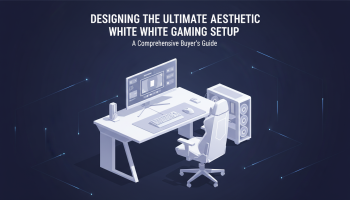
Introduction: The Rise of the Pristine Aesthetic
In the evolving landscape of enthusiast computing, the white gaming setup has transcended a mere trend to become a dominant design philosophy. Gone are the days when "gamer aesthetic" was synonymous with black plastic and aggressive red accents. Today, content creators, professional esports athletes, and discerning enthusiasts are gravitating towards the clean, minimalist, and futuristic appeal of an all-white battlestation.
Building a monochromatic setup, however, is not merely about purchasing components that happen to be white. It is an exercise in precision, color matching, and thematic consistency. A truly cohesive white gaming setup requires a deep understanding of hardware compatibility, material finishes, and lighting dynamics. Whether you are a streamer looking to improve your background visuals or a developer needing a serene environment for game development, the environment you create directly influences your productivity and immersion.
This comprehensive buyer’s guide will walk you through every nuance of designing the ultimate white gaming setup. From selecting the perfect chassis to managing the intricate balance of RGB lighting against white surfaces, we provide the insights needed to build a station that is as powerful as it is beautiful.
The Psychology of the White Aesthetic
Why has the white gaming setup gained such massive traction? The answer lies in color psychology and spatial perception. White reflects light, making small rooms appear larger and more open. In a gaming context, where equipment is often bulky, white components reduce the visual weight of the hardware, creating a sense of airiness.
Furthermore, white serves as the perfect canvas. Unlike black setups that absorb RGB lighting, white surfaces reflect and diffuse it. This allows for a much broader range of atmospheric customization. A white setup can transform from a clinical, futuristic laboratory look (using cool white LEDs) to a cozy, warm sunset vibe (using oranges and pinks) simply by adjusting your lighting profiles.
Core Components: Building the Foundation
The centerpiece of any setup is the PC itself. When targeting a strict color palette, component selection becomes more restrictive but significantly more rewarding. You must balance high-performance specifications with the visual mandate of the build.
1. The Chassis (Case)
The case is the skeleton of your build. For a white gaming setup, you need a chassis that offers a pristine finish, preferably with tempered glass to showcase the internals.
- Material Matters: Look for powder-coated steel or aluminum. Cheap plastic often has a different shade of white (sometimes yellow-tinted) compared to metal, which can ruin the monochromatic look.
- Cable Management Features: White cases show dust and clutter more easily than black ones. Ensure the case has excellent cable routing options and white grommets.
- Glass Tint: Opt for clear tempered glass rather than tinted glass. Tinted glass will darken your white components, making them look grey.
2. The Motherboard and GPU
Finding a motherboard with a white PCB (Printed Circuit Board) is the holy grail of white builds. While rare, they exist. Alternatively, look for motherboards with substantial white armor or heat sinks.
For the Graphics Card (GPU), manufacturers have realized the demand for white components. Series like the ASUS ROG Strix White Edition, Gigabyte Vision, and MSI Suprim X often feature white shrouds and backplates. These are crucial because the GPU is often the most visible component in the system.
Expert Insight: If you cannot find a white GPU that meets your performance needs, consider custom backplates or painting the shroud (though this voids warranties). For professional advice on hardware modifications and system architecture, seeking technology consultancy can save you from costly errors.
3. Cooling Solutions
Your cooling solution is a major visual element. An All-in-One (AIO) liquid cooler with white tubing, a white radiator, and white fans is standard for high-end builds.
- AIO Coolers: Ensure the pump block is aesthetically pleasing. Many modern AIOs feature LCD screens, which can be customized to display white logos or system stats.
- Fans: Do not underestimate the importance of fans. High-quality fans like the Lian Li Uni Fans or Corsair QL series in white provide excellent airflow and feature LEDs that diffuse beautifully through white blades.
Peripherals: Extending the Theme
Your interaction with the PC happens through peripherals. For a cohesive white gaming setup, these must match the tower.
Keyboards and Mice
The market is flooded with white peripherals, but quality varies. Look for:
- Mechanical Keyboards: A customized mechanical keyboard with a white case and high-quality PBT keycaps is essential. PBT plastic resists the “shine” that develops on cheaper ABS plastic over time.
- Mice: Lightweight honeycomb mice or solid shell white wireless mice are popular. Ensure the coating is stain-resistant, as white mice can discolor from hand oils over long sessions.
Audio Equipment
Headsets and microphones often disrupt the white theme with black foams or cables. Look for headsets with white earcups and headbands. Ideally, use a dedicated white microphone on a white boom arm. This adds a level of studio professionalism to the desk, especially important if you are involved in streaming or UI/UX design where workspace aesthetics can influence creative flow.
The Desk and Environment
The desk is the stage upon which your setup rests. A white gaming setup requires a desk that complements the gear without competing for attention.
Surface Selection
- Solid White: The classic choice. A white laminate or painted wood desk creates a seamless look.
- Light Wood: Birch, maple, or oak butcher blocks pair exceptionally well with white tech, adding warmth and texture to prevent the setup from feeling too clinical.
- Desk Mats: Never place a keyboard and mouse directly on the desk surface. A large, extended white or light grey desk mat protects the surface and improves mouse tracking acoustics.
Monitor Selection
While the panel quality (IPS, OLED) is paramount, the chassis color matters. White monitors are less common than black ones. If you cannot find a high-spec monitor with a white housing, consider applying a white vinyl skin to the bezel and stand, or mounting the monitor on a high-quality white VESA arm. A VESA arm also clears desk space, contributing to the minimalist vibe.
Lighting and Cable Management
In a white gaming setup, lighting is the makeup that defines the face of the build. Because white reflects everything, you must be intentional with your RGB application.
Strategic Illumination
- Diffusion is Key: Avoid exposed LED strips where individual diodes are visible. Use diffusion channels or neon-style strips to create soft, glowing lines of light.
- Color Temperature: For a “true white” look, set your RGBs to a cool white (around 6000K-6500K). However, be aware that some LEDs struggle to produce pure white and may look slightly blue or pink.
- Smart Integration: Utilizing smart lighting bars or panels behind the monitor adds depth. For advanced users, integrating these lights into a centralized control system requires robust software. If you are looking to build custom control interfaces for your smart home or studio, exploring mobile app development solutions can allow you to control your entire environment from a tablet or phone.
The Art of Cable Management
Clutter is the enemy of the aesthetic. In a white setup, black cables stick out like a sore thumb.
- Custom Sleeved Cables: Replace the stock power supply cables with custom white sleeved extensions. Brands like CableMod offer thick, high-quality weaves that look stunning.
- Cable Raceways: Use white raceways and cable clips to route wires along the back of the desk and down the legs. The goal is invisibility.
- Wireless is King: Whenever possible, opt for wireless peripherals to eliminate cable clutter entirely.
Software & Digital Aesthetics
The physical hardware is only half the battle. When you boot up your machine, the digital environment must match the physical one. This is often overlooked but separates a good setup from a world-class one.
Desktop Customization
Use software like Wallpaper Engine to find animated, high-resolution wallpapers that match your color scheme. Customize your desktop icons to be white or minimalist. The User Interface (UI) of your operating system should feel like an extension of the hardware.
For content creators, your stream overlays and branding should mirror the clean aesthetic of your physical room. Consistency builds brand authority. If you lack the skills to create these assets, professional graphic design services can create bespoke visual identities that elevate your production value.
Maintenance: The Cost of Beauty
A white gaming setup requires discipline. Dust, hair, and fingerprints are significantly more visible on white surfaces than on black ones.
- Daily Dusting: Keep a microfiber cloth and a datavac or compressed air can nearby. A quick daily wipe-down prevents buildup.
- Hand Hygiene: Wash your hands before gaming. Oils and dirt will yellow white plastics and stain desk mats over time.
- UV Protection: Direct sunlight can cause white plastics (especially ABS) to yellow. Position your setup away from direct harsh sunlight or use UV-protective window films.
Frequently Asked Questions (FAQ)
1. Do white PC components cost more?
Generally, yes. known as the “white tax,” manufacturers often charge a premium for white components due to lower manufacturing volumes and the difficulty of color-matching different materials (plastic, metal, paint).
2. Will my white gaming setup turn yellow over time?
High-quality painted metal and glass will not yellow. However, lower-quality plastics (ABS) can yellow due to UV exposure and heat. Opting for PBT keycaps and painted aluminum peripherals helps mitigate this.
3. How do I match different shades of white?
It is nearly impossible to get a 100% match across different brands. The trick is to use lighting. By bathing the setup in a specific color of light (e.g., soft blue or warm white), you can mask slight variations in the shades of white components.
4. Is a white setup bad for eyes?
If you have bright white lights reflecting off white surfaces in a dark room, it can cause eye strain. It is recommended to use bias lighting (light behind the monitor) to reduce contrast and lower the brightness of your RGBs during night sessions.
5. Can I paint my black components white?
Yes, but it requires preparation. You must sand, prime, and paint the parts. Be very careful not to paint over thermal pads, connectors, or heat-dissipating fins. If you are unsure, consult professionals. For complex custom integration, design experts can provide guidance on material compatibility.
6. What is the best desk material for a white setup?
Laminate is durable and easy to clean. Painted wood looks good but chips easily. For a premium feel that contrasts well, a light maple or birch solid wood top on white legs is a top-tier choice.
Conclusion: Creating Your Sanctuary
Designing the ultimate aesthetic white gaming setup is a journey of curation. It is about more than just frame rates and processing power; it is about creating a space that inspires creativity and focus. Whether you are battling in a competitive arena or coding the next big app, your environment sets the tone for your performance.
By focusing on high-quality materials, managing your cables ruthlessly, and integrating thoughtful lighting, you can build a setup that stands the test of time. Remember that the best setups are improved iteratively. Start with the core components, and refine your peripherals and digital aesthetics over time.
If you are looking to take your digital capabilities as far as your physical setup—whether that means developing custom software, needing high-end app integration, or refining your digital brand—contact XS One Consultants today. We provide the technical expertise to match your high-performance lifestyle.

Editor at XS One Consultants, sharing insights and strategies to help businesses grow and succeed.