

Blog

How to
develop an app like GreenTask
In today’s fast-paced digital world, productivity has become a
priority. Individuals, startups, and teams rely on smart
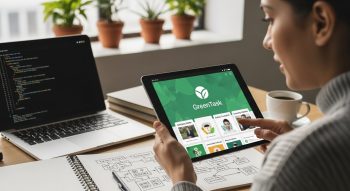
In today’s fast-paced digital world, productivity has become a priority. Individuals, startups, and teams rely on smart digital tools to manage their workflow and time effectively. GreenTask, a modern task management app, has gained popularity by combining intuitive design, smart automation, and cross-platform functionality to simplify daily planning and boost productivity.
If you’re looking to develop an app like GreenTask, this complete guide covers every crucial stage — from market research and feature planning to UI/UX design, backend development, and app monetization. By the end, you’ll have a clear blueprint for building your own task management solution that competes with industry leaders like Todoist, ClickUp, and Trello.
1. Understanding GreenTask: The Foundation of Smart Productivity
Before jumping into development, it’s essential to understand what makes GreenTask stand out in the competitive market of productivity apps.
Key Features That Define GreenTask:
-
Simple, elegant user interface for distraction-free productivity.
-
AI-powered task suggestions that learn from user habits.
-
Cloud synchronization across devices.
-
Team collaboration tools for assigning and tracking shared tasks.
-
Visual dashboards for progress tracking.
-
Eco-inspired productivity model, encouraging sustainable time management.
These features make GreenTask both user-friendly and intelligent — two qualities that your app must aim to replicate and enhance.
2. Market Research: Identify Opportunities in the Productivity App Space
The task management app market is highly competitive yet full of opportunities. Understanding user expectations will help shape your product’s direction.
Steps for Market Analysis:
-
Study Competitors: Analyze apps like Notion, Asana, Trello, and Todoist.
-
Identify Market Gaps: Are users looking for voice task input, offline access, or eco-themed rewards?
-
Define Your Audience: Professionals, students, remote teams, or freelancers.
-
Pinpoint Pain Points: Common frustrations include cluttered interfaces, lack of automation, or weak syncing.
Once you identify your target audience and unique value proposition (UVP), you can design an app that solves real-world productivity challenges.
3. Defining Features and Functionalities
To develop an app like GreenTask, you must balance essential task management functions with advanced intelligent features that enhance the experience.
Core Features:
-
Task Creation and Editing – Quickly add, modify, or delete tasks.
-
Priority and Deadline Settings – Organize tasks by urgency or due dates.
-
Reminders and Notifications – Automated alerts for important deadlines.
-
Calendar Integration – Sync tasks with Google Calendar or iCal.
-
Progress Tracking – Visual graphs to measure productivity.
-
Offline Access – Manage tasks even without an internet connection.
Advanced Features:
-
AI Task Assistant: Suggests optimal task order and time based on user behavior.
-
Team Collaboration: Shared lists, comments, file attachments, and real-time updates.
-
Voice Input: Add tasks via speech recognition.
-
Cloud Synchronization: Ensures all devices stay updated.
-
Gamification: Reward users for task completion to encourage motivation.
-
Eco-Friendly Themes: Promote balance, mindfulness, and sustainability in workflow.
Building a blend of functional and smart features helps position your app as a next-generation productivity tool.
4. Choosing the Right Tech Stack
The choice of technology determines your app’s scalability, performance, and development time.
Frontend (User Interface):
-
Flutter: Ideal for cross-platform mobile app development using Dart.
-
React Native: Enables faster UI building with reusable components.
-
Swift (iOS) / Kotlin (Android): For native performance optimization.
Backend (Server-Side Logic):
-
Node.js: Fast and efficient for real-time task updates.
-
Python (Django/Flask): Excellent for AI-based features and machine learning integration.
-
Ruby on Rails or GoLang: For scalable and clean server logic.
Database:
-
Firebase Firestore: Best for real-time updates and cloud sync.
-
MongoDB or PostgreSQL: For structured task and user data management.
APIs and Integrations:
-
Google Calendar API – Sync tasks with calendar events.
-
Firebase Cloud Messaging – For push notifications.
-
OpenAI API – For AI-powered task suggestions or reminders.
Selecting a stack that balances speed, scalability, and security ensures smooth performance and easy maintenance.
5. UI/UX Design: Building for Clarity and Focus
Design is the cornerstone of user experience, especially in productivity apps.
Best UI/UX Practices:
-
Minimalist Design: Clean layouts with logical navigation.
-
Color Psychology: Use green and soft tones to inspire calm and focus.
-
Interactive Elements: Subtle animations for transitions and task completion.
-
Dark Mode Support: For eye comfort and personalization.
-
Drag-and-Drop Functionality: Easy task rearrangement.
Tools like Figma, Adobe XD, and Sketch can help you create clickable prototypes to test flows and design before development.
Remember — a good design doesn’t just look beautiful; it enhances productivity.
6. App Architecture and Workflow
A well-structured architecture ensures the app’s reliability and smooth data handling.
Recommended Architecture:
-
Frontend Layer: Manages user interactions and UI.
-
Backend Layer: Handles business logic, task management, and real-time sync.
-
Database Layer: Stores tasks, user preferences, and history.
-
AI Layer: Analyzes patterns to suggest productivity improvements.
Workflow Example:
-
User creates a task → data sent to backend.
-
Task stored in database and synced to cloud.
-
Notifications scheduled for reminders.
-
AI layer analyzes task habits and suggests improvements.
This ensures the app runs smoothly, even during high data usage or offline activity.
7. Integrating AI for Smart Productivity
Artificial Intelligence gives your GreenTask-like app an edge in personalization and automation.
AI Features to Consider:
-
Smart Scheduling: Suggests optimal task order based on deadlines and energy levels.
-
Behavioral Analytics: Learns from user habits to improve recommendations.
-
Natural Language Processing (NLP): Converts plain language (“Remind me to call Alex at 3”) into structured tasks.
-
Sentiment Analysis: Detects stress levels or productivity drops through usage patterns.
Integrating AI turns your task manager into a personal productivity coach, not just a digital to-do list.
8. Implementing Data Security and Privacy
Users trust task management apps with sensitive personal and professional data. Protecting that data is crucial.
Security Practices:
-
End-to-End Encryption: Secure all data transfers.
-
OAuth 2.0 Authentication: For safe login via Google or Apple ID.
-
Encrypted Cloud Storage: Protect task data in the cloud.
-
GDPR Compliance: Follow global privacy regulations.
-
Role-Based Access Control: For collaborative teams with different permissions.
A secure app not only builds user trust but also strengthens your brand reputation.
9. Testing and Quality Assurance
Before launch, your app must undergo rigorous testing to ensure smooth performance across all devices.
Testing Phases:
-
Unit Testing: Validate each function (add, delete, update task).
-
UI/UX Testing: Ensure design consistency and responsiveness.
-
Integration Testing: Verify synchronization, calendar, and notifications.
-
Performance Testing: Check app speed under heavy data load.
-
Beta Testing: Release to a small user group for real-world feedback.
Testing Tools:
-
Appium or Espresso: For mobile testing automation.
-
Firebase Test Lab: For testing on real devices.
-
Postman: For API testing.
This ensures your GreenTask-like app is stable, reliable, and user-friendly before hitting app stores.
10. Launch and Deployment
Once tested and refined, it’s time to release your app to the world.
Steps to Launch:
-
Host your backend on Firebase, AWS, or Google Cloud.
-
Submit your app to the Google Play Store and Apple App Store.
-
Optimize your app listing with high-quality visuals and keyword-rich descriptions.
-
Conduct soft launch testing for real-user data insights.
-
Collect analytics and fix post-launch issues.
App Store Optimization (ASO) Tips:
Use keywords like:
-
“Task management app”
-
“Smart to-do list”
-
“Team productivity tool”
-
“AI task planner”
ASO improves your app’s visibility and download rate significantly.
11. Marketing and Monetization
After launch, success depends on how effectively you market your app and generate revenue.
Marketing Strategies:
-
Social Media Marketing: Showcase your app’s productivity benefits.
-
Influencer Collaborations: Partner with productivity YouTubers and bloggers.
-
Content Marketing: Publish blogs on time management, AI in productivity, and digital planning.
-
Email Campaigns: Share feature updates and productivity tips.
-
App Review Platforms: Submit to Product Hunt, TechCrunch, and AppSumo.
Monetization Models:
-
Freemium: Free basic features with paid premium tools.
-
Subscription Plans: Monthly/annual pricing for AI analytics or team collaboration.
-
In-App Purchases: Custom themes or extra storage.
-
Ad-Free Premium Version: Offer a paid upgrade for a seamless experience.
A sustainable monetization strategy ensures long-term growth while keeping users satisfied.
12. Post-Launch Maintenance and Continuous Improvement
Once your app is live, continuous improvement keeps it relevant and competitive.
Maintenance Checklist:
-
Fix bugs and crashes regularly.
-
Add user-requested features.
-
Monitor performance metrics and user retention.
-
Update AI models for improved recommendations.
-
Stay compatible with the latest Android/iOS versions.
Consistent updates and community engagement turn users into loyal advocates for your app.
Conclusion
Developing an app like GreenTask isn’t just about creating a digital to-do list — it’s about designing a smart, intuitive ecosystem for productivity. By combining clean UX, AI-driven intelligence, and cloud-based collaboration, your app can empower users to stay organized and efficient.
From initial market research to post-launch updates, every step plays a crucial role in shaping the success of your productivity app.
With the right planning, technology, and innovation, you can create a GreenTask-inspired app that stands out — not just as a task manager, but as a complete personal productivity assistant.

He is a SaaS-focused writer and the author of Xsone Consultants, sharing insights on digital transformation, cloud solutions, and the evolving SaaS landscape.