

Blog

How to
Develop an App like anroClip
Contents hide 1 1. Understanding What anroClip Is 2
2. Market Opportunity for Clipboard Manager Apps 2.1
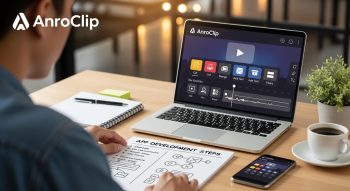
In today’s fast-paced digital environment, productivity tools are essential for managing and organising information efficiently. AnroClip is one such innovation—a smart clipboard management app that automatically saves, categorises, and synchronises copied text, links, and media across devices.
If you’ve ever copied something important only to lose it after copying something else, clipboard management apps like anroClip solve that problem. This guide will help you develop an app like AnroClip, covering everything from concept and UI/UX design to technology stack, key features, and monetisation strategies.
1. Understanding What anroClip Is
anroClip is a productivity-enhancing clipboard manager that securely stores copied content and allows users to retrieve it anytime. It offers features like auto-sync, smart categorisation, search, and cross-device sharing—making it a must-have for multitaskers, content creators, and professionals.
Essentially, an app like AnroClip transforms your simple system clipboard into a personalised, searchable data hub.
2. Market Opportunity for Clipboard Manager Apps
Before jumping into development, it’s important to understand the market scope and user demand.
Key Insights
-
The global productivity software market is expected to surpass $100 billion by 2030.
-
The rising demand for cross-platform tools boosts apps that integrate cloud-based sync.
-
Users increasingly value automation, data privacy, and cloud backups.
Target Audience
-
Developers and IT professionals
-
Students and researchers
-
Writers, designers, and marketers
-
General smartphone users seeking faster multitasking
Clipboard apps like AnroClip stand out by combining simplicity, data safety, and automation.
3. Core Features of an App like anroClip
To make your clipboard management app competitive, you must focus on core functionality that provides convenience, speed, and flexibility.
a. Clipboard History Tracking
Automatically record everything users copy—text, URLs, images, or files—and store it securely.
b. Smart Categorization
Use AI to classify clips into categories like text, images, or links. Allow users to create custom tags or folders.
c. Multi-Device Synchronization
Ensure seamless syncing of clipboard data across devices (phones, tablets, and desktops) via a secure cloud backend.
d. Quick Search and Filter
Enable users to find old clippings instantly using keyword search, filters, or date sorting.
e. Pinning and Favorites
Allow users to pin important snippets for instant access or mark them as favourites.
f. Auto-Detection and Formatting
Auto-detect URLs, emails, or phone numbers and provide quick actions (e.g., “Open in Browser” or “Save Contact”).
g. Privacy Lock & Encryption
Use AES-256 encryption to protect clipboard data, and include PIN, Face ID, or fingerprint locks.
h. Cloud Backup & Restore
Enable users to back up their clipboard history to the cloud and restore it when reinstalling the app.
i. Sharing & Export Options
Offer easy export to text files, PDFs, or email and quick share buttons for messaging apps.
j. Floating Widget or Overlay
Include a floating bubble or quick-access widget for copying, pasting, or viewing history without opening the full app.
4. Advanced Features to Make It Stand Out
To make your AnroClip-like app innovative, include advanced and AI-driven features.
AI-Powered Features
-
Smart clip suggestions: Predict what users may want to paste next.
-
Content summarisation: Automatically shorten or format copied text.
-
Language detection and translation: Detect the copied text’s language and offer instant translation.
Cloud and Cross-Platform Integrations
-
Cloud sync using Firebase or AWS Amplify
-
Integration with Google Drive, Dropbox, or OneDrive
-
Browser extensions for Chrome, Safari, and Edge
Productivity Add-ons
-
Clipboard statistics and usage insights
-
Dark/light mode
-
Voice clip support
-
Auto-cleanup of outdated clips
5. Designing the User Experience (UX/UI)
A clipboard app should be fast, lightweight, and easy to navigate. The goal is to reduce friction and make saving and accessing clippings effortless.
Design Principles
-
Minimalist design with smooth animations
-
Floating buttons for quick access
-
Clear typography and color hierarchy
-
Accessible with large tap targets
UI/UX Tools
Use:
-
Figma or Adobe XD for design
-
Lottie animations for smooth interactions
-
Material Design or Cupertino Design for platform consistency
Recommended Screens
-
Onboarding/Permissions
-
Clipboard Dashboard
-
Clip History List
-
Categories/Tags
-
Settings & Cloud Sync Options
6. Choosing the Right Technology Stack
The technology stack defines your app’s scalability and performance.
Frontend (Mobile App)
-
Flutter—for cross-platform Android/iOS app
-
React Native—for rapid development
-
Swift (iOS) or Kotlin (Android)—for native apps
Backend
-
Node.js + Express—lightweight and scalable
-
Django (Python)—robust and secure
-
Firebase—real-time sync and cloud storage
Database
-
Firebase Firestore or MongoDB Atlas for real-time sync
-
SQLite for local offline storage
Cloud & Hosting
-
AWS S3, Google Cloud Storage, or Azure Blob for file storage
Security & Authentication
-
JWT-based authentication
-
OAuth 2.0 for third-party logins
-
AES-256 encryption for clipboard data
7. Step-by-Step Development Process
Here’s how to build your AnroClip-like app from scratch:
Step 1: Research & Planning
-
Define user pain points (e.g., lost clipboard data)
-
Decide target platforms (Android, iOS, or both)
-
Finalize your feature list and monetization model
Step 2: UI/UX Design
-
Design wireframes in Figma
-
Create an interactive prototype
-
Test with a small user group for feedback
Step 3: Backend Setup
-
Set up servers and databases
-
Build APIs for user authentication, sync, and cloud storage
-
Configure cloud permissions and security keys
Step 4: App Development
-
Develop clipboard tracking service (using Android ClipboardManager or iOS Pasteboard)
-
Implement UI screens and sync logic
-
Add AI-based categorization and auto-suggestions
Step 5: Testing
-
Perform unit testing, UI testing, and beta testing
-
Test for data sync consistency, app performance, and memory leaks
Step 6: Deployment
-
Deploy backend on AWS, Firebase, or Google Cloud
-
Publish the app on Google Play and Apple App Store
8. Security and Privacy Considerations
Clipboard data can include personal or sensitive information, so security and privacy are crucial.
Best Practices
-
Encrypt all clipboard data with AES-256
-
Implement local data wipe on logout
-
Respect user permissions and never read clipboard in the background without consent
-
Ensure GDPR and CCPA compliance for user data
Security Enhancements
-
Encrypted backups
-
Biometric authentication
-
Auto-clear clips after a set time
-
App activity logs
9. Monetization Strategies
To make your app profitable, choose one or more monetisation models:
Freemium Model
Offer basic clipboard history for free; unlock premium features (sync, AI categorisation, and cloud backup) through subscription.
Subscription Plans
-
Monthly/annual premium plans
-
Tiered pricing (Basic, Pro, Business)
Ad-Based Revenue
Show non-intrusive ads in the free version. Offer an ad-free experience with premium subscriptions.
One-Time Purchase
Sell the app for a one-time fee on app stores.
10. Estimated Development Cost
Here’s a cost overview for developing an app like AnroClip (based on complexity and region):
| Phase | Estimated Cost (USD) |
|---|---|
| UI/UX Design | $2,000 – $6,000 |
| App Development | $15,000 – $40,000 |
| Backend & Cloud Setup | $5,000–$15,000 |
| Security & Encryption | $3,000 – $8,000 |
| Testing & Launch | $2,000 – $5,000 |
| Total (Approx.) | $25,000–$70,000 |
You can also create an MVP version for around $15,000–$20,000, then expand features later.
11. Marketing and Launch Strategy
After development, focus on visibility and user adoption.
App Store Optimization (ASO)
-
Use keywords like “clipboard manager”, “copy history app”, and “clipboard sync”.
-
Optimize screenshots and add a demo video
Digital Marketing
-
Launch on Product Hunt, Reddit, and tech forums
-
Partner with productivity influencers
-
Run Google Ads and Meta Ads campaigns
User Retention
-
Offer daily tips or usage summaries
-
Send personalized updates about productivity insights
12. Future Trends in Clipboard Management Apps
Keep your app innovative by aligning with modern trends:
-
AI summarization for long copied text
-
Voice clip integration
-
Context-aware paste suggestions
-
Offline-first architecture
-
Clipboard sharing among teams
Conclusion
Building an app like AnroClip blends innovation with utility—combining smart AI, secure cloud sync, and seamless cross-device usability. By focusing on efficiency, security, and user experience, you can create a clipboard management app that stands out in today’s productivity app ecosystem.
With the right tech stack, UX design, and monetisation strategy, your app can become a go-to solution for millions seeking a smarter, faster way to manage their copied data.

He is a SaaS-focused writer and the author of Xsone Consultants, sharing insights on digital transformation, cloud solutions, and the evolving SaaS landscape.